
YAML Powershell更新文件权限失败
YAML Powershell更新文件权限失败
提问于 2021-04-20 18:51:13
Azure DevOps正在覆盖所需web文件的文件权限。因此,我决定在YAML管道中添加一个步骤,以确保始终正确设置文件权限。
我使用命令行工具( Command,CMD)在服务器上测试了它&它工作得很好。但是,我将这个步骤添加到我的YAML中&我得到了以下异常。
术语“RX”不被识别为cmdlet、函数、脚本的名称。
- 我的YAML指挥系统有什么问题吗?
使用命令行工具::
这是我使用CMD...it works fine...and测试的原始命令行,(RX)参数是正确的。
icacls "D:\Applications\MyApplication\bin\Select.Html.dep" /grant:r "mydomain\my_ServiceAccountName_DEV":(RX)YAML管道:
命令行(本身)显然在PowerShell中运行。但是我对YAML...so并不熟悉,也许格式设置已经取消了(有点)。有人能帮忙吗?
#-------------------------------------
#Update File-Permissions for ServiceAccount
- stage: Update_File_Permissions
  jobs:
  - deployment: Update_File_Permissions
    displayName: Update File Permissions
    environment:
      name: 'Purposely Omitted'
      resourceType: 'VirtualMachine'
      tags: 'Purposely Omitted'
    variables:
      DevAppFolder: 'Purposely Omitted'

    strategy:
      runOnce:
        deploy:
          steps:
          - task: PowerShell@2
            inputs:
              targetType: 'inline'
              script: |
                d:
cmd /c icacls "D:\Applications\MyApplication\bin\Select.Html.dep" /grant:r "mydomain\my_ServiceAccountName_DEV":(RX)回答 1
Stack Overflow用户
回答已采纳
发布于 2021-04-21 08:41:13
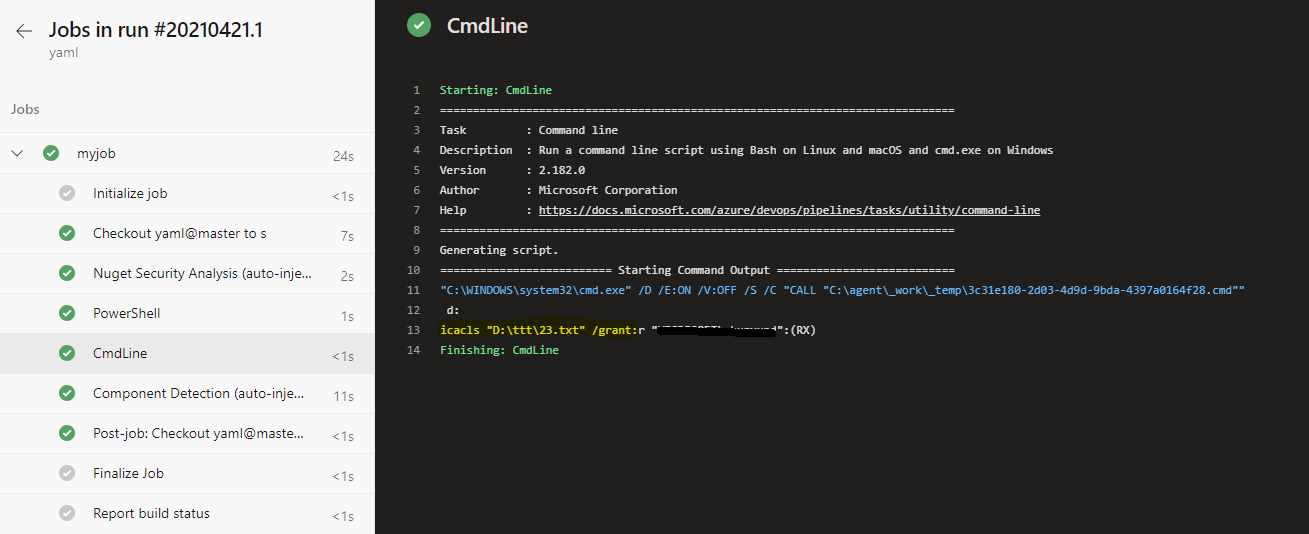
我们建议您使用“命令行”任务而不是“PowerShell”任务来运行脚本:
  - task: CmdLine@2
    inputs:
      script: |
        d:
        icacls "D:\ttt\23.txt" /grant:r "mydomain\mylocaluername":(RX)
在我的测试中效果很好:
页面原文内容由Stack Overflow提供。腾讯云小微IT领域专用引擎提供翻译支持
原文链接:
https://stackoverflow.com/questions/67184699
复制相关文章
相似问题
腾讯云开发者

Copyright © 2013 - 2026 Tencent Cloud. All Rights Reserved. 腾讯云 版权所有
深圳市腾讯计算机系统有限公司 ICP备案/许可证号:粤B2-20090059  粤公网安备44030502008569号
腾讯云计算(北京)有限责任公司 京ICP证150476号 | 京ICP备11018762号