
使用formio呈现iframe
使用formio呈现iframe
提问于 2021-04-23 12:53:43
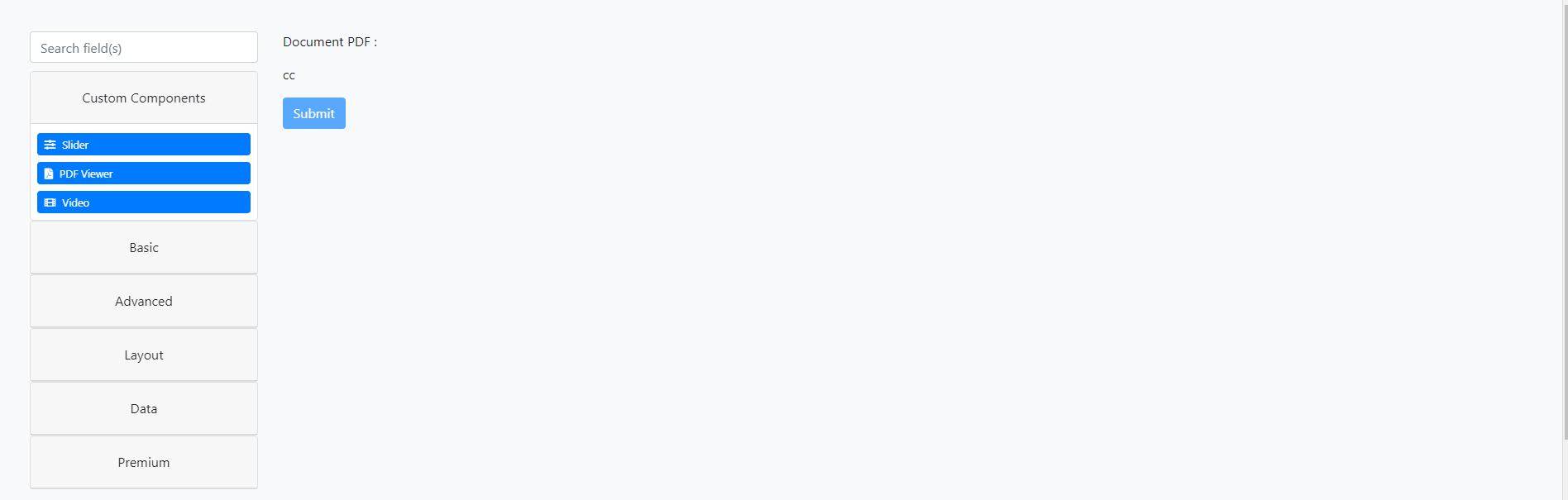
我正在尝试制作一个新的formio.js组件来呈现iframes,因为我想要一些易于显示的PDF文件,例如,但是iframe不工作。所有的东西都被渲染除了iframe..。我也没有成功地使用html元素。是不是有人干了这个?
以下是我的看法:
<div>
<p>{{ ctx.schema.title }}</p>
<iframe
src="https://files.form.io/pdf/5692b91fd1028f01000407e3/file/1ec0f8ee-6685-5d98-a847-26f67b67d6f0.html?id=elr4tq&builder=1"
id="iframe-elr4tq" seamless="true" class="formio-iframe"></iframe>
<p>cc</p>
</div>其结果是:
谢谢
回答 1
Stack Overflow用户
回答已采纳
发布于 2021-04-26 13:41:23
找到办法了!如果有人有同样的麻烦:
1)添加一个with ref属性:
<div>
    <p>{{ ctx.schema.title }}</p>
    <div ref="{{ ctx.key }}"></div>
</div>- 更改附加函数中的innerHTML :
  attach(element) {
    const refs = {};
    refs[this.component.key] = "pdf_div" // on recupere le ref="{{ ctx.key }}"

    this.loadRefs(element, refs); // Chargement de tous les refs

    this.div_pdf = Array.prototype.slice.call(this.refs[this.component.key], 0)[0]; // Return an array of matching refs (with [this.component.key])

    this.div_pdf.innerHTML = '<iframe src="" width="" height=""></iframe>' // Set the iframe to see the pdf

    // Allow basic component functionality to attach like field logic and tooltips.
    return super.attach(element);
}页面原文内容由Stack Overflow提供。腾讯云小微IT领域专用引擎提供翻译支持
原文链接:
https://stackoverflow.com/questions/67230330
复制相关文章
相似问题
腾讯云开发者

Copyright © 2013 - 2026 Tencent Cloud. All Rights Reserved. 腾讯云 版权所有
深圳市腾讯计算机系统有限公司 ICP备案/许可证号:粤B2-20090059  粤公网安备44030502008569号
腾讯云计算(北京)有限责任公司 京ICP证150476号 | 京ICP备11018762号