
@ViewChild未在ngAfterViewInit中定义
@ViewChild未在ngAfterViewInit中定义
提问于 2021-05-04 12:03:25
我正面临着*ngIf和@ViewChild的问题。我尝试了大多数推荐的解决方案,对其他类似的问题,但没有对我有效。
我的HTML文件如下:
<div id="main-container" class="page-layout blank p-24" fusePerfectScrollbar fxLayout="column">
  <mat-tab-group #tabGroup (selectedTabChange)="onTabChange($event);" fxLayout="row wrap">

     <mat-tab label="Some1" *ngIf="arrayNames.includes('Some1')">
            <ng-template matTabContent>
                <my-table #table></my-table>
            </ng-template>
        </mat-tab>

        <mat-tab label="Some2" *ngIf="arrayNames.includes('Some2')">
            <ng-template matTabContent>
                <my-table #table></my-table>
            </ng-template>
        </mat-tab>

        <mat-tab label="Some3" *ngIf="arrayNames.includes('Some3')">
            <ng-template matTabContent>
                <my-table #table></my-table>
            </ng-template>
        </mat-tab>
   </mat-tab-group>
</div>
在组件ts文件中,我有以下内容:
  matTabs = [1, 2, 3];
  @ViewChild('tabGroup', {static: false}) tabGroup: MatTabGroup;
  data: Array<SomeEntity> = [];
  arrayNames: Array<string> = [];
  @ViewChild('table', { static: false }) table: AnotherComponent;

  ngOnInit() {
    this.someService.getAll()
    .subscribe((result) => {
      this.data = result;
      for (let d of this.data) {
        this.arrayNames.push(d.name);
      }
    });
  }

  ngAfterViewInit(): void {
    this.selectedTabLabel = this.tabGroup?._tabs?.first.textLabel;
    this.TabChangeService.changeTab(this.selectedTabLabel);
    this.table.displayMyTable();
}'table‘子表始终是未定义的。是否有任何方法可以修改它,以便在视图初始化后在第一个mat选项卡上显示数据?
当页面完成加载时,如下所示:
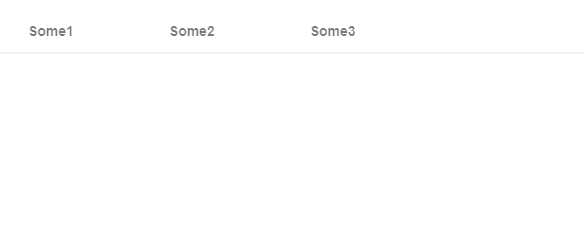
因为this.table.displayMyTable();不显示任何东西,因为'this.table是未定义的‘
回答 2
Stack Overflow用户
发布于 2021-05-04 12:57:56
您可以尝试使用html标记的隐藏属性来解决问题,而不是*ngIf。我认为问题在于html的dom没有ngif元素,因此当您试图访问类型记录文件中的这个元素时会出现这个错误。你的代码应该是-
 <mat-tab label="Some1" [hidden]="!arrayNames.includes('Some1')">
        <ng-template matTabContent>
            <my-table #table></my-table>
        </ng-template>
    </mat-tab>

    <mat-tab label="Some2" [hidden]="!arrayNames.includes('Some2')">
        <ng-template matTabContent>
            <my-table #table></my-table>
        </ng-template>
    </mat-tab>

    <mat-tab label="Some3" [hidden]="!arrayNames.includes('Some3')">
        <ng-template matTabContent>
            <my-table #table></my-table>
        </ng-template>
</mat-tab>Stack Overflow用户
发布于 2021-05-04 12:15:14
有两件事你可以考虑尝试:
第一种方法:用this.table包围setTimeout
  ngAfterViewInit(): void {
    this.selectedTabLabel = this.tabGroup?._tabs?.first.textLabel;
    this.TabChangeService.changeTab(this.selectedTabLabel);
    setTimeout(() => {
    this.table.displayMyTable();
    })
  }
第二次尝试:将ViewChild更改为ViewChildren
@ViewChildren('table') table: QueryList<AnotherComponent>;
页面原文内容由Stack Overflow提供。腾讯云小微IT领域专用引擎提供翻译支持
原文链接:
https://stackoverflow.com/questions/67384407
复制相关文章
相似问题
腾讯云开发者

Copyright © 2013 - 2026 Tencent Cloud. All Rights Reserved. 腾讯云 版权所有
深圳市腾讯计算机系统有限公司 ICP备案/许可证号:粤B2-20090059  粤公网安备44030502008569号
腾讯云计算(北京)有限责任公司 京ICP证150476号 | 京ICP备11018762号