
用Appium &WebdriverIO测试移动应用程序:“/session找不到路径”
我想建立自动测试的过程,用于Android和iOS平台的移动应用程序()。为此,我使用阿普和WebdriverIO。例如,我使用现有的[医]样板代码库和现成的应用程序来运行测试。我在Android仿真器中运行应用程序。基本设置如下所示。
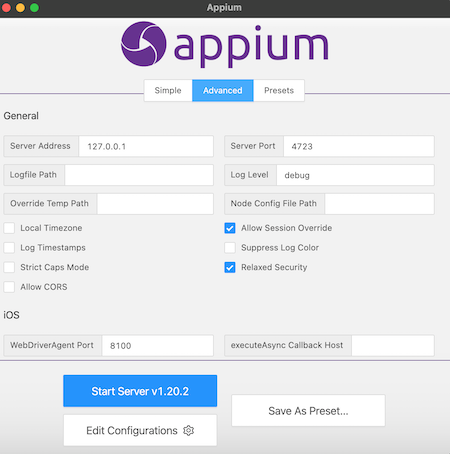
1. Appium
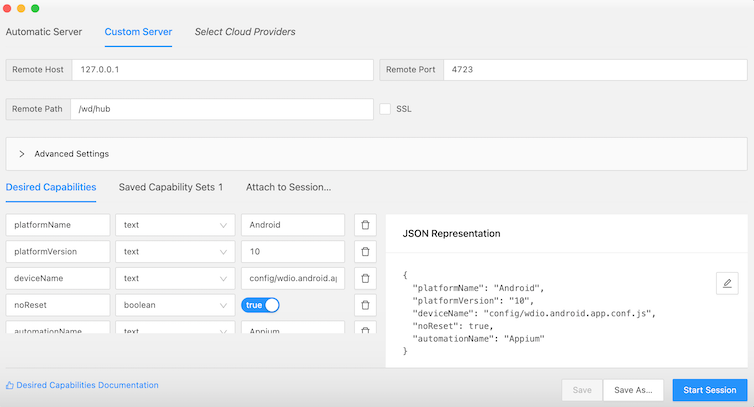
2. WebdriverIO
wdio.shared.conf.js
exports.config = {
    // ====================
    // Runner and framework
    // Configuration
    // ====================
    runner: 'local',
    framework: 'jasmine',
    jasmineNodeOpts: {
        // Updated the timeout to 30 seconds due to possible longer appium calls
        // When using XPATH
        defaultTimeoutInterval: 90000,
        helpers: [require.resolve('@babel/register')],
    },
    sync: true,
    logLevel: 'silent',
    deprecationWarnings: true,
    bail: 0,
    baseUrl: 'http://the-internet.herokuapp.com',
    waitforTimeout: 10000,
    connectionRetryTimeout: 90000,
    connectionRetryCount: 3,
    reporters: ['spec'],

    // ====================
    // Appium Configuration
    // ====================
    services: [
        [
            'appium',
            {
            // For options see
            // https://github.com/webdriverio/webdriverio/tree/master/packages/wdio-appium-service
                args: {
                    // Auto download ChromeDriver
                    relaxedSecurity: true,
                    // chromedriverAutodownload: true,
                    // For more arguments see
                    // https://github.com/webdriverio/webdriverio/tree/master/packages/wdio-appium-service
                },
                command: 'appium',
            },
        ],
    ],
    port: 4723,
};
wdio.android.app.conf.js。
const { join } = require('path');
const { config } = require('./wdio.shared.conf');

// ============
// Specs
// ============
config.specs = [
    './tests/specs/**/app*.spec.js',
];

// ============
// Capabilities
// ============
// For all capabilities please check
// http://appium.io/docs/en/writing-running-appium/caps/#general-capabilities
config.capabilities = [
    {
        // The defaults you need to have in your config
        platformName: 'Android',
        maxInstances: 1,
        // For W3C the appium capabilities need to have an extension prefix
        // http://appium.io/docs/en/writing-running-appium/caps/
        // This is `appium:` for all Appium Capabilities which can be found here
        'appium:udid': 'emulator-5554',
        'appium:deviceName': 'Android SDK build for x86_64',
        'appium:platformVersion': '10.0',
        'appium:orientation': 'PORTRAIT',
        // `automationName` will be mandatory, see
        // https://github.com/appium/appium/releases/tag/v1.13.0
        'appium:automationName': 'Appium',
        // The path to the app
        'appium:app': join(process.cwd(), './apps/Android-NativeDemoApp-0.2.1.apk'),
        // Read the reset strategies very well, they differ per platform, see
        // http://appium.io/docs/en/writing-running-appium/other/reset-strategies/
        'appium:noReset': true,
        'appium:newCommandTimeout': 240,
    },
];

exports.config = config;
3.步骤
首先,我打开Android模拟器并启动Appium服务器:
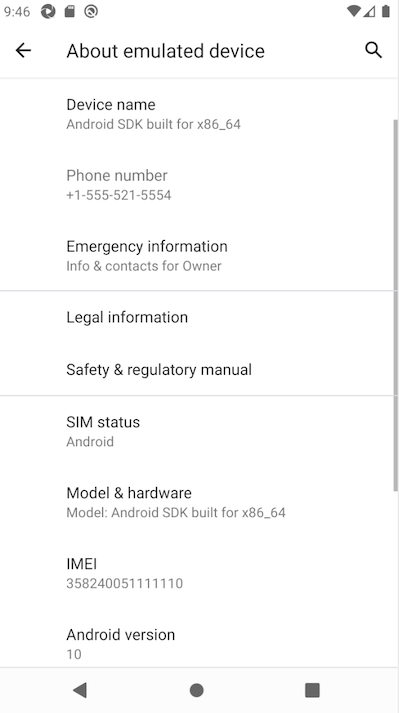
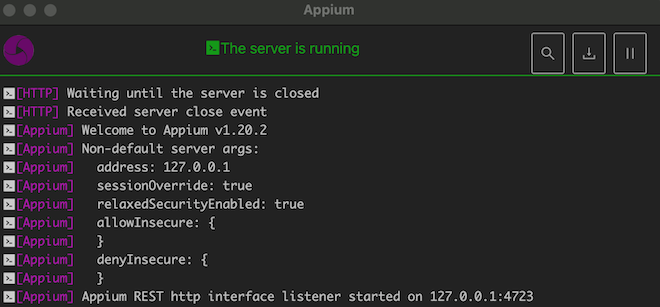
然后,我使用命令运行测试npm run android.app。之后,测试用例在后台执行,但是在模拟器中没有发生任何事情,在终端中我看到了消息[HTTP] No route found for /session。
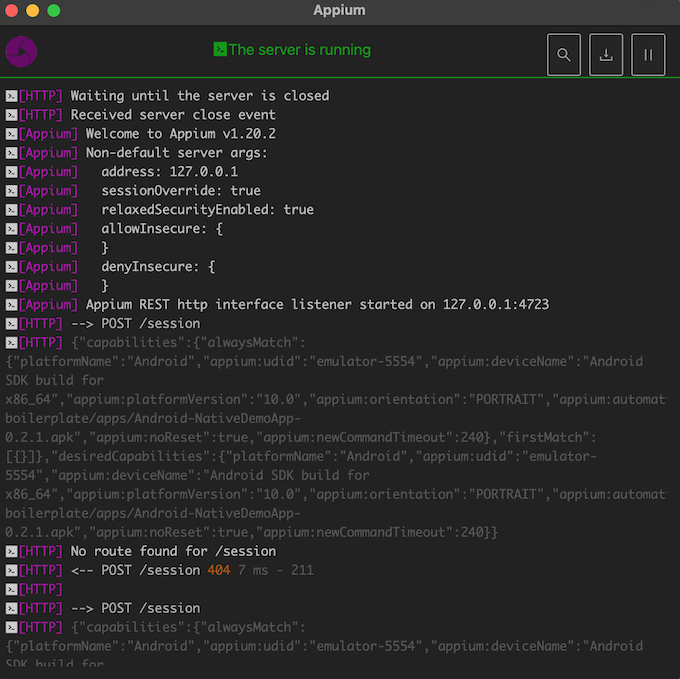
我的问题是:需要注意什么才能解决这个问题?因为我不知道该看什么,也不知道如何正确设置配置。谢谢!
回答 4
Stack Overflow用户
发布于 2021-10-28 14:36:24
通过使用下面的命令启动终端中的Appium服务器,我解决了这个问题:
appium --base-path /wd/hub 并在Appium检查器中使用此设置。
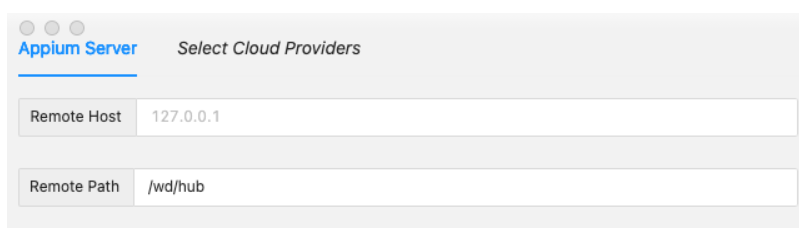
顺便说一句,如果您使用带有Appium 1.21版本的>= 15的>=模拟器/设备,它可能仍然不能工作,因为这不支持iOS 15,您必须安装一个旧的iOS模拟器来解决它。
Stack Overflow用户
发布于 2021-08-18 16:45:44
我们能够通过在path中重写wdio.conf.js变量来解决这个问题:
...
path: '/wd/hub',
port: 4723,
services: ['appium'],
...在没有定义路径的情况下,它显然默认为/session,正如您所看到的那样,这会导致404失败。
Stack Overflow用户
发布于 2021-07-06 14:25:43
不只是运行appium服务器.
直接使用webdriver命令来运行测试。
安卓的例子:npm run android.app
https://stackoverflow.com/questions/67458824
复制相似问题
腾讯云开发者

Copyright © 2013 - 2026 Tencent Cloud. All Rights Reserved. 腾讯云 版权所有
深圳市腾讯计算机系统有限公司 ICP备案/许可证号:粤B2-20090059  粤公网安备44030502008569号
腾讯云计算(北京)有限责任公司 京ICP证150476号 | 京ICP备11018762号