
在胶乳中使用wrapfig包的包装图位于文本下面。
在胶乳中使用wrapfig包的包装图位于文本下面。
提问于 2021-05-11 15:59:57
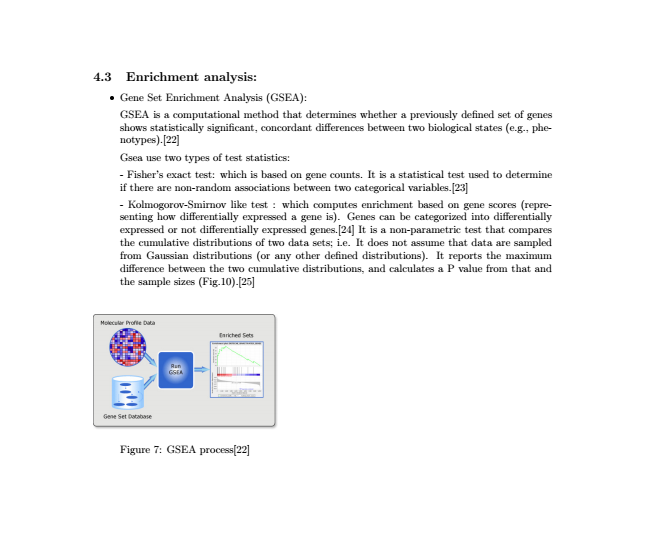
当我在胶乳文档中使用“包装图”时,这个图形不会出现在适当的位置。相反,如图所示,它出现在文本下面。解决这个问题的办法是什么?
\documentclass[18pt]{article}

\usepackage[top=1in,bottom=1in]{geometry}
\usepackage{graphicx}
\usepackage{graphics}
\usepackage{wrapfig}
\usepackage{float}
\usepackage[outercaption]{sidecap}
\DeclareUnicodeCharacter{2060}{\nolinebreak}
\usepackage{titlesec}
\setcounter{secnumdepth}{3}

\begin{document}
\subsection{Enrichment analysis:}\\
\begin{itemize}
\item Gene Set Enrichment Analysis (GSEA):\\
~\par\vspace{-\baselineskip}
\begin{wrapfigure}[15]{R}{0.4\textwidth}
\centering
\includegraphics[width =0.4\textwidth]{GSEA-homegraphic}
\caption{GSEA process[22]}
\label{gsea}
\end{wrapfigure}


GSEA is a computational method that determines whether a previously defined set of genes shows statistically significant, concordant differences between two
biological states (e.g., phenotypes).[22]

Gsea use two types of test statistics:

- Fisher’s exact test: which is based on gene counts. It is a statistical test used to determine if there are non-random associations between two categorical variables.[23]

- Kolmogorov-Smirnov like test : which computes enrichment based on gene scores
(representing how differentially expressed a gene is). Genes can be categorized into
differentially expressed or not differentially expressed genes.[24]
It is a non-parametric test that compares the cumulative distributions of two data sets; i.e. It does not assume that data are sampled from Gaussian distributions (or any other defined distributions). It reports the maximum difference between the two cumulative distributions, and calculates a P value from that and the sample sizes (Fig.10).[25]
\end{itemize}
\end{document}
如下所示
回答 1
Stack Overflow用户
回答已采纳
发布于 2021-05-11 16:19:47
答案很简单:让wrapfigs远离列表。在您的具体情况下,我不会将此图像放在wrapfig中,而是将其放大,这样图像中的字体将与正常的文本大小相匹配,因此便于阅读。
引用wrapfig文档
您不能在任何类型的列表环境中指定包装图,也不能在任何类型的列表环境之前或之后指定包装图。如果在.
之间有一个空行(),那么跟随列表是可以的。
页面原文内容由Stack Overflow提供。腾讯云小微IT领域专用引擎提供翻译支持
原文链接:
https://stackoverflow.com/questions/67490382
复制相关文章
相似问题
腾讯云开发者

Copyright © 2013 - 2026 Tencent Cloud. All Rights Reserved. 腾讯云 版权所有
深圳市腾讯计算机系统有限公司 ICP备案/许可证号:粤B2-20090059  粤公网安备44030502008569号
腾讯云计算(北京)有限责任公司 京ICP证150476号 | 京ICP备11018762号