
如何使用reactjs & material在表中删除特定的文本字段
每当单击特定行删除按钮时,我都希望删除表中特定行上的文本字段,目前我能够在“添加”按钮上添加文本字段,并且能够删除“删除”按钮的textfield单击,但是每当单击“删除”按钮时,所有的文本字段都将被删除,而不是特定的文本字段,添加图标需要在最后一个文本字段旁边,但目前我只能在第一个文本字段中实现它。拜托谁来帮帮我。我到目前为止所取得的成就。
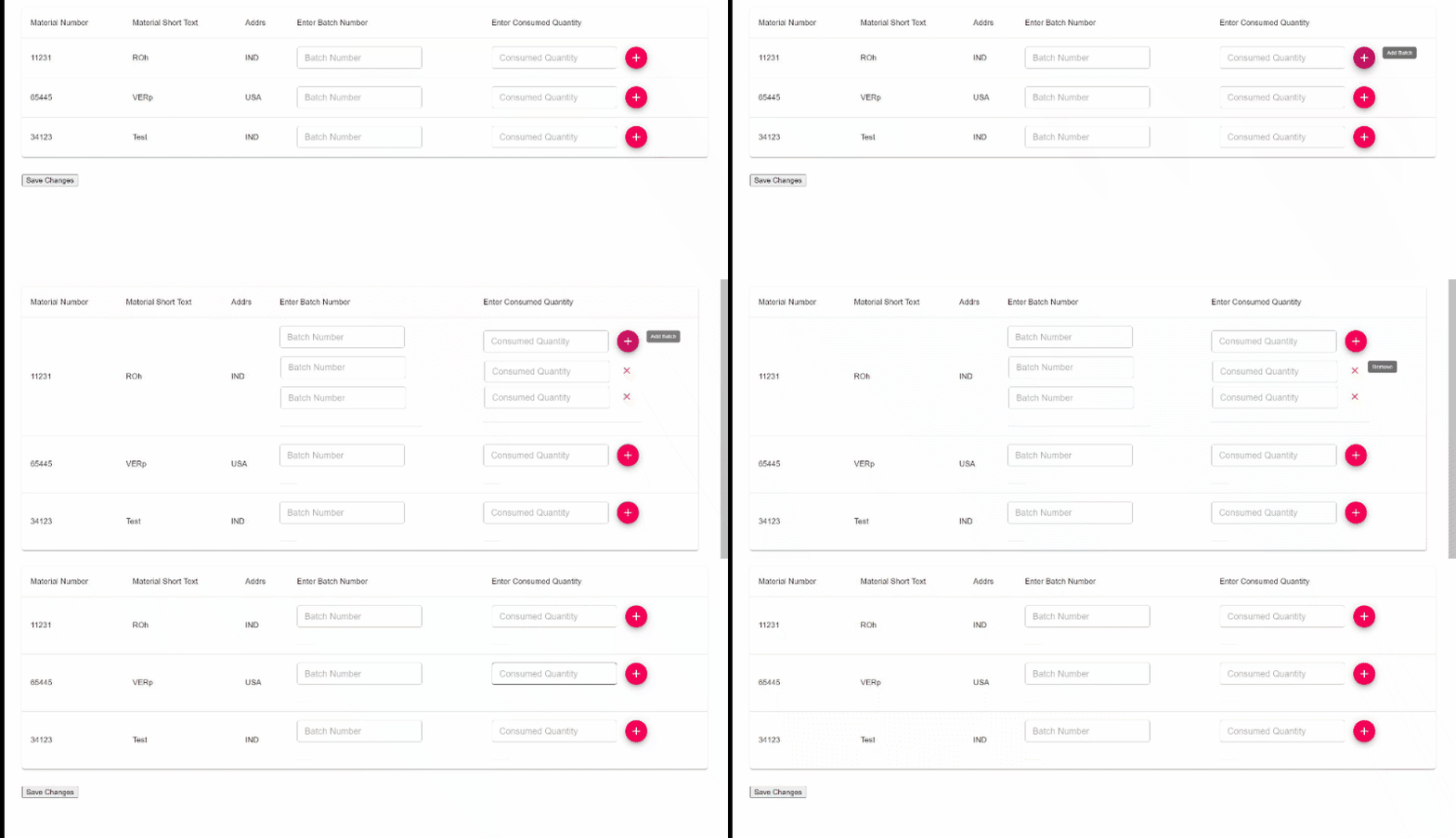
如您所见,我正在尝试删除第一行的textfields,但它将自动删除每一行表中的textfields。
工作码箱:https://codesandbox.io/s/heuristic-fermat-63ixw?file=/src/App.js
有人能帮我一下吗
回答 2
Stack Overflow用户
发布于 2021-05-22 08:15:50
问题
您正在添加多个自定义行,所有这些行都具有相同的rowId,因此,当您筛选它们时,您要删除的内容比您想要的要多。
您还错误地将newRow.rowId与this.state.customRow.rowId (当然是未定义的,因为它是一个数组)进行比较,并更新状态以将customRow嵌套到另一个数组中。
handlingDeleteRow = (index, newRow) => {
  let newdel = this.state.customRow.filter(
    (newRow) => newRow.rowId !== this.state.customRow.rowId // <-- incorrect comparison
  );
  this.setState({
    customRow: [newdel] // <-- nest array in array
  });
  console.log(this.state.customRow);
};
解决方案
我建议在您添加的自定义行中添加一个guid并对其进行匹配。
import { v4 as uuidV4 } from 'uuid';

...

addCustomFile = (index) => {
  this.setState({
    resError: null,
    customRow: [
      ...this.state.customRow,
      { rowId: index, fileData: false, fileName: false, guid: uuidV4() }
    ]
  });
};删除时使用新的guid属性。
handlingDeleteRow = (index, newRow) => {
  let newdel = this.state.customRow.filter(
    (row) => row.guid !== newRow.guid
  );
  this.setState({
    customRow: newdel
  });
};
演示

Stack Overflow用户
发布于 2021-05-22 07:51:56
我看了你的代码,它很好用。
您想要添加的一件事是单行中文本输入的索引。
问题
目前,如果用户按了三次+按钮,addCustomFile将向state.customRow添加三个元素。然而,其中三个元素是相同的,没有什么可以区分的。
这就是为什么filter函数(在按下X按钮时执行)将删除属于同一行的 state.customRow 中的所有元素。
解决方案
我建议您向state.customRow元素中添加一个新属性,以区分同一行中添加的输入。例如,它可以是insideRowIndex,并且每个添加的输入都可以具有递增整数(0、1、2、3、4.)。
在筛选器函数中检查insideRowIndex只允许删除您想要的输入,而不是属于同一函数的所有其他输入。
https://stackoverflow.com/questions/67646539
复制相似问题
腾讯云开发者

Copyright © 2013 - 2026 Tencent Cloud. All Rights Reserved. 腾讯云 版权所有
深圳市腾讯计算机系统有限公司 ICP备案/许可证号:粤B2-20090059  粤公网安备44030502008569号
腾讯云计算(北京)有限责任公司 京ICP证150476号 | 京ICP备11018762号