
Jenkins在远程码头代理中运行sh
问题
我配置了一个远程停靠实例(在服务器A上),它使tcp://server_a:2376能够为API提供服务。
我在服务器B上部署了一个Jenkins服务器,使用(Docker jenkinsci/blueocean映像)。
现在,我可以通过TCP端口访问服务器A上的Docker实例:
DOCKER_HOST=tcp://<server_a>:2376 docker ps
DOCKER_HOST=tcp://<server_a>:2376 docker exec some_container "ls"
以上操作都很好。
但是,当我将管道脚本作为代理在Server中运行时,sh命令就会产生这样的问题,并告诉我们:
显然,/var/jenkins_home/workspace/agent-demo@tmp/durable-1ddcfc03中从未启动过
进程(使用-Dorg.jenkinsci.plugins.durabletask.BourneShellScript.LAUNCH_DIAGNOSTICS=true临时运行Jenkins可能会使问题变得更清楚)
管道脚本
node {
    docker.withServer('tcp://<server_a>:2376') {
        docker.image('python:latest').inside() {
            sh "python --version"
        }
    }
}
管道控制台输出
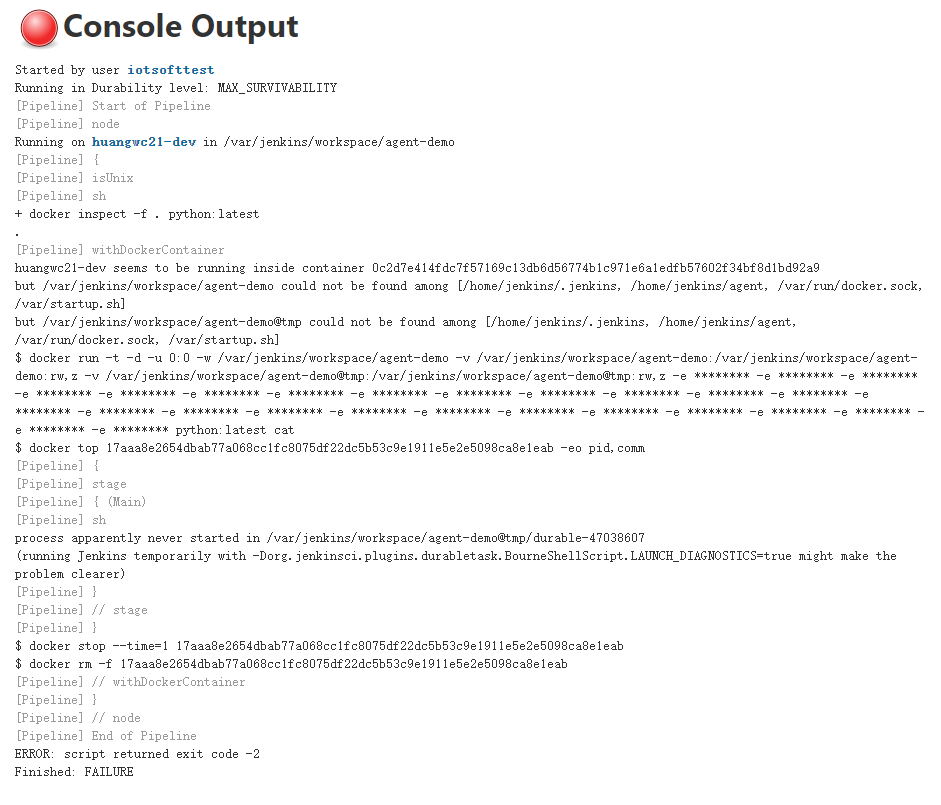
Started by user iotsofttest
Running in Durability level: MAX_SURVIVABILITY
[Pipeline] Start of Pipeline
[Pipeline] node
Running on Jenkins in /var/jenkins_home/workspace/agent-demo
[Pipeline] {
[Pipeline] withDockerServer
[Pipeline] {
[Pipeline] isUnix
[Pipeline] sh
+ docker inspect -f . python:latest
.
[Pipeline] withDockerContainer
Jenkins seems to be running inside container 5be8fc34c80a55ddcc2f5399009b97260adfc7ba9ef88985e0f7df614c707b42
but /var/jenkins_home/workspace/agent-demo could not be found among []
but /var/jenkins_home/workspace/agent-demo@tmp could not be found among []
$ docker run -t -d -u 0:0 -w /var/jenkins_home/workspace/agent-demo -v /var/jenkins_home/workspace/agent-demo:/var/jenkins_home/workspace/agent-demo:rw,z -v /var/jenkins_home/workspace/agent-demo@tmp:/var/jenkins_home/workspace/agent-demo@tmp:rw,z -e ******** -e ******** -e ******** -e ******** -e ******** -e ******** -e ******** -e ******** -e ******** -e ******** -e ******** -e ******** -e ******** -e ******** -e ******** -e ******** -e ******** -e ******** -e ******** -e ******** -e ******** -e ******** -e ******** -e ******** -e ******** -e ******** python:latest cat
$ docker top 25dccce629d42d82b177c79544cdcd2675bad8daf94f11c55f7f9821eb6e052e -eo pid,comm
[Pipeline] {
[Pipeline] sh
process apparently never started in /var/jenkins_home/workspace/agent-demo@tmp/durable-1ddcfc03
(running Jenkins temporarily with -Dorg.jenkinsci.plugins.durabletask.BourneShellScript.LAUNCH_DIAGNOSTICS=true might make the problem clearer)
[Pipeline] }
$ docker stop --time=1 25dccce629d42d82b177c79544cdcd2675bad8daf94f11c55f7f9821eb6e052e
$ docker rm -f 25dccce629d42d82b177c79544cdcd2675bad8daf94f11c55f7f9821eb6e052e
[Pipeline] // withDockerContainer
[Pipeline] }
[Pipeline] // withDockerServer
[Pipeline] }
[Pipeline] // node
[Pipeline] End of Pipeline
ERROR: script returned exit code -2
Finished: FAILURE
我在这个问题上浪费了好几天,有什么想法吗?
回答 3
Stack Overflow用户
发布于 2021-05-30 14:52:21
!!!终于!
经过几天的尝试,我找到了问题的症结所在。
问题环境的再现
- Server A:Jenkins主节点部署在docker下使用映像
jenkinsci/blueocean - Server B:JNLP部署在docker-组合下使用图像
jenkins/inbound-agent:alpine

在两个Jenkins主/代理容器中,我将/var/run/docker.sock安装到它们中,这样两个jenkins节点都可以访问容器中的对接器,并且应该在管道中支持agent docker。
现在,我将管道脚本如下所示:
pipeline {
    agent {
        docker {
            image 'python:latest'
            label 'agent-hkgw'
        }
    }
    stages {
        stage('main') {
            steps {
                sh '''python --version'''
            }

        }
    }
}
嗯,当我们建造它的时候,塞住了:
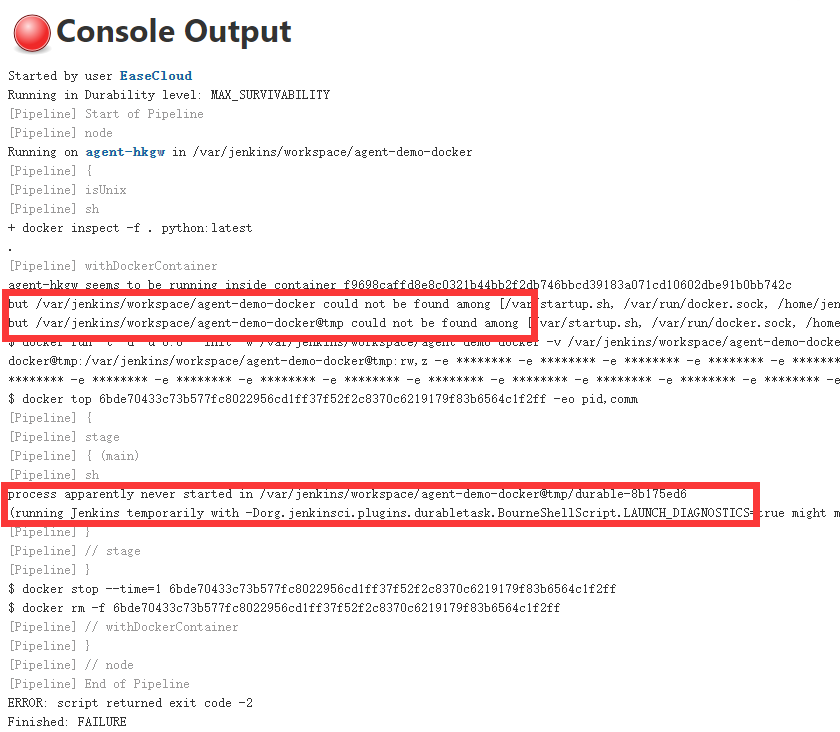
这就是我在问题中提到的问题。
解决方案
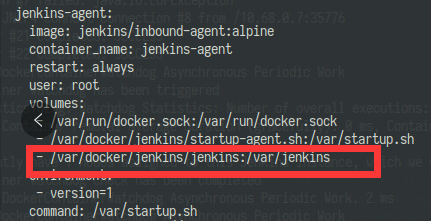
在多次尝试失败之后,我注意到从Jenkins代理节点到管道构建容器的挂载卷没有在Jenkins代理节点中显式声明。因此,我尝试将/var/jenkins文件夹从服务器B挂载到Jenkins代理容器
然后建造的管道就像奇迹一样运作得很好!
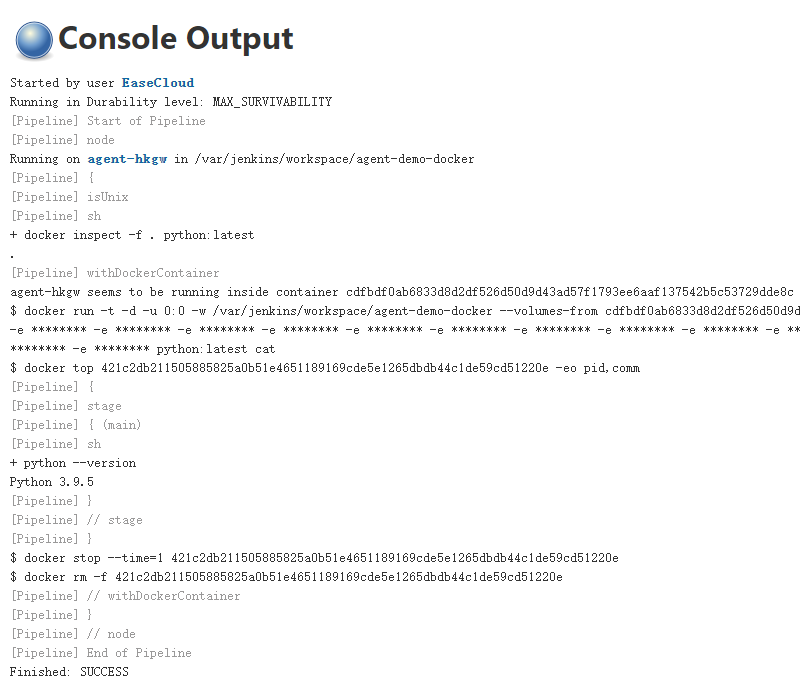
希望这能帮助那些在未来遇到同样问题的人,感谢你们的回答,他们试图提供帮助。
Stack Overflow用户
发布于 2021-05-29 02:00:53
好的,这听起来很傻,但是尝试将python -version改为到python3 -version。
另外,确保您的Python容器在sh和bash中具有所有适当的路径。
最后,确保docker.image.inside()黑色的语法用于Python命令的执行是正确的。
Stack Overflow用户
发布于 2021-05-29 02:14:36
好像你错过了詹金斯集装箱里的码头客户。您需要docker客户机在本地或远程运行docker命令。
尝试在Jenkins容器中下载/安装码头客户端二进制文件,并确保它位于系统$PATH中。
一种安装方式(可能在env - so ymmv中不起作用)
curl -fsSLO https://get.docker.com/builds/Linux/x86_64/docker-17.03.1-ce.tgz &&
tar --strip-components=1 -xvzf docker-17.03.1-ce.tgz -C /usr/local/bin一旦码头客户端在路径中,重新运行管道。此外,在管道中打印echo $(其中的停靠器)的输出,以便进行调试。
https://stackoverflow.com/questions/67680619
复制相似问题
腾讯云开发者

Copyright © 2013 - 2026 Tencent Cloud. All Rights Reserved. 腾讯云 版权所有
深圳市腾讯计算机系统有限公司 ICP备案/许可证号:粤B2-20090059  粤公网安备44030502008569号
腾讯云计算(北京)有限责任公司 京ICP证150476号 | 京ICP备11018762号