
vue的vue-dat-gui不使用“无法读取未定义的属性'_c‘”错误消息。
vue的vue-dat-gui不使用“无法读取未定义的属性'_c‘”错误消息。
提问于 2021-06-13 16:16:56
我正在尝试在dat.gui环境中开发Vue3。我为Vue找到了npm dat.gui。根据文档,它说我需要在main.js和app.use(GUI)中导入它,然后我可以使用它作为全局组件。
我所做的如下。
main.js
import DatGui from '@cyrilf/vue-dat-gui'

const app = createApp(App);
app.use(router)
app.use(DatGui)
在我的一个组件里
    <div class='horizontal-container dark-background white-text' v-if='showup' ref='container'>
        <canvas id='myCanvas' ref='myCanvas'></canvas>
        <div class='menu-text white-text medium medium-text'>This is Landing Page</div>
        <year-select class='year-selection'></year-select>
        <div>{{boroughData}}</div>
    </div>
    </transition>

<dat-gui closeText="Close controls" openText="Open controls" closePosition="bottom">

        <dat-number v-model="cameraZ" :min="0" :max="5" :step="0.5" />
        <dat-number v-model="maxRadius" :min="1" :max="5" :step="0.1"/>
        <dat-number v-model="spacing" :min="1" :max="10" :step="0.5" />

</dat-gui>


  data(){
      return{
          showup:false,
          sRadius:2,
          targetCounty:undefined,
          mouse:{x:undefined,y:undefined},
          getIntersect:false,
          cWidth:undefined,
          cHeight:undefined,
          cameraZ:5,
          maxRadius:5,
          spacing:5
      }
  },
然后抛出一条错误消息:
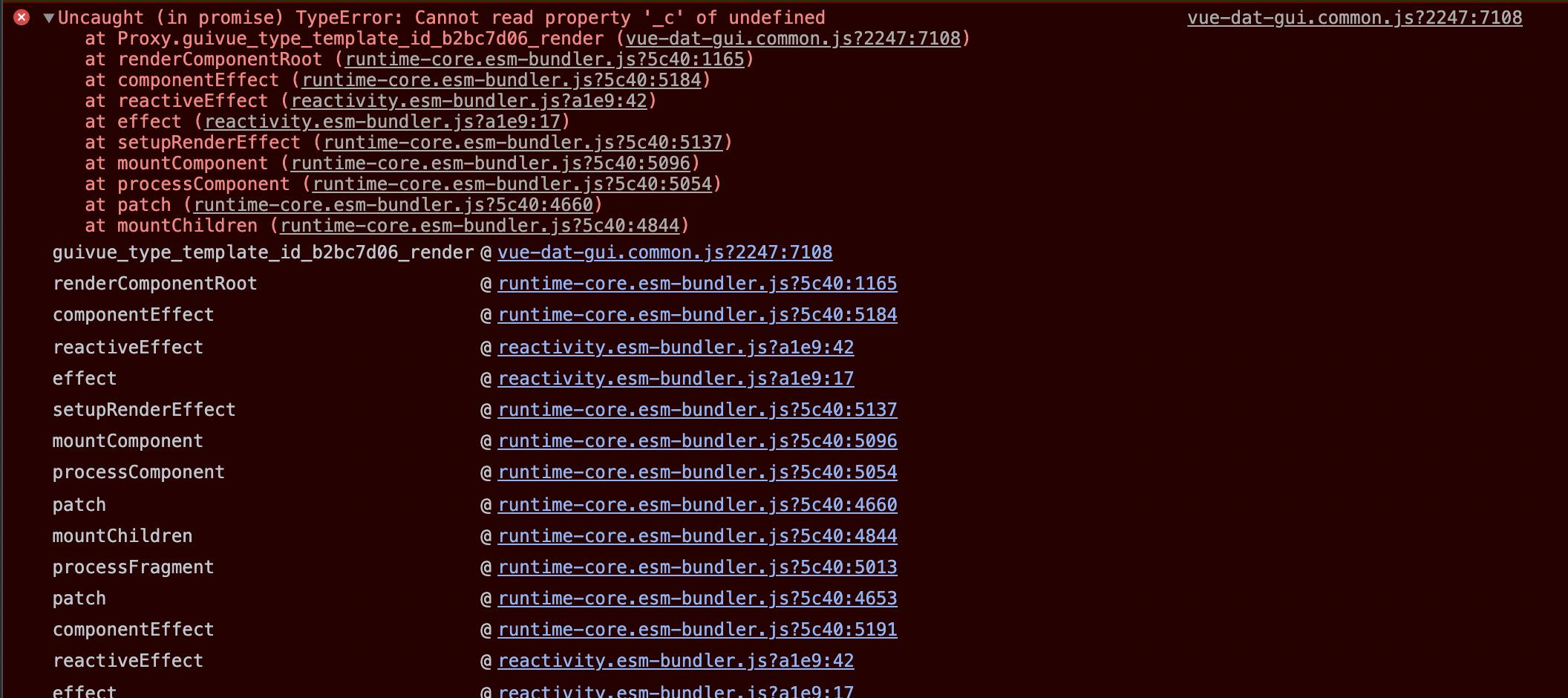
我的dat.gui怎么了?
回答 1
Stack Overflow用户
回答已采纳
发布于 2021-06-14 02:20:15
@cyrilf/vue-dat-gui是为Vue 2建造,所以您需要使用Vue 3 迁移构建使库在您的项目中工作。
要设置Vue CLI支架项目,请执行以下操作:
- 安装与您的Vue构建版本相匹配的Vue兼容性生成和证监会编译器(即,如果
@vue/compat@^3.1.0和@vue/compiler-sfc@^3.1.0在package.json中有vue@^3.1.0,则安装package.json): npm i -S @vue/compat@^3.1.0 - 将Webpack配置为别名
vue到@vue/compat构建,并将vue-loader的兼容性模式设置为Vue 2: // vue.config.js module.exports ={ chainWebpack: config => { config.resolve.alias.set('vue','@vue/compat') config.module .rule('vue') .use(‘vue-module.exports’).tap(选项=> {返回{ ...options,compilerOptions:{ compatConfig:{compatConfig:2}
页面原文内容由Stack Overflow提供。腾讯云小微IT领域专用引擎提供翻译支持
原文链接:
https://stackoverflow.com/questions/67960326
复制相关文章
相似问题
腾讯云开发者

Copyright © 2013 - 2026 Tencent Cloud. All Rights Reserved. 腾讯云 版权所有
深圳市腾讯计算机系统有限公司 ICP备案/许可证号:粤B2-20090059  粤公网安备44030502008569号
腾讯云计算(北京)有限责任公司 京ICP证150476号 | 京ICP备11018762号