
NavigationView与SlidingPaneLayout的结合
根据谷歌导航抽屉的材料设计指南,为了实现平板电脑或桌面设备的标准抽屉,我会在平板设备上使用NavigationView和SlidingPaneLayout,而在手机设备上使用DrawerLayout,这是为了实现模态抽屉。
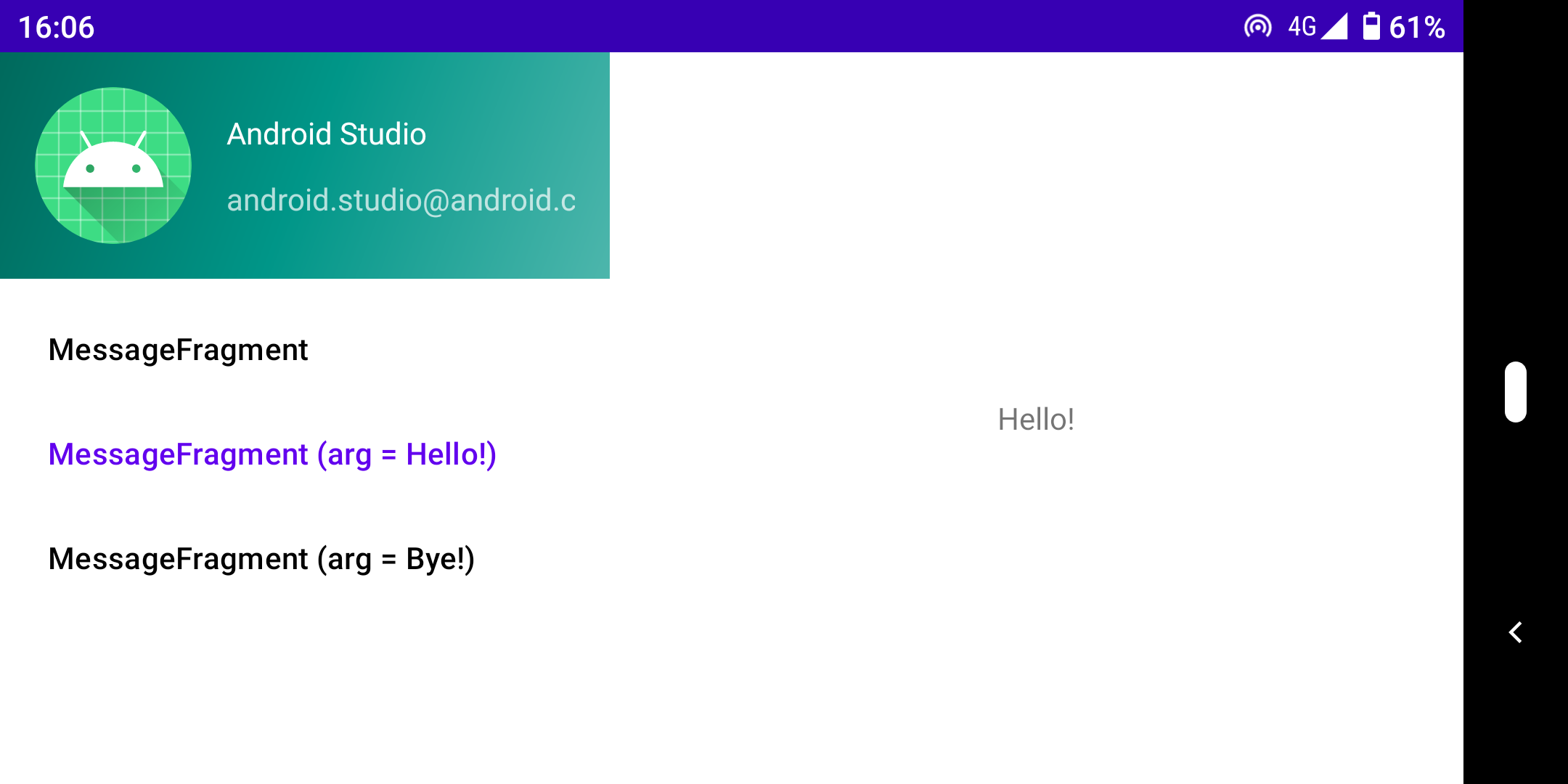
我把一个NavigationView作为SlidingPaneLayout的第一个子视图。出了个问题。
如您所知,如果组合宽度超过SlidingPaneLayout中可用宽度,SlidingPaneLayout的子视图将重叠。在这种情况下,子视图展开以填充SlidingPaneLayout中的可用宽度。用户可以将最上面的视图从屏幕的边缘拖动回来,从而使其远离视线。
,但我的导航视图的窗格不会滑动。,它只是在最大宽度出现或消失,而没有滑动动画。
我怎么才能解决这个问题?
<androidx.slidingpanelayout.widget.SlidingPaneLayout
    xmlns:android="http://schemas.android.com/apk/res/android"
    xmlns:app="http://schemas.android.com/apk/res-auto"
    xmlns:tools="http://schemas.android.com/tools"
    android:layout_width="match_parent"
    android:layout_height="match_parent"
    tools:context=".MainActivity">

    <!-- The first child view becomes the left pane. When the combined
         desired width (expressed using android:layout_width) would
         not fit on-screen at once, the right pane is permitted to
         overlap the left. -->
    <com.google.android.material.navigation.NavigationView
        android:id="@+id/navigationView"
        android:layout_width="280dp"
        android:layout_height="match_parent"
        android:layout_gravity="start"
        app:headerLayout="@layout/navigation_view_header"
        app:menu="@menu/navigation_view" />

    <!-- The second child becomes the right (content) pane. In this
         example, android:layout_weight is used to expand this detail pane
         to consume leftover available space when the
         the entire window is wide enough to fit both the left and right pane.-->
    <fragment
        android:id="@+id/navigationHost"
        android:name="androidx.navigation.fragment.NavHostFragment"
        android:layout_width="320dp"
        android:layout_weight="1"
        android:layout_height="match_parent"
        app:navGraph="@navigation/main" />

</androidx.slidingpanelayout.widget.SlidingPaneLayout>回答 1
Stack Overflow用户
发布于 2021-06-29 07:11:17
将app:elevation="0dp"添加到NavigationView中。
<com.google.android.material.navigation.NavigationView
    android:id="@+id/navigationView"
    android:layout_width="match_parent"
    android:layout_height="match_parent"
    android:layout_gravity="start"
    app:elevation="0dp"
    app:headerLayout="@layout/navigation_view_header"
app:menu="@menu/navigation_view" />如果您检查布局,您可以注意到默认情况下NavigationView具有16dp的高度。这就造成了问题。可能是SlidingPaneLayout在两个子视图具有相同的海拔(0dp)的条件下处理它们。
因此,一个解决方案是使用16dp覆盖导航视图的默认提升( 0dp )。
另一种解决方案是将NavigationView封装为FrameLayout或一些ViewGroup。
<FrameLayout
    android:layout_width="280dp"
    android:layout_height="match_parent">
    <com.google.android.material.navigation.NavigationView
        android:id="@+id/navigationView"
        android:layout_width="match_parent"
        android:layout_height="match_parent"
        android:layout_gravity="start"
        app:headerLayout="@layout/navigation_view_header"
        app:menu="@menu/navigation_view" />
</FrameLayout>然后,您应该使用layout_width和导航视图的layout_width到match_parent来指定match_parent。
尽管导航视图的默认提升是16dp,但由于其父视图组的提升是0dp,SlidingPaneLayout可以正确处理。
https://stackoverflow.com/questions/68174085
复制相似问题
腾讯云开发者

Copyright © 2013 - 2026 Tencent Cloud. All Rights Reserved. 腾讯云 版权所有
深圳市腾讯计算机系统有限公司 ICP备案/许可证号:粤B2-20090059  粤公网安备44030502008569号
腾讯云计算(北京)有限责任公司 京ICP证150476号 | 京ICP备11018762号