
如何在AddTimeLine中设置自定义颜色
如何在AddTimeLine中设置自定义颜色
提问于 2021-07-03 12:18:54
我正在尝试使用leaflet和leaftime包创建一个时间线图。我希望在addTimeline中设置自定义颜色,以指定其组的每个点,如下所示:
library(leaflet)
library(leaftime)
library(geojsonio)

power_d <- data.frame(
  "Latitude" = c(
    33.515556, 38.060556, 47.903056, 49.71, 49.041667, 31.934167,
    54.140586, 54.140586, 48.494444, 48.494444
  ),
  "Longitude" = c(
    129.837222, -77.789444, 7.563056, 8.415278, 9.175, -82.343889,
    13.664422, 13.664422, 17.681944, 17.681944
  ),
  "start" = seq.Date(as.Date("2015-01-01"), by = "day", length.out = 10),
  "end" = seq.Date(as.Date("2015-01-01"), by = "day", length.out = 10) + 1,
color_temp=rep(c("red","blue","green"),len=10)
)

power_geo <- geojsonio::geojson_json(power_d ,lat="Latitude",lon="Longitude")

leaflet() %>%
  addTiles() %>%
  setView(44.0665,23.74667,2) %>%
  addTimeline(data = power_geo,
  timelineOpts = timelineOptions(
      styleOptions = styleOptions(
    radius = 5,
    color=color_temp,
    fillColor = color_temp,
    fillOpacity = 1
      )
    )
)
不幸的是,我遇到了以下错误:
lapply(x,f)中的
错误:找不到对象'color_temp‘
我还尝试用color_temp替换power_d$color_temp,代码运行时不会出错,但是点的颜色不会改变。颜色参数不适用于上述代码,为什么?以及如何修复它?
回答 1
Stack Overflow用户
回答已采纳
发布于 2021-07-03 13:34:23
似乎您无法通过标准的styleOptions传递颜色向量,但是,?addTimeline帮助页面中的一个示例显示了如何使用小JavaScript来根据数据添加颜色(谢天谢地,示例中提供了这一点)。
使用"#根据数据对每个点进行不同的样式设置“的示例,您需要稍微修改它以指向颜色向量,例如将data.properties.color更改为data.properties.color_temp。运行下面的代码将导致
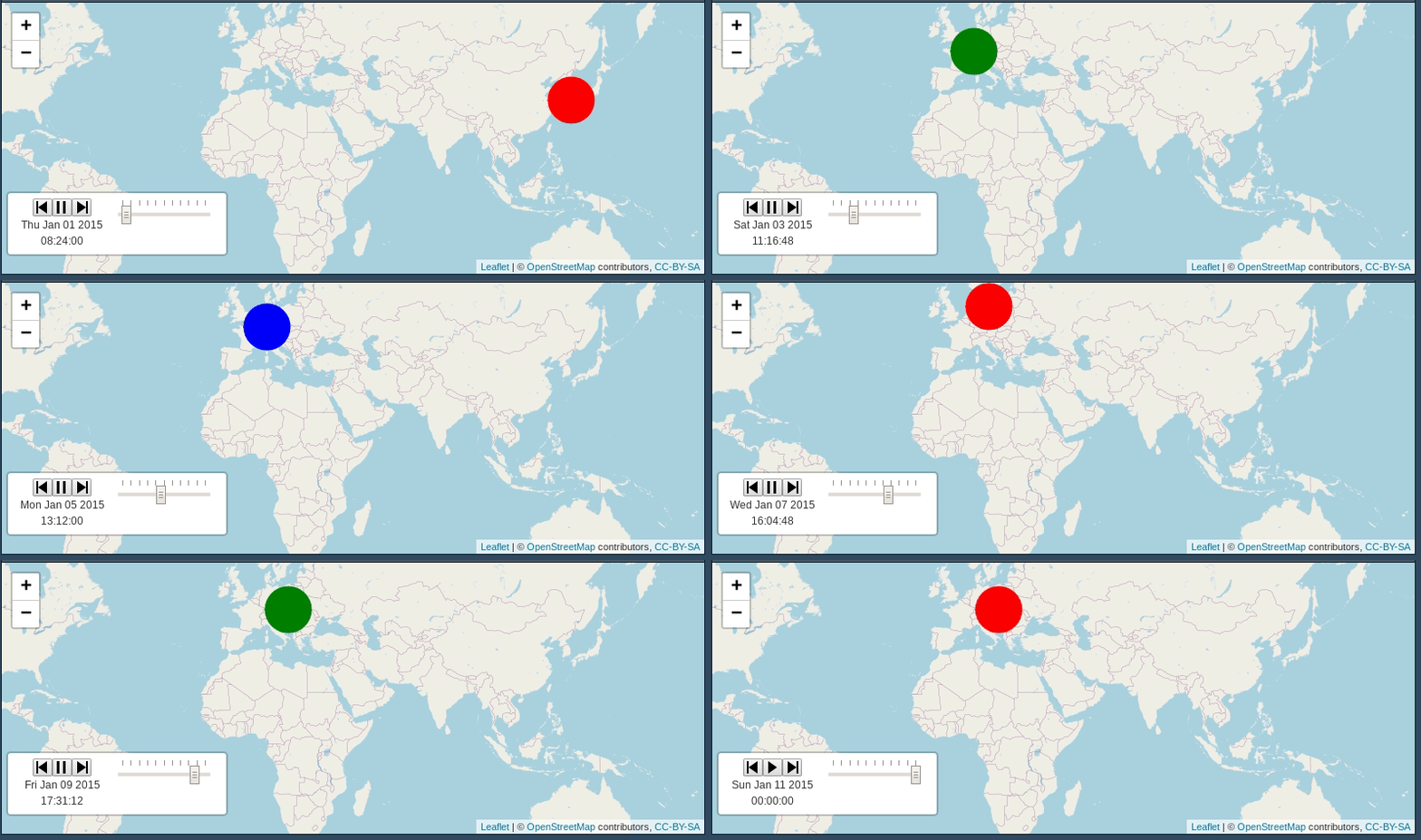
# code
leaflet(power_geo) %>%
  addTiles() %>%
  setView(44.0665,23.74667,2) %>%
  addTimeline(
    timelineOpts = timelineOptions(
      styleOptions = NULL,
      pointToLayer = htmlwidgets::JS(
"
function(data, latlng) {
  return L.circleMarker(
    latlng,
    {
      radius: 25,
      color: data.properties.color_temp,
      fillColor: data.properties.color_temp,
      fillOpacity: 1
    }
  );
}
"
      )
    )
)页面原文内容由Stack Overflow提供。腾讯云小微IT领域专用引擎提供翻译支持
原文链接:
https://stackoverflow.com/questions/68236206
复制相关文章
相似问题
腾讯云开发者

Copyright © 2013 - 2026 Tencent Cloud. All Rights Reserved. 腾讯云 版权所有
深圳市腾讯计算机系统有限公司 ICP备案/许可证号:粤B2-20090059  粤公网安备44030502008569号
腾讯云计算(北京)有限责任公司 京ICP证150476号 | 京ICP备11018762号