
模式下的Python Selenium Edge浏览器
模式下的Python Selenium Edge浏览器
提问于 2021-08-02 07:20:33
我有一个与is兼容的网站。我们激活了边缘Internet模式选项,但im无法使用Selenium处理该网站。在Selenium中有使用IE模式和边缘的方法吗?
回答 2
Stack Overflow用户
回答已采纳
发布于 2021-08-03 03:23:03
您需要从此链接下载推荐版本的IE驱动服务器,然后参考下面的代码,以便在Python中使用Selenium中的边缘IE模式:
from selenium import webdriver

ieOptions = webdriver.IeOptions()
ieOptions.add_additional_option("ie.edgechromium", True)
ieOptions.add_additional_option("ie.edgepath",'C:\Program Files (x86)\Microsoft\Edge\Application\msedge.exe')
driver = webdriver.Ie(executable_path='E:\webdriver\IEDriverServer.exe', options=ieOptions)

driver.maximize_window()
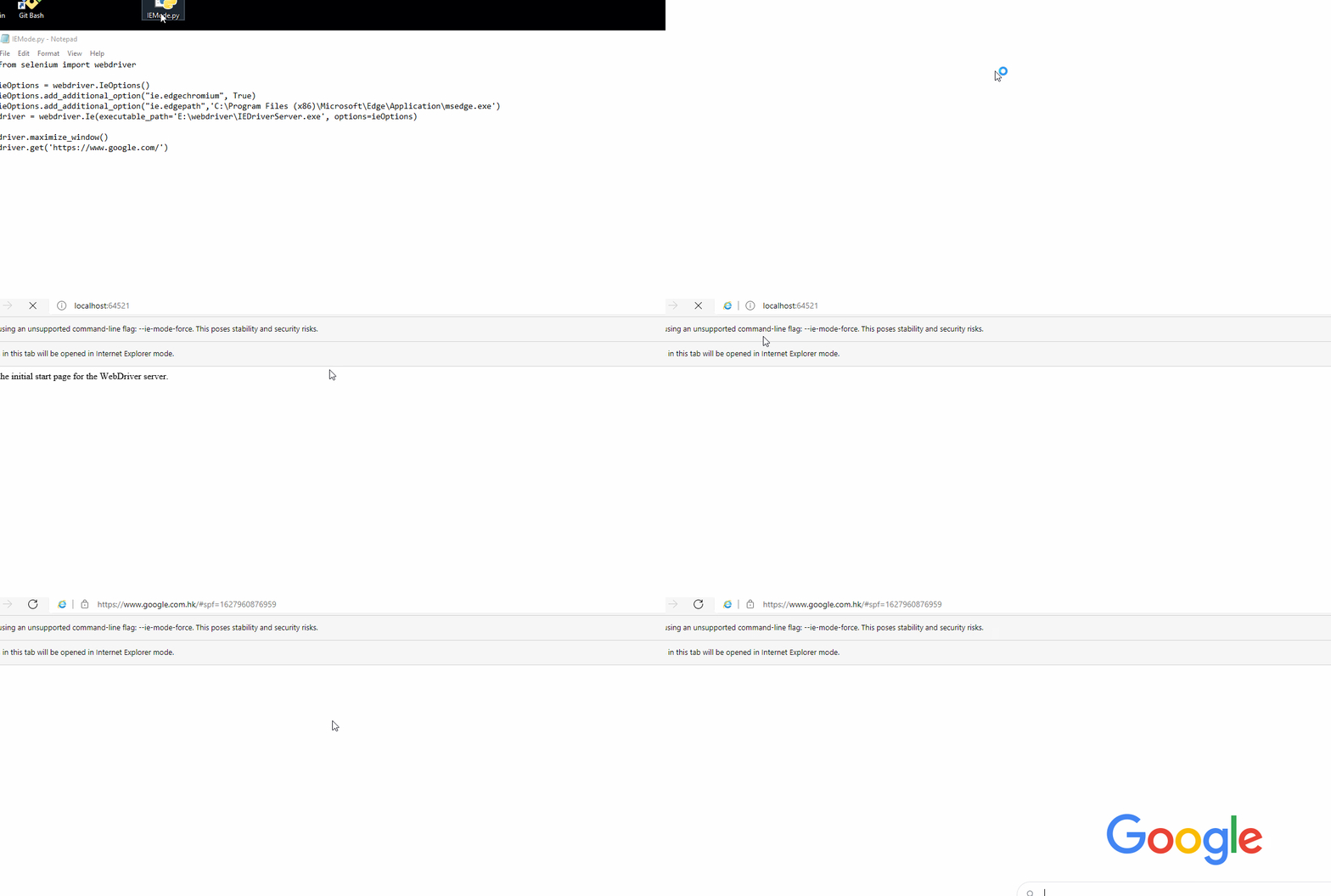
driver.get('https://www.google.com/')注意:将代码中的路径更改为您自己的路径。
结果:
Stack Overflow用户
发布于 2021-08-02 12:30:34
目前没有用于Python的边缘浏览器IE模式选项,但是在C#中有一个选项
如果您熟悉C#,可以按照以下步骤操作
从IEDriverServer下载最新版本的硒位。
使用Visual创建一个C#控制台项目。
从NuGet包管理器安装Selenium.WebDriver 3.141.0 Nuget包。
将下面的代码添加到项目中并修改路径。
static void Main(string[] args)
{
    var dir = "{FULL_PATH_TO_IEDRIVERSERVER}";
    var driver = "IEDriverServer.exe";
    if (!Directory.Exists(dir) || !File.Exists(Path.Combine(dir, driver)))
    {
        Console.WriteLine("Failed to find {0} in {1} folder.", dir, driver);
        return;
    }

    var ieService = InternetExplorerDriverService.CreateDefaultService(dir, driver);
    var ieOptions = new InternetExplorerOptions{};
    ieOptions.AddAdditionalCapability("ie.edgechromium", true);
    ieOptions.AddAdditionalCapability("ie.edgepath", "{FULL_PATH_TO_MSEDGE.EXE}");

    var webdriver = new InternetExplorerDriver(ieService, ieOptions, TimeSpan.FromSeconds(30));
    webdriver.Url = "http://Your_Site_URL_here...";
}页面原文内容由Stack Overflow提供。腾讯云小微IT领域专用引擎提供翻译支持
原文链接:
https://stackoverflow.com/questions/68617785
复制相关文章
相似问题
腾讯云开发者

Copyright © 2013 - 2026 Tencent Cloud. All Rights Reserved. 腾讯云 版权所有
深圳市腾讯计算机系统有限公司 ICP备案/许可证号:粤B2-20090059  粤公网安备44030502008569号
腾讯云计算(北京)有限责任公司 京ICP证150476号 | 京ICP备11018762号