
如何在Nuxt中安装sass/SCSS/sass-加载程序
我有一个Nuxt应用程序,我想使用CSS预处理器。
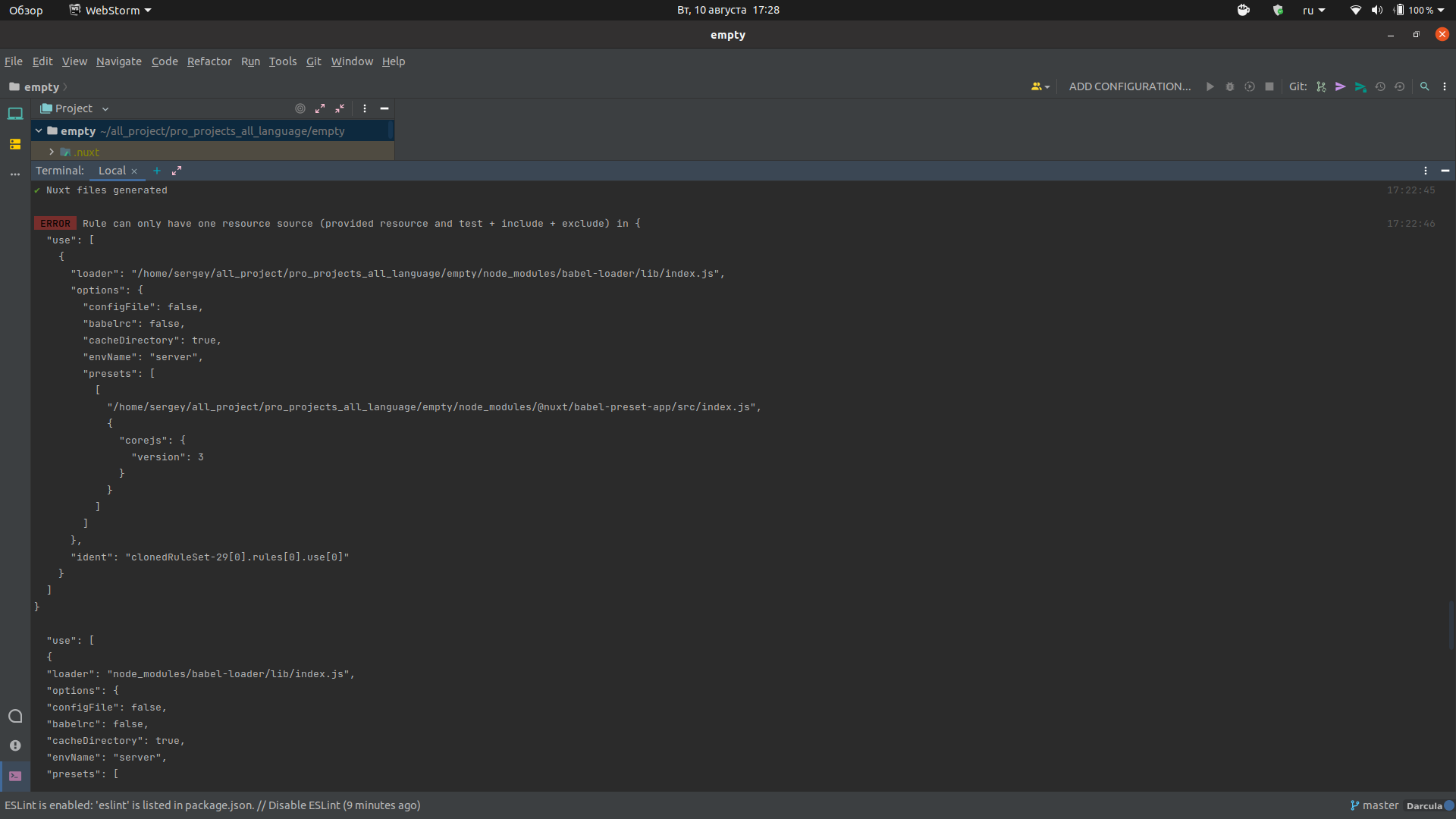
我安装了sass-loader光纤依赖项,但是在安装之后,应用程序控制台中会出现一条消息,我在映像和代码中显示了该消息。
这是代码错误:
 WARN  webpack@5.49.0 is installed but ^4.46.0 is expected                                                                                                                                                                     17:22:44


 WARN  sass-loader@12.1.0 is installed but ^10.1.1 is expected


Rule can only have one resource source (provided resource and test + include + exclude) in {                                                                                                                           17:22:46
  "use": [
    {
      "loader": "/home/sergey/all_project/pro_projects_all_language/empty/node_modules/babel-loader/lib/index.js",
      "options": {
        "configFile": false,
        "babelrc": false,
        "cacheDirectory": true,
        "envName": "server",
        "presets": [
          [
            "/home/sergey/all_project/pro_projects_all_language/empty/node_modules/@nuxt/babel-preset-app/src/index.js",
            {
              "corejs": {
                "version": 3
              }
            }
          ]
        ]
      },
      "ident": "clonedRuleSet-29[0].rules[0].use[0]"
    }
  ]
}

  "use": [
  {
  "loader": "node_modules/babel-loader/lib/index.js",
  "options": {
  "configFile": false,
  "babelrc": false,
  "cacheDirectory": true,
  "envName": "server",
  "presets": [
  [
  "node_modules/@nuxt/babel-preset-app/src/index.js",
  {
  "corejs": {
  "version": 3
  }
  }
  ]
  ]
  },
  "ident": "clonedRuleSet-29[0].rules[0].use[0]"
  }
  ]
  }
  at checkResourceSource (node_modules/@nuxt/webpack/node_modules/webpack/lib/RuleSet.js:167:11)
  at Function.normalizeRule (node_modules/@nuxt/webpack/node_modules/webpack/lib/RuleSet.js:198:4)
  at node_modules/@nuxt/webpack/node_modules/webpack/lib/RuleSet.js:110:20
  at Array.map (<anonymous>)
  at Function.normalizeRules (node_modules/@nuxt/webpack/node_modules/webpack/lib/RuleSet.js:109:17)
  at new RuleSet (node_modules/@nuxt/webpack/node_modules/webpack/lib/RuleSet.js:104:24)
  at new NormalModuleFactory (node_modules/@nuxt/webpack/node_modules/webpack/lib/NormalModuleFactory.js:115:18)
  at Compiler.createNormalModuleFactory (node_modules/@nuxt/webpack/node_modules/webpack/lib/Compiler.js:636:31)
  at Compiler.newCompilationParams (node_modules/@nuxt/webpack/node_modules/webpack/lib/Compiler.js:653:30)
  at Compiler.compile (node_modules/@nuxt/webpack/node_modules/webpack/lib/Compiler.js:661:23)
  at node_modules/@nuxt/webpack/node_modules/webpack/lib/Watching.js:77:18
  at AsyncSeriesHook.eval [as callAsync] (eval at create (node_modules/tapable/lib/HookCodeFactory.js:33:10), <anonymous>:24:1)
  at AsyncSeriesHook.lazyCompileHook (node_modules/tapable/lib/Hook.js:154:20)
  at Watching._go (node_modules/@nuxt/webpack/node_modules/webpack/lib/Watching.js:41:32)
  at node_modules/@nuxt/webpack/node_modules/webpack/lib/Watching.js:33:9
  at Compiler.readRecords (node_modules/@nuxt/webpack/node_modules/webpack/lib/Compiler.js:529:11)
我尝试重新安装依赖项,重新安装一个完全干净的Nuxt应用程序,但问题仍然存在。
回答 2
Stack Overflow用户
发布于 2021-08-10 16:28:59
要在Nuxt中安装SASS,必须运行yarn add -D sass sass-loader@10.1.1 (或npm i -D sass-loader@10.1.1 --save-exact && npm i -D sass)。
sass-loader的版本需要精确并设置在最新的10.x.x上,因为下一个版本(11.0.0)使用的是Webpack5,因此是一个巨大的更改,因为Nuxt2只运行在Webpack4上,如下所示:https://github.com/webpack-contrib/sass-loader/releases
如果那么,您仍然不能在您的.vue组件中使用<style lang="sass">,然后继续。
将此添加到nuxt.config.js文件中
export default {
  build: {
    loaders: {
      sass: {
        implementation: require('sass'),
      },
      scss: {
        implementation: require('sass'),
      },
    },
  }
}下面是一个工作回购,它具有最新推荐的sass (达萨斯)设置,可以正确地处理此类代码
<template>
  <div>
    <span class="test">
      Hello there
    </span>
  </div>
</template>

<style lang="sass" scoped>
div
  .test
    color: red
</style>
PS:如果SASS安装得当,那么SCSS就可以正常工作了,因为它基本上是一样的。
如果您对一些不建议使用的东西有一些警告,比如/ for divison或这里列出的任何东西:https://sass-lang.com/documentation/breaking-changes
您可以参考这个答案以获得修复:https://stackoverflow.com/a/68648204/8816585
Stack Overflow用户
发布于 2022-05-05 22:39:18
基苏的回答对我有效,但不是马上。最后,我设法通过降低加载程序的级别来解决这个问题,随后又删除并重新安装了nuxt。
https://stackoverflow.com/questions/68728903
复制相似问题
腾讯云开发者

Copyright © 2013 - 2026 Tencent Cloud. All Rights Reserved. 腾讯云 版权所有
深圳市腾讯计算机系统有限公司 ICP备案/许可证号:粤B2-20090059  粤公网安备44030502008569号
腾讯云计算(北京)有限责任公司 京ICP证150476号 | 京ICP备11018762号