
角块文件未创建与角模块联合会Webpack
角块文件未创建与角模块联合会Webpack
提问于 2021-08-18 18:18:54
我遵循下面的链接来创建使用角模块联盟的MFE。
https://github.com/benorama/mfe-basic-demo

在运行完这个项目之后,
ng serve mfe1我可以看到块文件是在终端中生成的,但实际上在文件资源管理器中没有文件,我无法找到mfe1RemoteEntry.js。
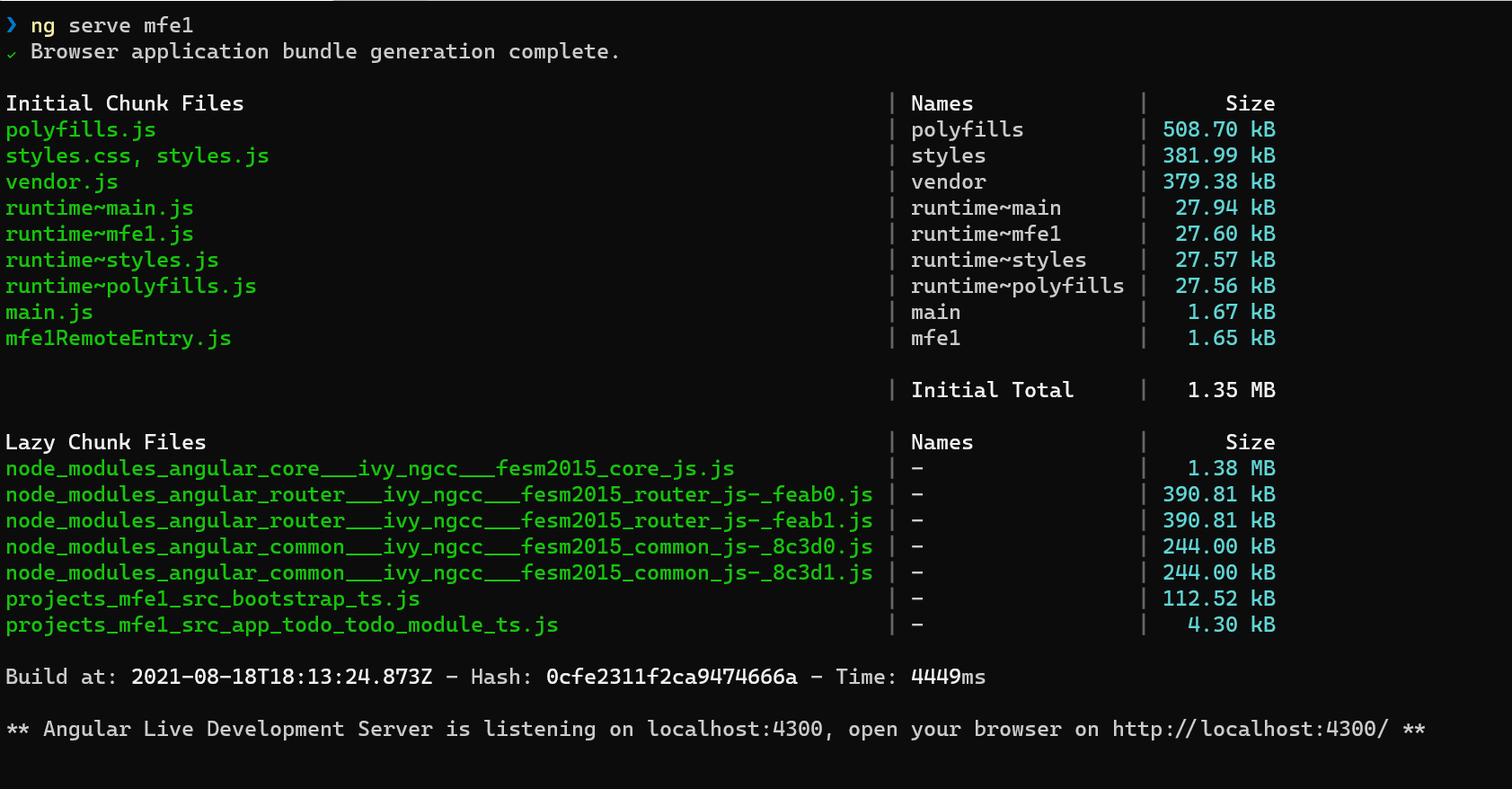
这是webpack的档案,
const ModuleFederationPlugin = require("webpack/lib/container/ModuleFederationPlugin");
const mf = require("@angular-architects/module-federation/webpack");
const path = require("path");
const share = mf.share;

const sharedMappings = new mf.SharedMappings();
sharedMappings.register(
  path.join(__dirname, '../../tsconfig.json'),
  [/* mapped paths to share */]);

module.exports = {
  output: {
    uniqueName: "mfe1",
    publicPath: "auto"
  },
  optimization: {
    runtimeChunk: false
  },
  resolve: {
    alias: {
      ...sharedMappings.getAliases(),
    }
  },
  plugins: [
    new ModuleFederationPlugin({

        name: "mfe1",
        filename: "mfe1RemoteEntry.js",
        exposes: {
            './TodoModule': './projects/mfe1/src/app/todo/todo.module.ts',
        },
        shared: share({
          "@angular/core": { singleton: true, strictVersion: true, requiredVersion: 'auto' },
          "@angular/common": { singleton: true, strictVersion: true, requiredVersion: 'auto' },
          "@angular/common/http": { singleton: true, strictVersion: true, requiredVersion: 'auto' },
          "@angular/router": { singleton: true, strictVersion: true, requiredVersion: 'auto' },

          ...sharedMappings.getDescriptors()
        })

    }),
    sharedMappings.getPlugin()
  ],
};
有什么想法吗?
回答 1
Stack Overflow用户
回答已采纳
发布于 2021-08-20 06:43:45
当您运行“ng serve”时,生成的块将只在内存中,而不是在磁盘上。在使用“ng build”构建项目之后,这些文件将在磁盘上。
页面原文内容由Stack Overflow提供。腾讯云小微IT领域专用引擎提供翻译支持
原文链接:
https://stackoverflow.com/questions/68837512
复制相关文章
相似问题
腾讯云开发者

Copyright © 2013 - 2026 Tencent Cloud. All Rights Reserved. 腾讯云 版权所有
深圳市腾讯计算机系统有限公司 ICP备案/许可证号:粤B2-20090059  粤公网安备44030502008569号
腾讯云计算(北京)有限责任公司 京ICP证150476号 | 京ICP备11018762号