
无法确定任务的依赖关系':app:compileDebugJavaWithJavac‘。在科多瓦有问题
无法确定任务的依赖关系':app:compileDebugJavaWithJavac‘。在科多瓦有问题
提问于 2021-08-26 02:19:34
在构建我的Cordova项目时,我总是会遇到这些错误,我试着更新SDK管理器中的所有内容,并接受所有的许可证,但是我仍然得到了这些错误。
ANDROID_SDK_ROOT=C:\Users\Amir\AppData\Local\Android\Sdk (recommended setting)
ANDROID_HOME=C:\Users\Amir\AppData\Local\Android\Sdk (DEPRECATED)
Using Android SDK: C:\Users\Amir\AppData\Local\Android\Sdk
Subproject Path: CordovaLib
Subproject Path: app
Starting a Gradle Daemon, 1 incompatible and 1 stopped Daemons could not be reused, use --status for details
Observed package id 'emulator' in inconsistent location 'C:\Users\Amir\AppData\Local\Android\Sdk\emulator-2' (Expected 'C:\Users\Amir\AppData\Local\Android\Sdk\emulator')
Build-tool 31.0.0 is missing DX at C:\Users\Amir\AppData\Local\Android\Sdk\build-tools\31.0.0\dx.bat
Observed package id 'emulator' in inconsistent location 'C:\Users\Amir\AppData\Local\Android\Sdk\emulator-2' (Expected 'C:\Users\Amir\AppData\Local\Android\Sdk\emulator')
File C:\Users\Amir\.android\repositories.cfg could not be loaded.
Observed package id 'emulator' in inconsistent location 'C:\Users\Amir\AppData\Local\Android\Sdk\emulator-2' (Expected 'C:\Users\Amir\AppData\Local\Android\Sdk\emulator')
Build-tool 31.0.0 is missing DX at C:\Users\Amir\AppData\Local\Android\Sdk\build-tools\31.0.0\dx.bat

FAILURE: Build failed with an exception.

* What went wrong:
Could not determine the dependencies of task ':app:compileDebugJavaWithJavac'.
> Installed Build Tools revision 31.0.0 is corrupted. Remove and install again using the SDK Manager.

* Try:
Run with --stacktrace option to get the stack trace. Run with --info or --debug option to get more log output. Run with --scan to get full insights.

* Get more help at https://help.gradle.org

BUILD FAILED in 16s
Command failed with exit code 1: L:\Amir-Softwares\Web dev\Vue android\amir-weather\src-cordova\platforms\android\gradlew cdvBuildDebug -b L:\Amir-Softwares\Web dev\Vue android\amir-weather\src-cordova\platforms\android\build.gradle

 App • Command "cordova" failed with exit code: 1
 App • Updated Cordova config.xml

App • ⚠️ FAIL Cordova CLI has failed```回答 2
Stack Overflow用户
回答已采纳
发布于 2021-08-29 11:23:02
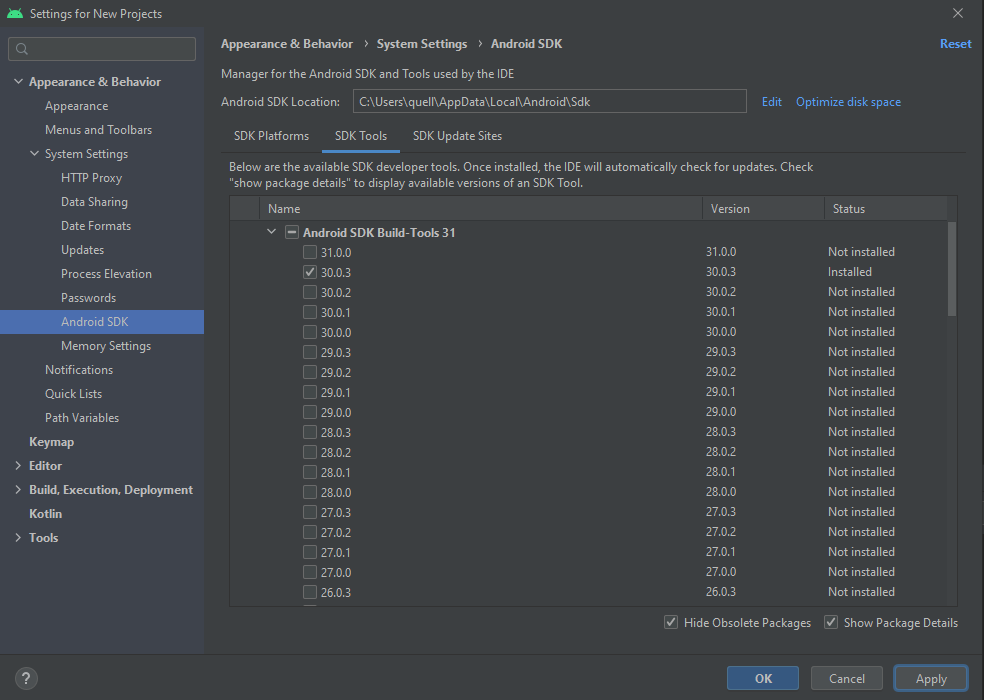
作为outpus,构建工具修订版31.0.0显然已经损坏。你要做的就是:
30.0.3
- Click
- 到Tools,SDK Manager
- On SDK Tools,单击Android -Tools 31上的Show
- ,取消选中31.0.0并在应用程序上检查
- ,它将安装版本。
H 214G 215
它应该是这样的:
Stack Overflow用户
发布于 2022-01-05 10:08:23
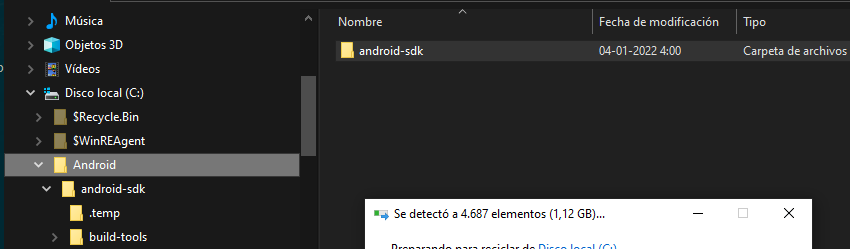
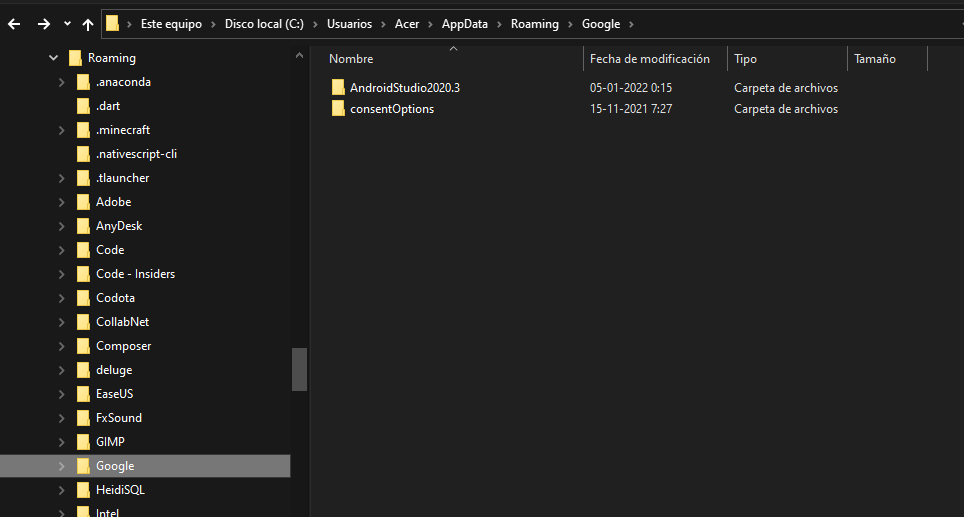
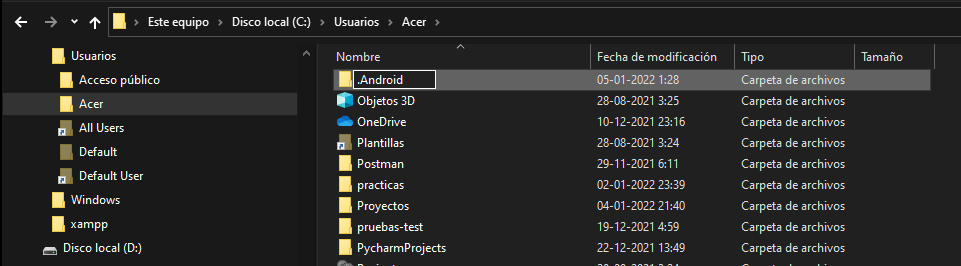
首先,删除所有相关的文件夹和文件。然后,重新安装所有
在根文件夹磁盘中:
在用户\Usuario\appData\漫游文件夹中
在Users\Usuario.android文件夹中
在Usuario\appData\Android文件夹中,删除其所有内容
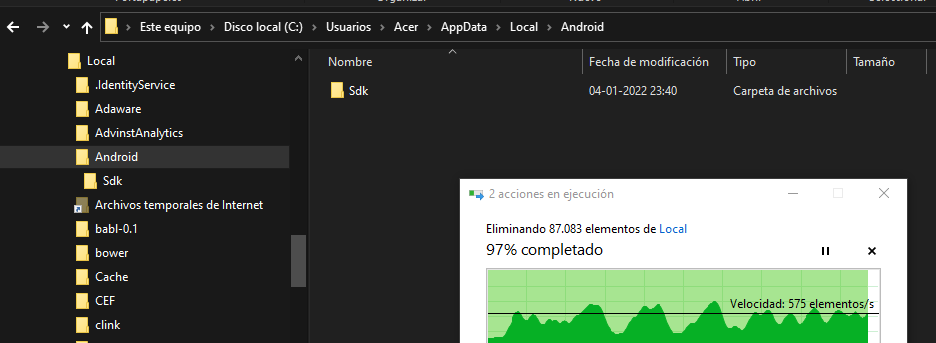
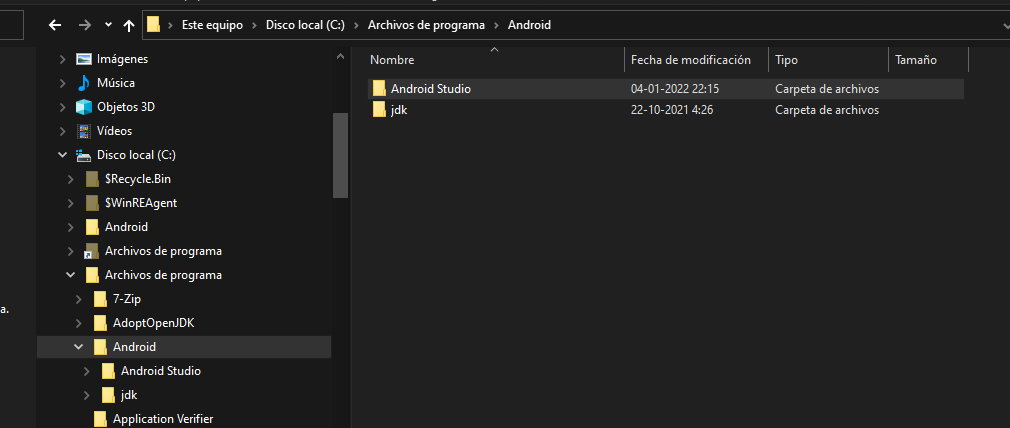
在程序文件中,在卸载android之前删除文件夹(使用Control或Config->Apps)
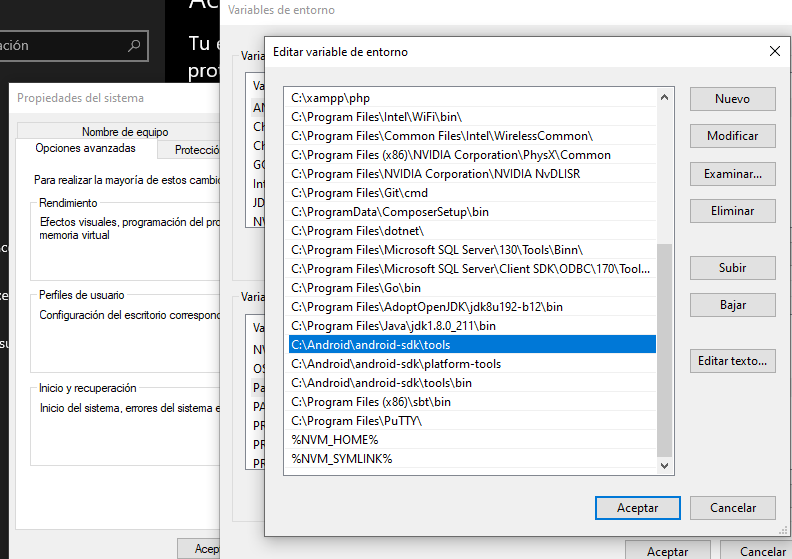
删除"path“环境变量
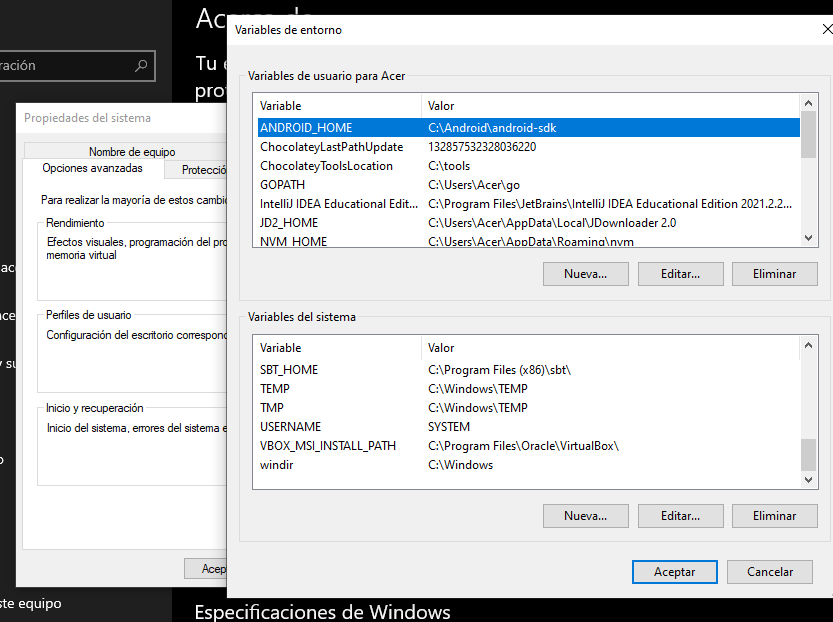
最后,重新安装android工作室。
这个错误使我损失了4个小时,我做的最好的事情就是完全删除所有的东西。造成此错误的原因是,您已经注册了两个构建工具。
你可以使用。$> ns设置。建立一个新的环境
ns setup页面原文内容由Stack Overflow提供。腾讯云小微IT领域专用引擎提供翻译支持
原文链接:
https://stackoverflow.com/questions/68931751
复制相关文章
相似问题
腾讯云开发者

Copyright © 2013 - 2026 Tencent Cloud. All Rights Reserved. 腾讯云 版权所有
深圳市腾讯计算机系统有限公司 ICP备案/许可证号:粤B2-20090059  粤公网安备44030502008569号
腾讯云计算(北京)有限责任公司 京ICP证150476号 | 京ICP备11018762号