
使用标识发布带有React的ASP.NET核心
试图发布默认的ASP.NET核心与反应应用,但身份。这是MS客户端应用程序自述
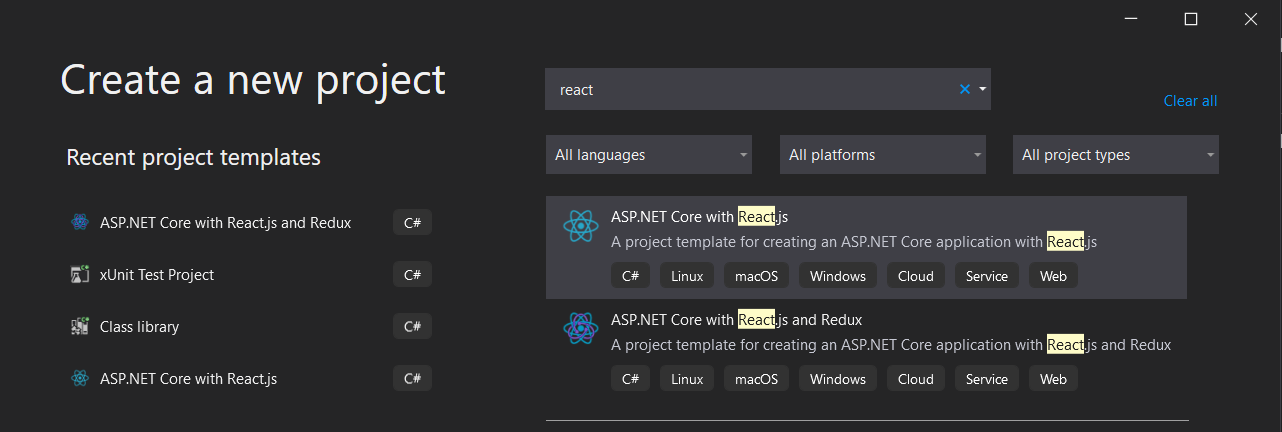
通过直接从visual studio发布,这似乎没有身份验证。
但一旦身份被加进去,就很棘手了。对于标识,我们在发布步骤中有一个额外的wwwroot文件夹。
下面是我正在测试的应用程序的代码。这是我用来识别和使用的MS信息。。此应用程序在本地注册,在我的用户安全系统中,我设置了
{
  "Authentication:Microsoft:ClientId": "IdValue",
  "Authentication:Microsoft:ClientSecret": "SecrectValue"
}一旦发布,它就会将Uncaught (in promise) SyntaxError: Unexpected token < in JSON at position 0抛到控制台中。但再说一次,不是本地的。
无标识发布的文件夹结构
wwwroot
├── ClinetApp
    ├── build
        ├── static
            ├── css
            └── js
    ├── asset-manifest.json
    ├── favicon.ico
    ├── index.html
    ├── manifest.json
    ├── precache-manifest.<guid>.js
    └──service-worker.js
├── appsetting.json
├── appsetting.Development.json
├── MS-DLLs
├── App.dll
├── App.exe
├── App.pdb
├── App.deps.json
├── App.runtimeconfig.json
├── App.Views.dll
├── App.Views.pdb
└── web.config //default web config为了部署到azure,使用这个博客帖子 (来自ClinetApp/ReadMe),除了将ClinetApp/build文件夹移动到wwwroot之外,还需要将另一个web配置添加到wwwroot中。就像普通的asp.net核心应用程序一样,所有的静态资产都被放入wwwroot文件夹中,并将dll移动到父文件夹中。
在没有第二个web配置的情况下进行部署会在左边产生这些错误。右边的错误是在第二个web配置被添加到标识proj之后。
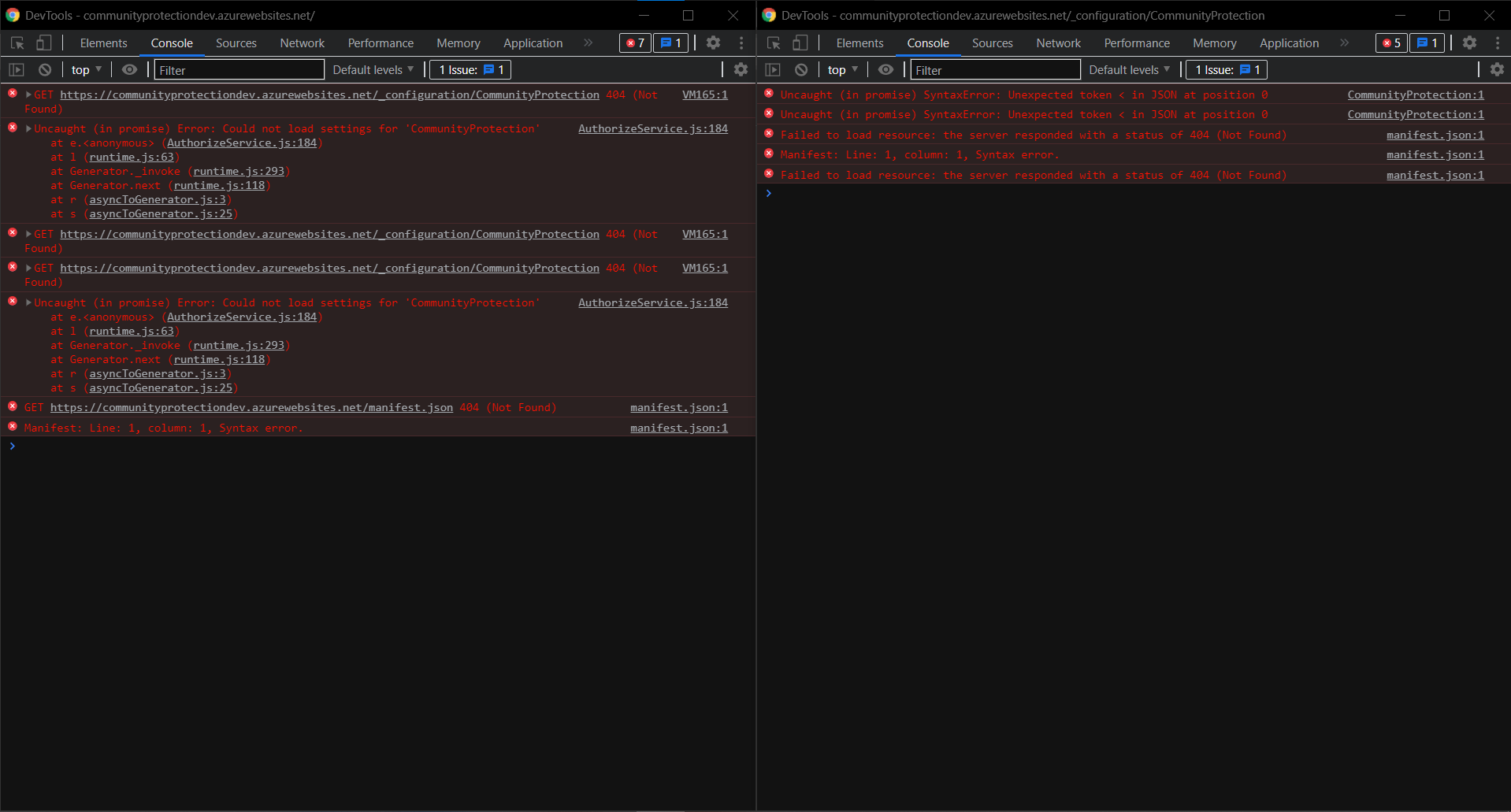
修复两个控制台错误的标识项目的Web
<?xml version="1.0"?>
<configuration>
    <system.webServer>
<!--This section is for manifest.json not found error -->
    <staticContent>
    <mimeMap fileExtension=".woff2" mimeType="application/x-font-woff" />
    <mimeMap fileExtension=".woff" mimeType="application/x-font-woff" />
    <mimeMap fileExtension=".json" mimeType="application/json" />
    </staticContent>
 <rewrite>
 <rules>
 <!--This section is for "could not load setting for "App" in AuthorizeService.js" error -->
    <rule name="React Routes"  stopProcessing="true">
    <match url=".*" />
    <conditions logicalGrouping="MatchAll">
    <add input="{REQUEST_FILENAME}"    matchType="IsFile" negate="true" />
    <add input="{REQUEST_FILENAME}"    matchType="IsDirectory" negate="true" />
    <add input="{REQUEST_URI}" pattern="^/ (api)" negate="true" />
    </conditions>
    <action type="Rewrite" url="/" />
    </rule>
 </rules>
 </rewrite>
 </system.webServer>
</configuration>
带有标识的发布文件夹结构
├── wwwroot
    ├── static
        ├── css
        └── js
    ├── asset-manifest.json
    ├── favicon.ico
    ├── index.html
    ├── manifest.json
    ├── precache-manifest.<guid>.js
    ├── //service-worker.js is not used with idenity, see index.html code for explination
    └── web.config //used for the routing from blog post
├── appsetting.json
├── appsetting.Development.json
├── MS-DLLs
├── App.dll
├── App.exe
├── App.pdb
├── App.deps.json
├── App.runtimeconfig.json
├── App.Views.dll
├── App.Views.pdb
└── web.config //default web config一旦从web配置中修复了这些问题,index.html似乎就无法正确读取。每个页面请求在为Uncaught (in promise) SyntaxError: Unexpected token < in JSON at position 0服务时都会获得index.html。它使用的是react-router,因此建议的修复方法之一是
-app.get('/', function (req, res) {
+app.get('/*', function (req, res) {
   res.sendFile(path.join(__dirname, 'build', 'index.html'));
});但是,由于这是使用react路由器,所以我们不会在解决方案中调用此代码。下面是App.js、index.js和index.html
index.js
import 'bootstrap/dist/css/bootstrap.css';
import React from 'react';
import ReactDOM from 'react-dom';
import { BrowserRouter as Router } from 'react-router-dom';
import App from './App';
//import registerServiceWorker from './registerServiceWorker';

const baseUrl = document.getElementsByTagName('base')[0].getAttribute('href');
const rootElement = document.getElementById('root');

ReactDOM.render(
    <Router basename={baseUrl}>
        <App />
    </Router>,
  rootElement);

// Uncomment the line above that imports the registerServiceWorker function
// and the line below to register the generated service worker.
// By default create-react-app includes a service worker to improve the
// performance of the application by caching static assets. This service
// worker can interfere with the Identity UI, so it is
// disabled by default when Identity is being used.
//
//registerServiceWorker();
Index.html
<!DOCTYPE html>
<html lang="en">
  <head>
    <meta charset="utf-8">
    <meta name="viewport" content="width=device-width, initial-scale=1, shrink-to-fit=no">
    <meta name="theme-color" content="#000000">
    <base href="%PUBLIC_URL%/" />
    <!--
      manifest.json provides metadata used when your web app is added to the
      homescreen on Android. See https://developers.google.com/web/fundamentals/engage-and-retain/web-app-manifest/
    -->
    <link rel="manifest" href="%PUBLIC_URL%/manifest.json">
    <link rel="shortcut icon" href="%PUBLIC_URL%/favicon.ico">
    <!--
      Notice the use of %PUBLIC_URL% in the tags above.
      It will be replaced with the URL of the `public` folder during the build.
      Only files inside the `public` folder can be referenced from the HTML.

      Unlike "/favicon.ico" or "favicon.ico", "%PUBLIC_URL%/favicon.ico" will
      work correctly both with client-side routing and a non-root public URL.
      Learn how to configure a non-root public URL by running `npm run build`.
    -->
    <title>CPTest</title>
  </head>
  <body>
    <noscript>
      You need to enable JavaScript to run this app.
    </noscript>
    <div id="root"></div>
    <!--
      This HTML file is a template.
      If you open it directly in the browser, you will see an empty page.

      You can add webfonts, meta tags, or analytics to this file.
      The build step will place the bundled scripts into the <body> tag.

      To begin the development, run `npm start` or `yarn start`.
      To create a production bundle, use `npm run build` or `yarn build`.
    -->
  </body>
</html>
App.js
import React, { Component } from 'react';
import { Route } from 'react-router';
import { Layout } from './components/Layout';
import { Home } from './components/Home';
import { FetchData } from './components/FetchData';
import { Counter } from './components/Counter';
import AuthorizeRoute from './components/api-authorization/AuthorizeRoute';
import ApiAuthorizationRoutes from './components/api-authorization/ApiAuthorizationRoutes';
import { ApplicationPaths } from './components/api-authorization/ApiAuthorizationConstants';

import './custom.css'

export default class App extends Component {
  static displayName = App.name;

  render () {
    return (
      <Layout>
        <Route exact path='/' component={Home} />
        <Route path='/counter' component={Counter} />
        <AuthorizeRoute path='/fetch-data' component={FetchData} />
        <Route path={ApplicationPaths.ApiAuthorizationPrefix} component={ApiAuthorizationRoutes} />
      </Layout>
    );
  }
}在Startup.cs中,当试图向项目添加标识时,它们似乎也破坏了没有标识的标识。
app.UseAuthentication();
app.UseIdentityServer();
app.UseAuthorization();
index.html不是json的开发工具错误
Uncaught (in promise) SyntaxError: Unexpected token < in JSON at position 0
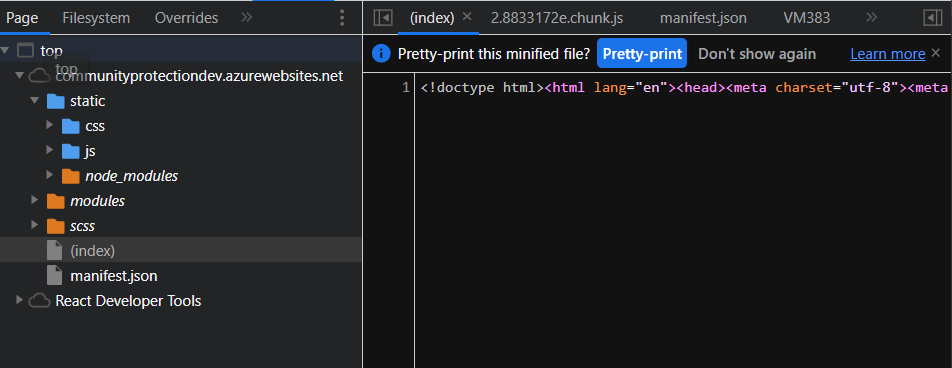
所以我注意到了。
- 如果没有使用标识的话,似乎都是在wwwroot中工作的。
- 一旦标识文件需要移动,所以只有静态在wwwroot和第二个webconfig中。
- 仍然不起作用,因为它期待着json,但是得到了index.html
- 登录页面实际上是一个cshtml页面。在本地主机上,react路由器重定向到该页面。
_LoginPartial.cshtml
为登录页面发布(左)和本地主机(右)
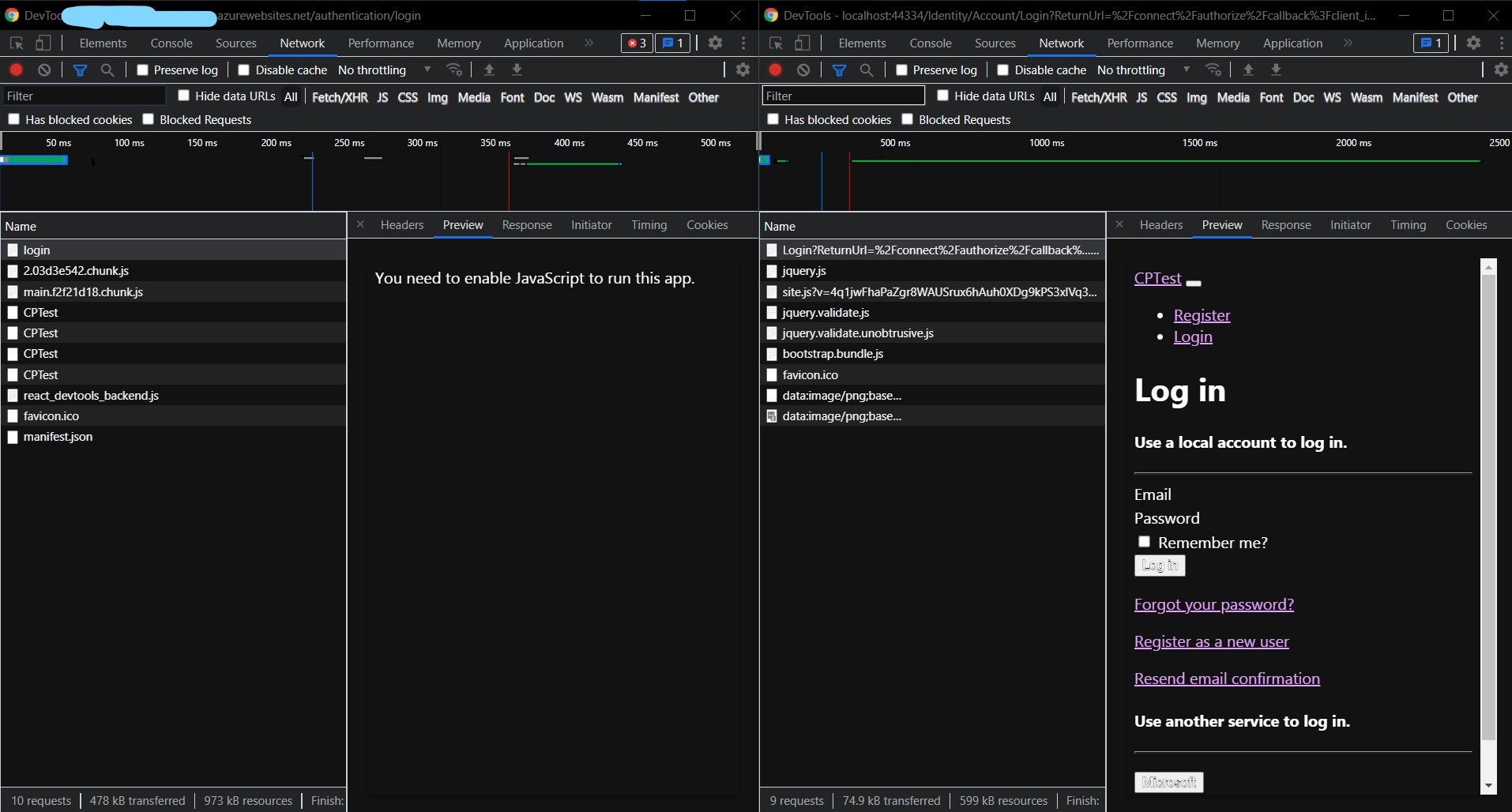
发布(左)对本地主机(右)的计数器页(仅反应)
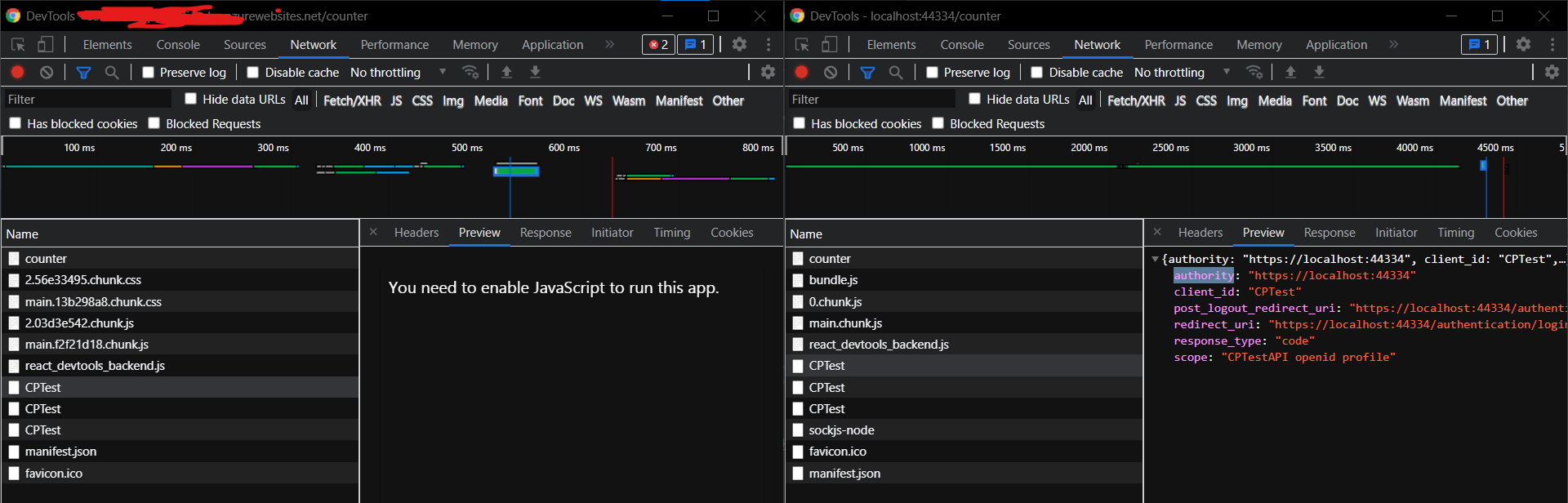
我还遵循了部署到prod的这些步骤。
与身份,这是有点古怪,没有它,所有的工作在蓝色应用服务直接从发布步骤。不确定哪些配置需要更改,或者是否有人以其他方式解决了这一问题?或者如果有反应路由器需要改变?有什么建议吗?
回答 2
Stack Overflow用户
发布于 2021-09-06 06:50:01
我在prem服务器和Azure上都有同样的问题。我必须安装一个SSL证书,在本地主机上使用一个开发人员证书,一旦您将它移到生产服务器上,您就需要一个SSL证书才能运行。此外,您还可以将DevCert移动到生产服务器上,只用于测试目的(我这样做是为了on,不确定是Azure)。我不记得怎么用手做这件事了。我想我导出了一个.pex或.cer文件。我只是找不到我的笔记。快速搜索应该会有帮助。
如果您决定使用localhost开发证书,您将需要像这样修改您的appsetting.json (参见"Key")。
"IdentityServer": {
  "Clients": {
    "AdminPortal": {
      "Profile": "IdentityServerSPA"
    }
  },
  "Key": {
    "Type": "Store",
    "StoreName": "MY",
    "StoreLocation": "LocalMachine",
    "Name": "CN=localhost"
  }
},Stack Overflow用户
发布于 2021-09-10 18:25:12
我在业余时间一直在研究的几个解决方案中也有同样的问题。终于找到了解决问题的办法。从这个链接中获得了这个想法。https://github.com/facebook/create-react-app/issues/1910
对我来说,问题是服务工作者会抓住请求进行身份验证,而不是重定向到适当的页面(登录或注册),它只会返回一个股票200。
通过在我的index.html页面中使用以下内容,我最终禁用了服务工作人员。
import 'bootstrap/dist/css/bootstrap.css';
import React from 'react';
import ReactDOM from 'react-dom';
import { BrowserRouter } from 'react-router-dom';
import App from './App';
//import registerServiceWorker from './registerServiceWorker';
import { unregister } from './registerServiceWorker.js';

const baseUrl = document.getElementsByTagName('base')[0].getAttribute('href');
const rootElement = document.getElementById('root');

unregister();

ReactDOM.render(
  <BrowserRouter basename={baseUrl}>
    <App />
  </BrowserRouter>,
  rootElement);
这样,您就可以删除web配置重写内容。它并不完美,因为它禁用了服务工作者的性能改进,但它会让您通过不访问Azure中的登录页面的问题。
https://stackoverflow.com/questions/69034791
复制相似问题
腾讯云开发者

Copyright © 2013 - 2026 Tencent Cloud. All Rights Reserved. 腾讯云 版权所有
深圳市腾讯计算机系统有限公司 ICP备案/许可证号:粤B2-20090059  粤公网安备44030502008569号
腾讯云计算(北京)有限责任公司 京ICP证150476号 | 京ICP备11018762号