
WPF,无法从另一个对话框窗口更改画布的高度和宽度;我正在制作身份证应用程序
WPF,无法从另一个对话框窗口更改画布的高度和宽度;我正在制作身份证应用程序
提问于 2021-09-02 12:49:20
我想要完成一个新的项目窗口,用户单击“新项目”一个自定义对话框并接受宽度和高度输入,然后单击next之后,它将根据我在主窗口中尝试的对话框输入来更改第一个windows画布大小。
// opens up a new file dialog box
        private void StartNewProject()
        {
              New_File newFileDiaBox = new New_File();
              newFileDiaBox.Show();
        }

        private void New_file_Click(object sender, RoutedEventArgs e)
        {
          //   calls a new file dialog box method with a new thread
            Thread startNewFileWindow = new Thread(StartNewProject);
            startNewFileWindow.SetApartmentState(ApartmentState.STA);
            startNewFileWindow.Start();
            System.Windows.Threading.Dispatcher.Run();

        }
        // Gets the data from dialog window
        internal void GetNewFileData(double W, double H )
            {


                Working_card.Width = W;
                Working_card.Height = H;
                MessageBox.Show( "inside the method: "+Working_card.Height.ToString());
            }
**In the New Project dialog window**

   New_Project_Handler NPH = new New_Project_Handler();
        private void SizeChecker()
        {

            if (Standard_sizes.IsChecked == true)
            {
                if (CR80.IsChecked == true)
                {
                    NPH.Width_ = 3.375;
                    NPH.Height_ = 2.125;
                }
                else if (CR79.IsChecked == true)
                {
                    NPH.Width_ = 3.303;
                    NPH.Height_ = 2.051;
                }
                else if (Xtended.IsChecked == true)
                {
                    NPH.Width_ = 4.3;
                    NPH.Height_ = 2.125;
                }
                else
                {
                    NPH.Width_ = 3.88;
                    NPH.Height_ = 2.63;
                }

            }
            else if(Custom_sizes.IsChecked==true)
            {
                NPH.Width_ = double.Parse(Width_Value.Text);
                NPH.Height_ =
                double.Parse(Height_Value.Text);
            }
        MainWindow MainW = new MainWindow();

               //press finish btn
               // Call size Checker
        SizeChecker(); // this is a size checking method
        MainW.GetNewFileData( NPH.Width_,NPH.Height_);
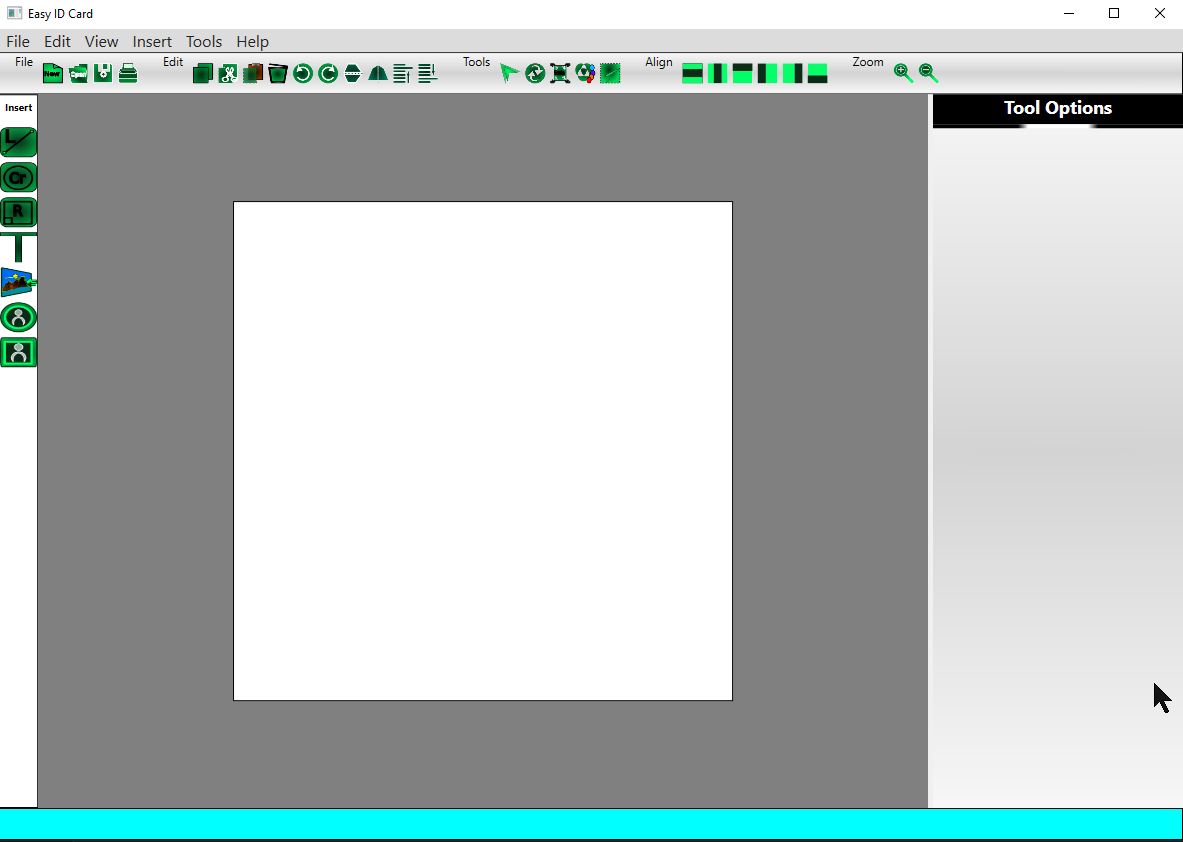
窗口预览:
回答 1
Stack Overflow用户
回答已采纳
发布于 2021-10-13 13:09:20
   private void New_file_Click(object sender, RoutedEventArgs e)
        {
  // this is the new file create click function which raises new dialog event .
  // here is the important thing, instead of just calling ShowDialog method on
  // the dialog window object
  // we put it in the if() condition as shown below.
  // so if show dialog is true it will get the values and assign them on the
  // main window. "working_card" is the name of xaml canvas entity on the GUI.
            New_File newF = new New_File(); // object of dialog window creation
            if (newF.ShowDialog() == true)
            {
                Working_card.Width = newF.Get_canvasWidth();
                Working_card.Height = newF.Get_canvasHeight();
                Working_card_back.Width = newF.Get_canvasWidth();
                Working_card_back.Height = newF.Get_canvasHeight();
                canvas_Orientation = newF.Get_canvasOrientation();
                if (newF.GetCanavasSides() == true)
                {
                    Back_side_option.IsEnabled = true;
                }
                else if (newF.GetCanavasSides() == false)
                {
                    Back_side_option.IsEnabled = false;
                }
            }

        }
在另一个对话框窗口上有:
 public partial class New_File : Window
    {
      //  New_Project_Handler nfs = new New_Project_Handler();

        public New_File()
        {
            InitializeComponent();
        }
       // fields
        private double canvasWidth = 0;
        private double canvasHeight = 0;
        private string canvasOrientation = "";
        private  int next_clk_counter=0;
        private bool side_check = true;
      // properties for the above fields
        public double CanvasWidth
        {
            get { return canvasWidth; }
            set { canvasWidth = value; }
        }

        public double CanvasHeight
        {
            get { return canvasHeight; }
            set { canvasHeight = value; }
        }
        public string CanvasOrientation
        {
            get { return canvasOrientation; }
            set { canvasOrientation = value; }
        }
        public bool Side_check
        {
            get { return side_check; }
            set { side_check = value; }
        }
       // size checker method from the radio buttons received from the dialog
        public void SizeChecker()
        {

            if (Standard_sizes.IsChecked == true)
            {
                if (CR80.IsChecked == true)
                {
                  CanvasWidth = 3.375;
                  CanvasHeight = 2.125;
                }
                else if (CR79.IsChecked == true)
                {
                    CanvasWidth = 3.303;
                    CanvasHeight = 2.051;
                }
                else if (Xtended.IsChecked == true)
                {
                    CanvasWidth = 4.3;
                    CanvasHeight = 2.125;
                }
                else
                {
                    CanvasWidth = 3.88;
                    CanvasHeight = 2.63;
                }

            }
            else if(Custom_sizes.IsChecked==true)
            {
                CanvasWidth = double.Parse(Width_Value.Text);
                CanvasHeight = double.Parse(Height_Value.Text);
            }


}
  // orientation method from the radio buttons received from the dialog
        public void Canvas_Orientation_Setter()
        {
             if(Vertical_O.IsChecked==true)
             {
                 double temp_val = CanvasWidth;
                 CanvasWidth = CanvasHeight;
                 CanvasHeight = temp_val;

                 CanvasOrientation="Vertical";
             }
             else if (Horizontal_O.IsChecked == true)
             {
                 CanvasOrientation = "Horizontal";
             }
        }
   // whether ID card is double or single sided setter method
        public void ID_side_check()
        {
            if(Only_front_side.IsChecked== true)
            {
                Side_check= false;
            }
            else if (Both_sides.IsChecked == true)
            {
                Side_check= true;
            }

        }
        // get the processed values from the above properties
       // this methods will be called on the main window as shown on the above.
        public double Get_canvasWidth()
        {

            return CanvasWidth;
        }
        public double Get_canvasHeight()
        {
            return CanvasHeight;
        }
        public string Get_canvasOrientation()
        {
            return CanvasOrientation;
        }
        public bool GetCanavasSides()
        {
            return Side_check;
        }
     // this is to process that the dialog has 3 states the first page, next and
    // last which is "finish" button to submit the final values
        private void First_NextClick(object sender, RoutedEventArgs e)
        {

            if (next_clk_counter == 1)
            {
                SizeChecker();
                Canvas_Orientation_Setter();
                ID_side_check();
                MessageBox.Show("The result:" + Get_canvasOrientation() + Get_canvasHeight() + "and " + Get_canvasWidth());
                this.DialogResult = true;

            }
            else
            {
                next_clk_counter = 1;

                back_btn.IsEnabled = true;
                next_btn.Content = "Finish";
                New_File__First_Page.Visibility = Visibility.Hidden;
                New_File__Second_Page.Visibility = Visibility.Visible;
            }


        }

        private void Back_BtnClick(object sender, RoutedEventArgs e)
        {
            if (next_clk_counter ==1 )
            {
                next_clk_counter = 0;
                back_btn.IsEnabled = false;
                next_btn.Content = "Next";
                New_File__First_Page.Visibility = Visibility.Visible;
                New_File__Second_Page.Visibility = Visibility.Hidden;
            }
        }

        private void Standard_sizes_Click(object sender, RoutedEventArgs e)
        {
            Standard_sizes_options.IsEnabled = true;
            Custom_sizes_options.IsEnabled = false;
            Width_Value.IsEnabled = false;
            Height_Value.IsEnabled = false;
        }
        private void Custom_sizes_Click(object sender, RoutedEventArgs e)
        {
            Standard_sizes_options.IsEnabled = false;
            Custom_sizes_options.IsEnabled = true;
        }


    }
}因此,回顾一下:我已经向您展示了对上述代码的解释;在submit或"finish“按钮中,在对话框窗口中添加了"this.DialogResult = true;”,这将有助于接收从对话框中传递的任何值并关闭对话框。我使用属性和方法从对话框窗口获取值,并为主窗口赋值。上面的代码解释了这一点。
页面原文内容由Stack Overflow提供。腾讯云小微IT领域专用引擎提供翻译支持
原文链接:
https://stackoverflow.com/questions/69030615
复制相关文章
相似问题
腾讯云开发者

Copyright © 2013 - 2026 Tencent Cloud. All Rights Reserved. 腾讯云 版权所有
深圳市腾讯计算机系统有限公司 ICP备案/许可证号:粤B2-20090059  粤公网安备44030502008569号
腾讯云计算(北京)有限责任公司 京ICP证150476号 | 京ICP备11018762号