
对齐HStack成员的高度
对齐HStack成员的高度
提问于 2021-09-24 15:38:15
我想对齐两个HStack成员的高度。预期的结果将是图像的大小与文本相同。当前的结果是图像比文本有更高的高度。这是我目前的设置:
HStack {
  Text("Sample")
    .font(.largeTitle)
    .padding()
    .background(
      RoundedRectangle(cornerRadius: 10)
        .foregroundColor(.red)
    )

  Spacer()

  Image(systemName: "checkmark.seal.fill")
    .resizable()
    .scaledToFit()
    .padding()
    .background(
      RoundedRectangle(cornerRadius: 10)
        .foregroundColor(.red)
    )
}
我尝试过的:
.fixedSize()->,我试图将这个修饰符插入Image,但结果是Image的高度比文本的要小。可能是因为SFSymbol的内在高度小于.largeTitle内禀的Image->,所以我尝试创建一个自定义的对齐指南,在指南中,我最初认为我可以说“Image和Text的底部对齐,并对齐Image和Text的顶部”,因此具有相同的高度。但是,似乎您只能在每个堆栈中应用一个对齐指南,view.GeometryReader,->,我尝试将HStack封装在一个GeometryReader中,在文本和图像上添加.frame(height: proxy.frame.height)视图修饰符。这也无济于事,因为它只是在视图周围留下了一些空白。
How it:
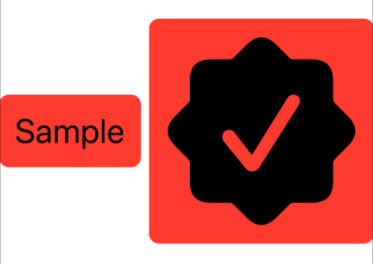
如何我想要它:
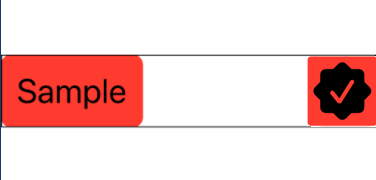
回答 3
Stack Overflow用户
回答已采纳
发布于 2021-09-24 16:21:26
将您的Image包装在一个Text中。由于您的图像来自SF符号,SwiftUI将缩放它以匹配动态类型大小。(我不确定它将如何缩放其他图像。)
VStack {
    let background = RoundedRectangle(cornerRadius: 10)
        .foregroundColor(.red)

    ForEach(Font.TextStyle.allCases, id: \.self) { style in
        HStack {
            Text("\(style)" as String)
                .padding()
                .background(background)

            Spacer()

            Text(Image(systemName: "checkmark.seal.fill"))
                .padding()
                .background(background)
        }
        .font(.system(style))
    }
}
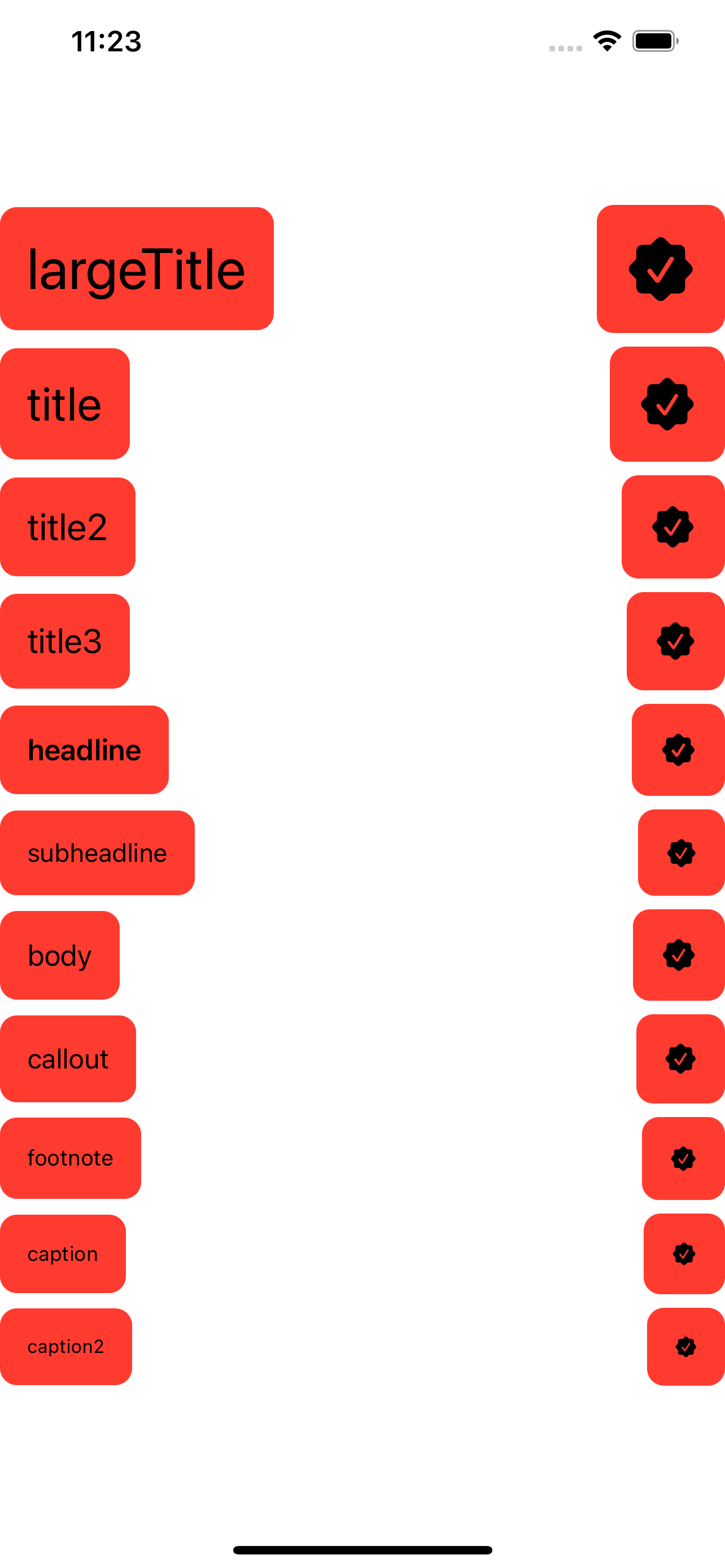
Stack Overflow用户
发布于 2021-09-24 15:53:47
您可以通过向Image添加一个.frame()修饰符来获得HStack的大小。见下面的代码,
HStack {
    // Some Content
}
.frame(height: 60) // Interchangeable with frame(maxHeight: 60)
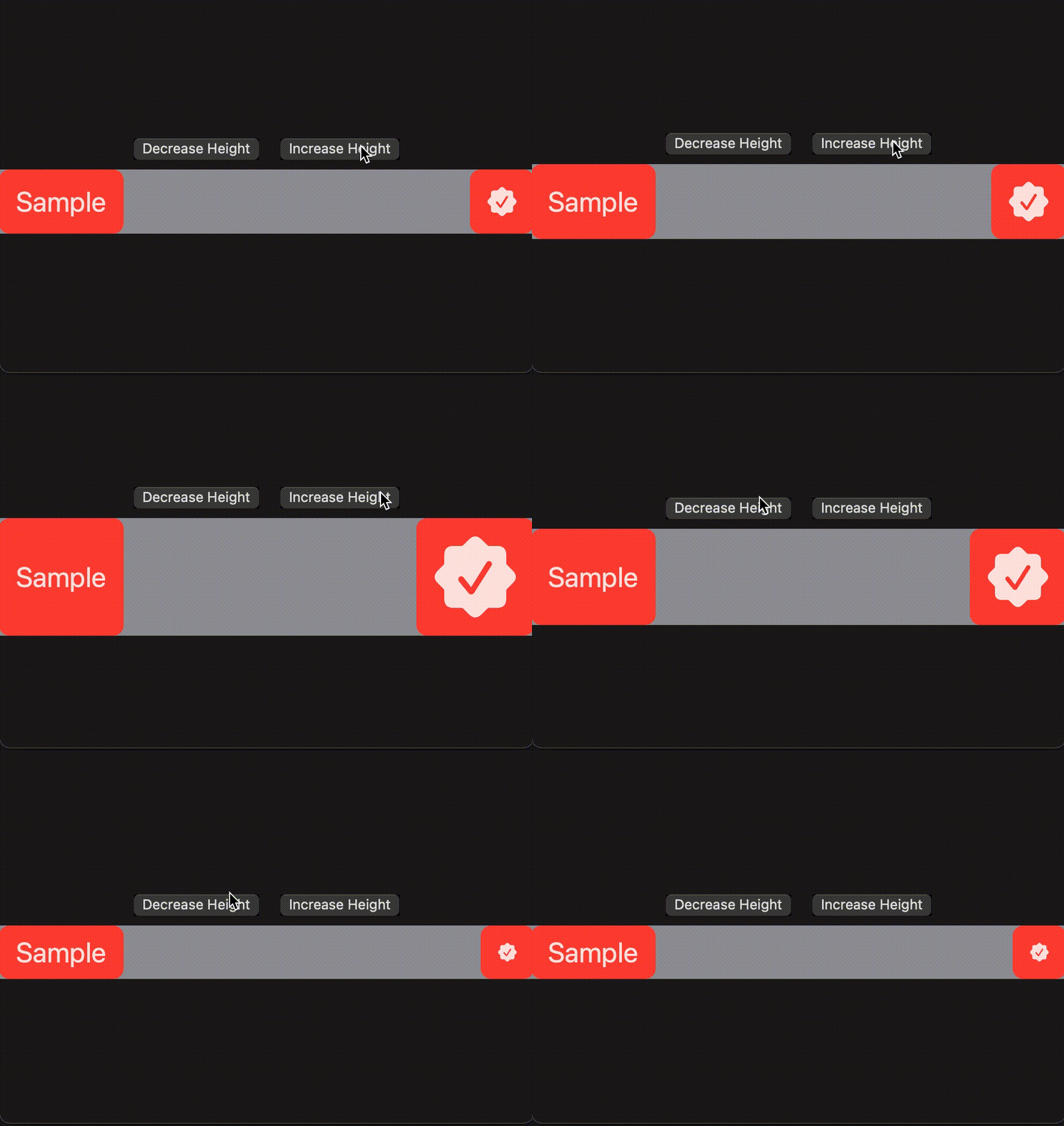
结果:
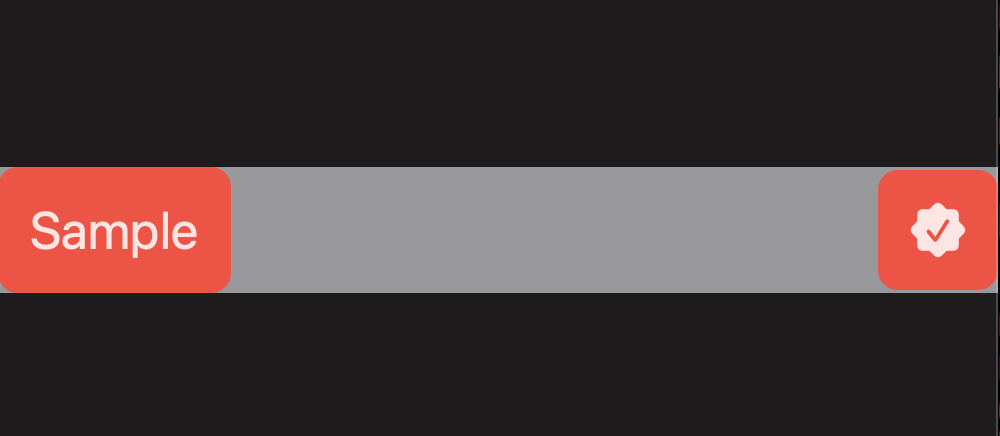
对于您的确切示例,我发现60是最佳选择。但是如果您想要一个更动态的解决方案,我会对您的代码做一些更改。请看下面的代码。
HStack {
    Text("Sample")
        .font(.largeTitle)
        .frame(maxHeight: .infinity) // force the text to take whatever height given to the Parent View, which is the HStack
        .padding(.horizontal) // Add padding to the Text to the horizontal axis
        .background(
            RoundedRectangle(cornerRadius: 10)
                .foregroundColor(.red)
        )

    Spacer()

    Image(systemName: "checkmark.seal.fill")
        .resizable()
        .scaledToFit()
        .padding()
        .background(
            RoundedRectangle(cornerRadius: 10)
                .foregroundColor(.red)
        )
}
.background(Color.gray)
.frame(height: 100) // Change this value and the embedded Views will fit dynamically
输出将如下面的GIF所示工作,
Stack Overflow用户
发布于 2021-09-25 00:19:50
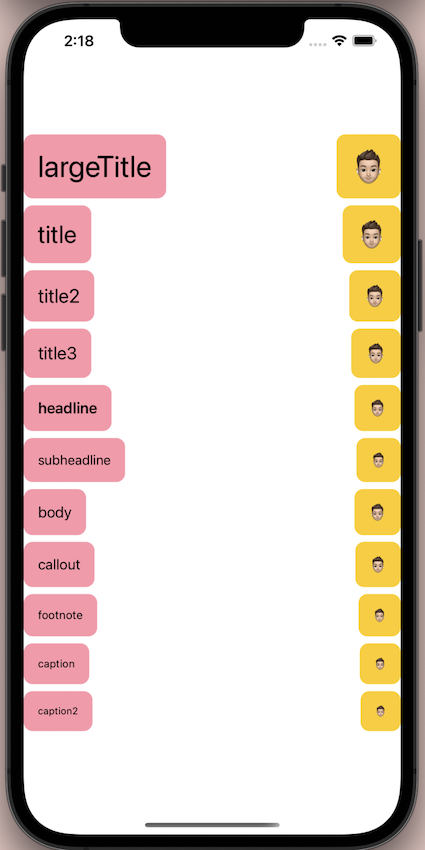
这里是一个升级版本的罗伯答案,它支持资产图像和系统图像!几乎任何图像!如下所示:
struct ContentView: View {

    var body: some View {

        VStack {

            ForEach(Font.TextStyle.allCases, id: \.self) { style in

                HStack {

                    Text(String(describing: style))
                        .padding()
                        .background(Color.pink.opacity(0.5).cornerRadius(10.0))

                    Spacer()

                }
                .font(.system(style))
                .background(

                    Image("swiftPunk")
                        .resizable()
                        .scaledToFit()
                        .padding()
                        .background(Color.yellow.cornerRadius(10.0))

                    , alignment: .trailing)

            }

        }

    }

}
结果:
页面原文内容由Stack Overflow提供。腾讯云小微IT领域专用引擎提供翻译支持
原文链接:
https://stackoverflow.com/questions/69317732
复制相关文章
相似问题
腾讯云开发者

Copyright © 2013 - 2026 Tencent Cloud. All Rights Reserved. 腾讯云 版权所有
深圳市腾讯计算机系统有限公司 ICP备案/许可证号:粤B2-20090059  粤公网安备44030502008569号
腾讯云计算(北京)有限责任公司 京ICP证150476号 | 京ICP备11018762号