
节点红色管理登录失败
节点红色管理登录失败
提问于 2021-10-23 17:07:18
我正试图跟随本教程为节点红色创建一个登录名。
从我能收集到的信息来看,节点红色管理被构建为节点红色,那么为什么我需要安装一个包呢?我在使用教程代码尝试时出错。
npm install -g --unsafe-perm node-red-adminLinux终端这个命令来自教程代码:
node-red-admin hash-pw要检索本教程后面的密码hash和sudo nano ~/.node-red/settings.js以取消对我末端正确行的注释,如下所示:
/** To password protect the Node-RED editor and admin API, the following
 * property can be used. See http://nodered.org/docs/security.html for details.
 */
adminAuth: {
    type: "credentials",
    users: [{
        username: "ben",
        password: "supersecretP@$$word",
        permissions: "*"
    }]
},

/** The following property can be used to enable HTTPS
 * This property can be either an object, containing both a (private) key
 * and a (public) certificate, or a function that returns such an object.
 * See http://nodejs.org/api/https.html#https_https_createserver_options_requestlistener
 * for details of its contents.
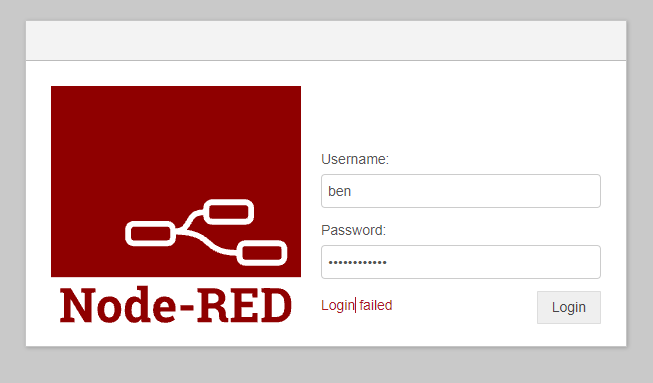
*/然后通过nano写文件和做一个sudo reboot,我不能用这个用户名和密码登录,有什么想法可以试试吗?
回答 2
Stack Overflow用户
回答已采纳
发布于 2021-11-18 22:27:02
存储在settings.js文件中的密码应该是由密码生成的散列。您可以使用cli使用的工具生成此散列。
节点-红-管理散列-pw
或
( "console.log(require('bcryptjs').hashSync(process.argv1,8);“您的密码-这里的
输入密码后,将出现一串散列,将其复制并插入设置文件中:
adminAuth: {
    type: "credentials",
    users: [{
        username: "ben",
        password: "$2b$08$wuAqPiKJlVN27eF5qJp.RuQYuy6ZYONW7a/UWYxDTtwKFCdB8F19y",
       permissions: "*"
    }]
},
应该是这样的。
我建议您深入阅读文件页以正确保护节点红色实例,然后再将其公开使用。
Stack Overflow用户
发布于 2021-10-23 19:10:46
这是不对的:
adminAuth: {
    type: "credentials",
    users: [{
        username: "ben",
        password: "supersecretP@$$word",
        permissions: "*"
    }]
},password需要是hash,而不是我希望登录到Node的密码。
页面原文内容由Stack Overflow提供。腾讯云小微IT领域专用引擎提供翻译支持
原文链接:
https://stackoverflow.com/questions/69690291
复制相关文章
相似问题
腾讯云开发者

Copyright © 2013 - 2026 Tencent Cloud. All Rights Reserved. 腾讯云 版权所有
深圳市腾讯计算机系统有限公司 ICP备案/许可证号:粤B2-20090059  粤公网安备44030502008569号
腾讯云计算(北京)有限责任公司 京ICP证150476号 | 京ICP备11018762号