
React本机警告:覆盖字体族样式属性预处理程序
React本机警告:覆盖字体族样式属性预处理程序
提问于 2021-10-29 11:47:22
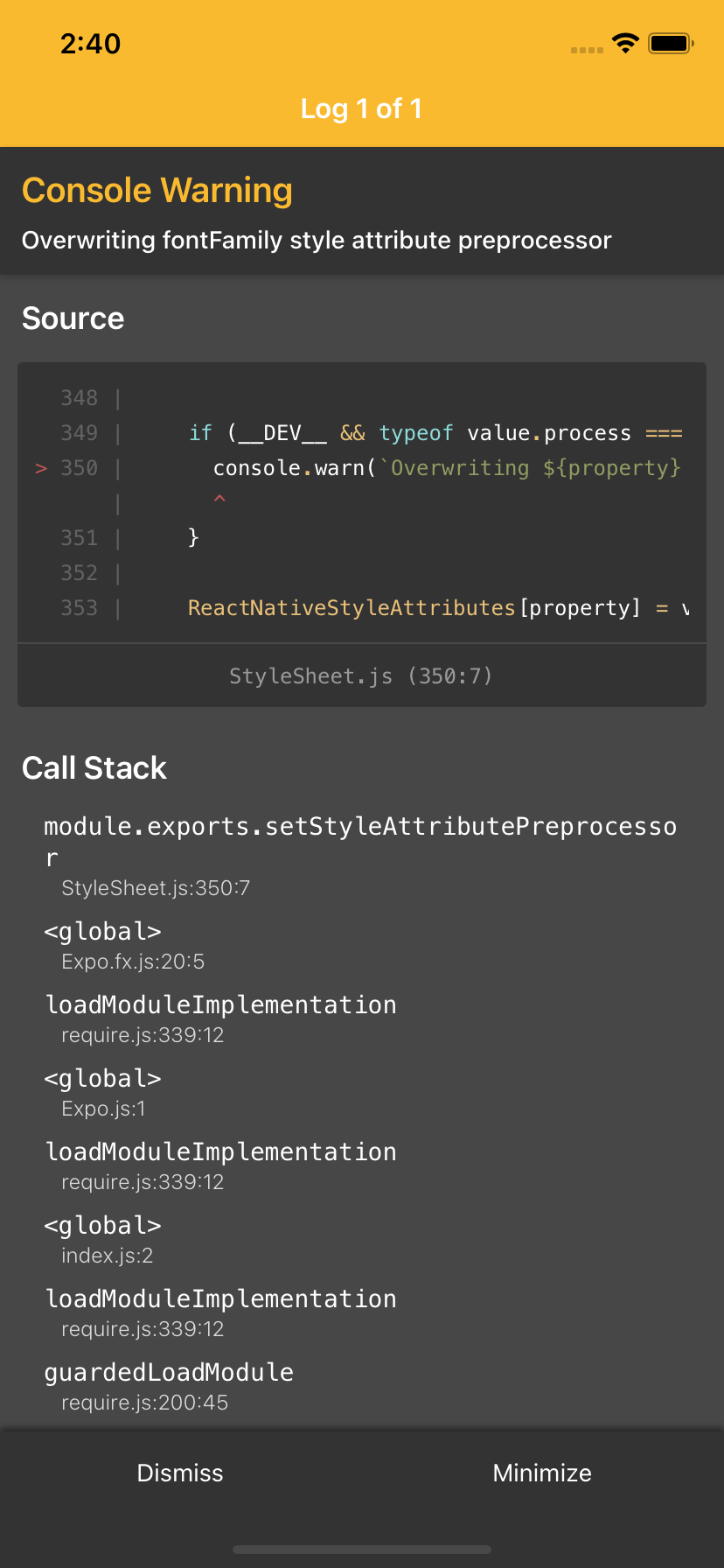
我收到以下警告:
在模拟器上运行该应用程序时,StyleSheet.js发布了“覆盖字体家族样式属性预处理器”。不过,我还没有在Android上进行测试。
App.tsx
import { StatusBar } from 'expo-status-bar';
import React from 'react';
import { StyleSheet, Text, View } from 'react-native';

export default function App() {
  return (
    <View style={styles.container}>
      <Text>Open up App.js to start working on your app!</Text>
      <StatusBar style="auto" />
    </View>
  );
}

const styles = StyleSheet.create({
  container: {
    flex: 1,
    backgroundColor: '#fff',
    alignItems: 'center',
    justifyContent: 'center',
  },
});
package.json
{
  "main": "index.js",
  "scripts": {
    "android": "expo run:android",
    "ios": "expo run:ios",
    "web": "expo start --web",
    "start": "react-native start"
  },
  "dependencies": {
    "expo": "~43.0.0",
    "expo-splash-screen": "~0.13.3",
    "expo-status-bar": "~1.1.0",
    "expo-updates": "~0.10.5",
    "react": "17.0.2",
    "react-dom": "17.0.1",
    "react-native": "0.66.1",
    "react-native-gesture-handler": "~1.10.2",
    "react-native-reanimated": "~2.2.0",
    "react-native-safe-area-context": "3.3.2",
    "react-native-screens": "~3.8.0",
    "react-native-web": "0.17.1"
  },
  "devDependencies": {
    "@babel/core": "^7.12.9",
    "@types/react": "^17.0.32",
    "@types/react-native": "^0.66.1",
    "typescript": "^4.4.4"
  },
  "private": true
}
是包裹问题吗?
回答 3
Stack Overflow用户
发布于 2022-01-27 14:11:19
如果您安装了expo-font,这将直接来自世博。
这是node_modules/expo/build/Expo.fx.js中导致警告的代码行:
// If expo-font is installed and the style preprocessor is available, use it to parse fonts.
if (StyleSheet.setStyleAttributePreprocessor) {
StyleSheet.setStyleAttributePreprocessor('fontFamily', Font.processFontFamily);node_modules/react-native/Libraries/StyleSheet/StyleSheet.js中引发警告的行:
if (__DEV__ && typeof value.process === 'function') {
  console.warn(`Overwriting ${property} style attribute preprocessor`);
}现在最好的做法是在App.js或index.js的顶部添加以下行来隐藏警告
import { LogBox } from 'react-native';
LogBox.ignoreLogs([
  "Overwriting fontFamily style attribute preprocessor"
]);Stack Overflow用户
发布于 2022-11-20 12:54:47
我能够解决这个问题购买升级“反应-本地”版本"0.70.5“。
这可以通过运行:
npx expo install react-native@0.70.5Stack Overflow用户
发布于 2021-11-12 01:21:19
当我试图升级我的本机依赖关系时,我也面临着同样的问题,将“react本机”:"0.66.1“更改为”react-原生“:"0.64.2",然后运行。
yarn install
or
npm install页面原文内容由Stack Overflow提供。腾讯云小微IT领域专用引擎提供翻译支持
原文链接:
https://stackoverflow.com/questions/69768345
复制相关文章
相似问题
腾讯云开发者

Copyright © 2013 - 2026 Tencent Cloud. All Rights Reserved. 腾讯云 版权所有
深圳市腾讯计算机系统有限公司 ICP备案/许可证号:粤B2-20090059  粤公网安备44030502008569号
腾讯云计算(北京)有限责任公司 京ICP证150476号 | 京ICP备11018762号