
在JavaScript游戏中加速玩家
每次我用右或左箭头键或A或D移动时,播放器都会加速。我不希望这种事发生。每当你按下移动键时,我希望玩家以同样的速度移动。我不知道为什么会这样。这是我的代码:
class Player {
    constructor(x, y, color, width, height, health, strength, type, speed) {
        this.x = x;
        this.y = y;
        this.color = color;
        this.width = width;
        this.height = height;
        this.health = health;
        this.strength = strength;
        this.type = type;
        this.speed = speed;
    }
    draw() {
        c.beginPath();
        c.rect(this.x, this.y, this.width, this.height);
        c.fillStyle = this.color;
        c.fill();
        c.stroke();
    }
    moveLeft(){
        this.x -= this.speed;
    }
    moveRight(){
        this.x += this.speed;
    }
    moveUp(){
        this.y += this.speed;
    }
}

var x = canvas.width / 2;
var y = canvas.height / 2;
var left = false;
var up = false;
var right = false;
var left2 = false;
var up2 = false;
var right2 = false;
var pressing;

var player = new Player(x, y, 'red', 30, 30, 100, 30, 'basic', 2);
player.draw();


document.addEventListener('keydown', function(e) {
    switch (e.keyCode) {
        case 37:
            left = true;
            setInterval(function pressing(){
            if(left2===false && left === true){
                player.moveLeft();
            }
            },10)
            break;

        case 65:
            left2 = true;
            setInterval(function pressing(){
            if(left===false && left2 === true){
                player.moveLeft();
            }
            },10)
            break;

        case 39:
            right = true;
            setInterval(function pressing(){
            if(right2===false && right === true){
                player.moveRight();
            }
            },10)
            break;

        case 68:
            right2 = true;
            setInterval(function pressing(){
            if(right===false && right2 === true){
                player.moveRight();
            }
            },10)
            break;


    }
});

document.addEventListener("keyup", event => {
    clearInterval(pressing);
    if (event.keyCode === 37) {
        left = false;
    }
    if (event.keyCode === 65) {
        left2 = false;
    }
    if (event.keyCode === 39) {
        right = false;
    }
    if (event.keyCode === 68) {
        right2 = false;
    }

});
我遵循了许多教程,但找不到一个不同的简单的方式来移动我的球员。有没有人有另一种搬家的策略,或者知道为什么这不起作用?
回答 2
Stack Overflow用户
发布于 2021-11-06 20:47:07
在每个按键上,您当前正在创建一个永不停止的新间隔。因此,您实际上要做的是在每次按下键时创建重复的间隔。首先,粗略修复可以尝试将setInterval的返回值存储在键事件处理程序作用域之外的变量中,并检查是否有较早的运行间隔。如果是的话,先把它们清理干净,然后再继续前进。
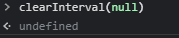
由于clearInterval在喂养intervalish值时不会抛出任何错误,您甚至不必在清除之前进行检查:
let myInterval = null

document.addEventListener('keydown', (e) => {
  // Clean up any earlier mess.
  clearInterval(myInterval)

  // Create new mess.
  myInterval = setInterval(() => { /* do something */ }, 10)
}) Stack Overflow用户
发布于 2021-11-06 22:15:56
我觉得你已经有答案了..。
您正在创建永不停止的多个间隔。
但是我不会在关键事件中使用间隔,而是使用一个外部以一定的频率绘制,然后使用一种更数学的方法来移动和设置运动员在这些项目上的速度,我们不需要不同的函数来左右移动,我们所需要的只是正确的速度值,正增长(向右移动),负下降(向左移动)。以下是代码:
class Player {
    constructor(pos, speed) {
        this.pos = pos
        this.speed = speed
    }
    draw() {
        this.pos.x += this.speed.x
        this.pos.y += this.speed.y
        c.clearRect(0, 0, canvas.width, canvas.height)
        c.beginPath()
        c.rect(this.pos.x, this.pos.y, 20, 20)
        c.fill()
    }
}

let canvas = document.getElementById("game")
let c = canvas.getContext("2d")

var player = new Player({ x: 60, y: 50 }, { x: 0, y: 0 })
setInterval(() => player.draw(), 50)

document.addEventListener("keydown", function (e) {
    switch (e.keyCode) {
        case 37:
        case 65:
            player.speed.x = -1
            break

        case 39:
        case 68:
            player.speed.x = 1
            break
    }
})

document.addEventListener("keyup", function (e) {
    switch (e.keyCode) {
        case 37:
        case 65:
        case 39:
        case 68:
            player.speed.x = 0
            break
    }
})<canvas id="game"></canvas>
我确实简化了你的很多代码来保持这个例子的小..。
如果您真的想要构建一个JS游戏,那么您应该看看一些游戏引擎:
https://github.com/collections/javascript-game-engines
这些是一些最流行的开源软件。
https://stackoverflow.com/questions/69867675
复制相似问题
腾讯云开发者

Copyright © 2013 - 2026 Tencent Cloud. All Rights Reserved. 腾讯云 版权所有
深圳市腾讯计算机系统有限公司 ICP备案/许可证号:粤B2-20090059  粤公网安备44030502008569号
腾讯云计算(北京)有限责任公司 京ICP证150476号 | 京ICP备11018762号