
如果找到,我想点击那个特定的版本(seldon-core 1.7.0)
如果找到,我想点击那个特定的版本(seldon-core 1.7.0)
提问于 2021-11-28 03:23:58
在这个社区(link)的帮助下,我能够找到一个特定版本的seldon (1.7.0)是否存在于(https://pypi.org/project/pyorg/)中。
但我想不出我们怎么点击那个版本。
回答 1
Stack Overflow用户
回答已采纳
发布于 2021-11-28 12:18:27
您需要为包含该版本的元素创建定位器。下面的代码可以点击找到的链接。
driver.get("https://pypi.org/project/seldon-core/#history")
text = "1.7.0"
if(text in element.text for element in WebDriverWait(driver, 20).until(EC.visibility_of_all_elements_located((By.CSS_SELECTOR, "p.release__version")))):
    print("Version found. Clicking on the version")
    elementLink = driver.find_element(By.XPATH, "//*[@class='release__version' and contains(.,'"+text+"')]")
    elementLink.click()
else:
    print("Version not found")
driver.quit()
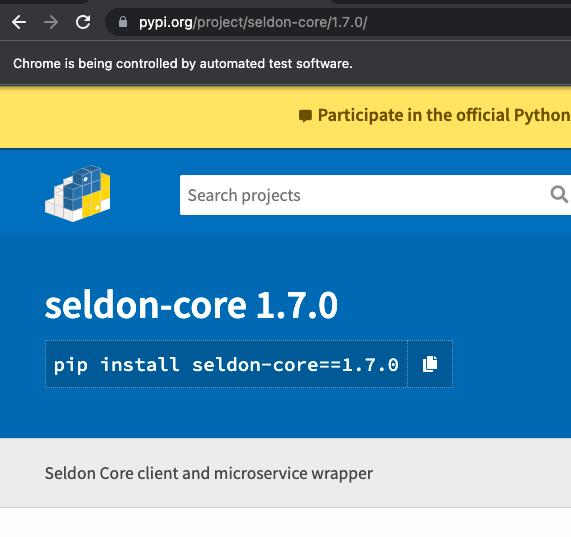
输出:
页面原文内容由Stack Overflow提供。腾讯云小微IT领域专用引擎提供翻译支持
原文链接:
https://stackoverflow.com/questions/70140443
复制相关文章
相似问题
腾讯云开发者

Copyright © 2013 - 2026 Tencent Cloud. All Rights Reserved. 腾讯云 版权所有
深圳市腾讯计算机系统有限公司 ICP备案/许可证号:粤B2-20090059  粤公网安备44030502008569号
腾讯云计算(北京)有限责任公司 京ICP证150476号 | 京ICP备11018762号