
无法在WSL2上运行码头4.14.1 Windows11
无法在WSL2上运行码头4.14.1 Windows11
提问于 2022-11-25 13:51:08
我正在尝试安装后运行对接器,遵循步骤这里也遵循在Windows 11/BIOS上启用虚拟化的步骤
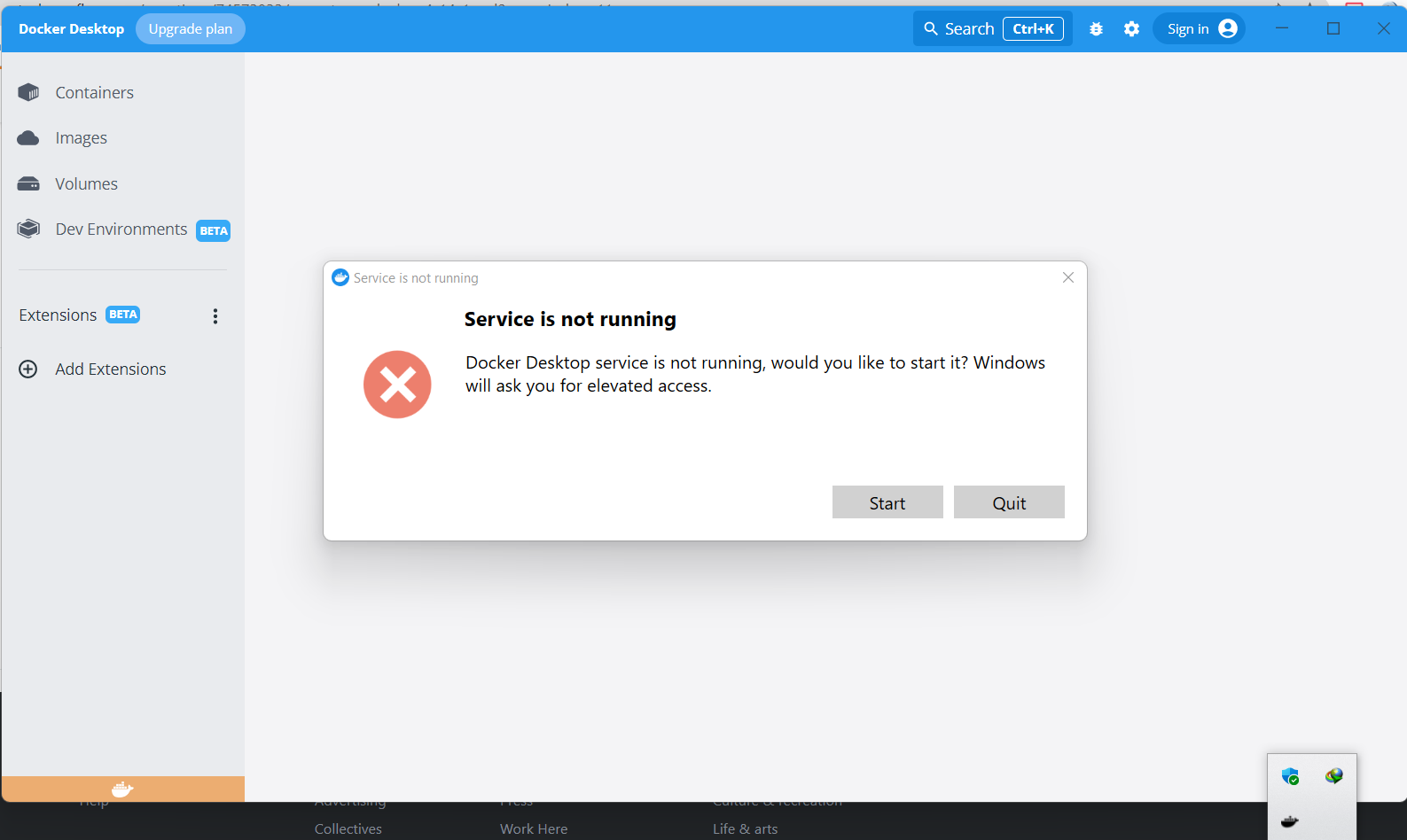
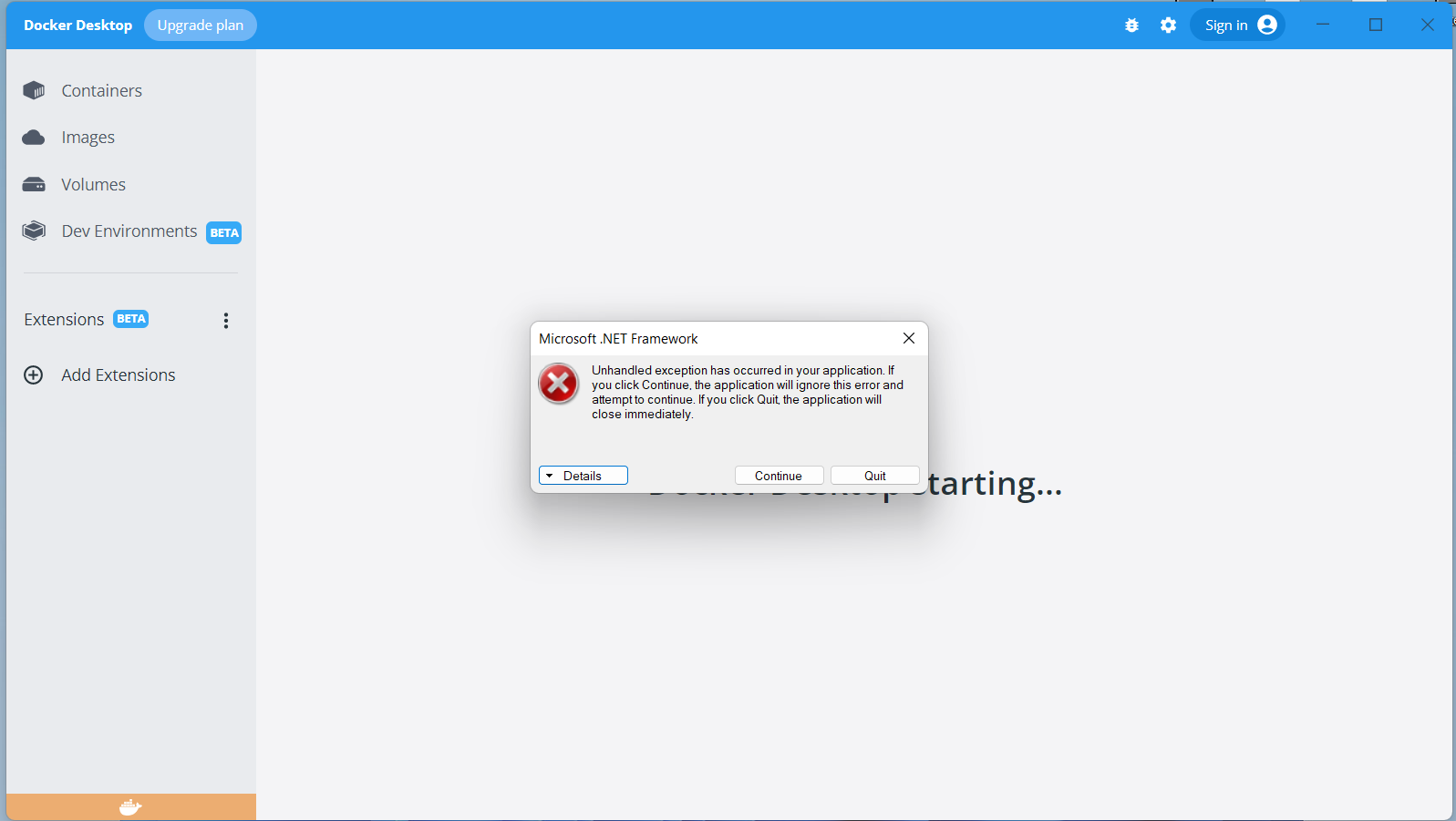
单击“开始”后,服务显示正在运行,然后停止&桌面对接关闭。
我得到了以下错误:
码头版本
C:\Windows\system32>docker version
error during connect: In the default daemon configuration on Windows, the docker client must be run with elevated privileges to connect.: Get "http://%2F%2F.%2Fpipe%2Fdocker_engine/v1.24/version": open //./pipe/docker_engine: The system cannot find the file specified.
Client:
 Cloud integration: v1.0.29
 Version:           20.10.21
 API version:       1.41
 Go version:        go1.18.7
 Git commit:        baeda1f
 Built:             Tue Oct 25 18:08:16 2022
 OS/Arch:           windows/amd64
 Context:           default
 Experimental:      true
码头信息
C:\Windows\system32>docker info
Client:
 Context:    default
 Debug Mode: false
 Plugins:
  buildx: Docker Buildx (Docker Inc., v0.9.1)
  compose: Docker Compose (Docker Inc., v2.12.2)
  dev: Docker Dev Environments (Docker Inc., v0.0.3)
  extension: Manages Docker extensions (Docker Inc., v0.2.13)
  sbom: View the packaged-based Software Bill Of Materials (SBOM) for an image (Anchore Inc., 0.6.0)
  scan: Docker Scan (Docker Inc., v0.21.0)

Server:
ERROR: error during connect: In the default daemon configuration on Windows, the docker client must be run with elevated privileges to connect.: Get "http://%2F%2F.%2Fpipe%2Fdocker_engine/v1.24/info": open //./pipe/docker_engine: The system cannot find the file specified.
errors pretty printing info
我尝试了以下解决方案:
1-打开Powershell作为管理员启动命令:& 'C:\Program Files\Docker\Docker\DockerCli.exe‘-SwitchDaemon
2-删除配置文件AppData/漫游/ Docker &启动Docker桌面
3-Net stop com.docker.service,然后Net start com.docker.service
C:\Windows\system32>Net start com.docker.service
System error 5 has occurred.
Access is denied.
信息
C:\Windows\system32>wsl -l -v
  NAME            STATE           VERSION
* Ubuntu-20.04 Running 2回答 1
Stack Overflow用户
回答已采纳
发布于 2022-11-29 19:29:45
我通过打开码头文件>>繁荣>安全>高级解决了这个问题。
(注意:检查所有者:您的windows帐户给予它完全控制,有时windows重置这些访问权限(与我发生的windows维护者的原因)。
然后单击add >>,选择主体>>前进
并添加安全性(如果不工作,则添加服务),然后应用更改。
此链接检查可以帮助您了解如何查看错误和其他解决方案。
页面原文内容由Stack Overflow提供。腾讯云小微IT领域专用引擎提供翻译支持
原文链接:
https://stackoverflow.com/questions/74573833
复制相关文章
相似问题
腾讯云开发者

Copyright © 2013 - 2026 Tencent Cloud. All Rights Reserved. 腾讯云 版权所有
深圳市腾讯计算机系统有限公司 ICP备案/许可证号:粤B2-20090059  粤公网安备44030502008569号
腾讯云计算(北京)有限责任公司 京ICP证150476号 | 京ICP备11018762号