
更改__nuxt和__NUXT__关键字在Nuxt3中
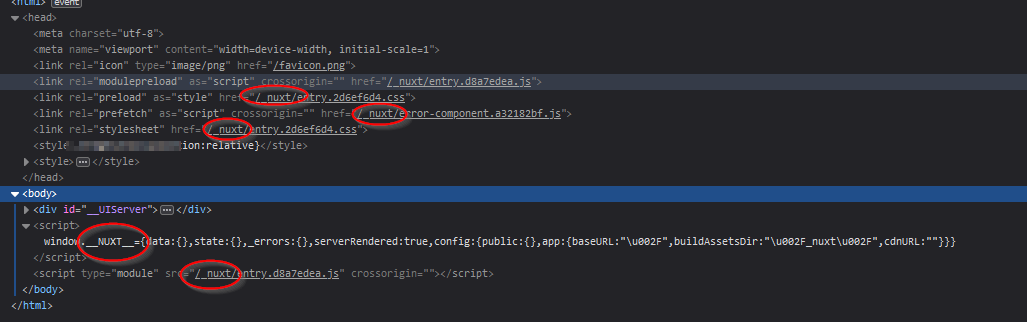
这是与Hide nuxt Keyword相同的问题,但我使用的是nuxt3。在那里,解决办法是行不通的。
我的配置如下所示,我已经尝试过许多其他条目:
    export default defineNuxtConfig({
        app: {
            head: {
                link: [{ rel: 'icon', type: 'image/png', href: '_nuxt/assets/favicon.png' }]
            }
        },
        globalName: 'mmmm',
        runtimeConfig: {
            globalName: 'ddd',
            globals: {
                id: '__pas',
                context: '__PAS__'
            }
        }
    })
正如您所看到的,我甚至不得不将其硬编码到偏好图标中,因为~/资产和~资产不起作用。
在nuxt3中有任何方法来更改nuxt全局名称吗?
对于资产问题,我发布了一个单独的问题here
明白我的意思:
回答 1
Stack Overflow用户
发布于 2022-11-22 11:51:51
更改根元素的id或标记
如果要更改根元素的id或标记,可以使用以下两种配置:rootId和rootTag
了解更多信息:https://nuxt.com/docs/api/configuration/nuxt-config#rootid
更改构建站点资产的文件夹名。
但是,如果您想更改构建站点资产的文件夹名。您可以使用以下配置:buildAssetsDir
这是在构建时设置的,不应该在运行时进行自定义。
!不要使用assetsPath ,因为它是不推荐的。
export default defineNuxtConfig({
    app: {
        buildAssetsDir: 'something/',
        head: {
            link: [{ rel: 'icon', type: 'image/png', href: "/something/assets/images/logo.png" }]
        },
    },
})默认情况下,buildAssetsDir的值是_nuxt,但您可以更改它。
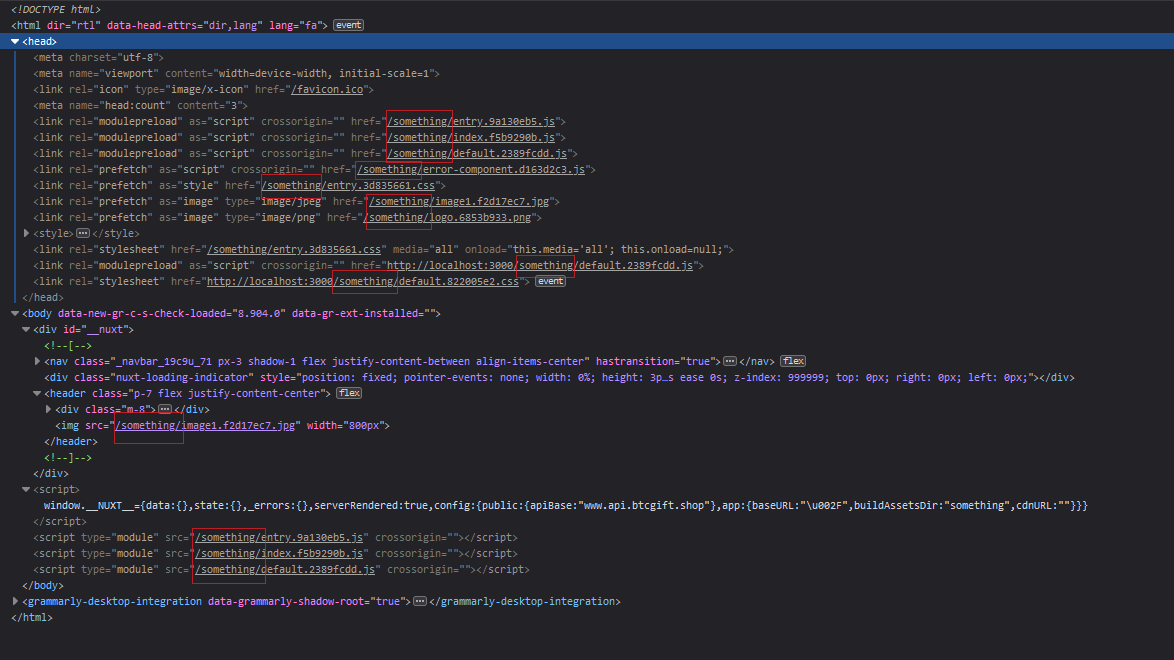
了解更多信息:https://nuxt.com/docs/api/configuration/nuxt-config#buildassetsdir
https://stackoverflow.com/questions/74485876
复制相似问题
腾讯云开发者

Copyright © 2013 - 2026 Tencent Cloud. All Rights Reserved. 腾讯云 版权所有
深圳市腾讯计算机系统有限公司 ICP备案/许可证号:粤B2-20090059  粤公网安备44030502008569号
腾讯云计算(北京)有限责任公司 京ICP证150476号 | 京ICP备11018762号