
在一个会话中使用gnuplot读取-而不是输出-一个png图像或多个图像-作为一个“覆盖”。
我想阅读多个png文件--这些文件本身是用gnuplot (terminal png)创建的--以实现“覆盖”--也就是说,在没有背景的情况下,在另一个之上绘制了许多函数。显然,这可以在一次会议中用gnuplot来完成。
我从Linux公报的文章“用'gnuplot‘绘制螺旋线方程’”中找到了这个想法,从2006年开始:
https://linuxgazette.net/133/luana.html
我被一些错误信息困住了(见下文):
line 0: Bad data on line 1 of file [...]
line 0: warning: using default binary record/array structure
line 0: Too many using specs for this style
为了寻找解决方案,我在帮助页( http://gnuplot.info/docs_5.5/loc7742.html )中阅读了gnuplot可以读取png图像的内容:
plot 'file.png' binary filetype=png..。我已经研究过使用pngcairo而不是png本身。我使用eog来查看.png图像。下面是生成上述错误的示例代码,如果经过调整,将产生更多的错误:
set size ratio -1
set nokey
set noxtics
set noytics
set noborder
set parametric
i2p = {0,1}*2*pi
set terminal png
t0 = 0
t1 = 1
#---------------------------------------------
# plot first function in the gnuplot session :
#---------------------------------------------
test01(t) = exp(i2p*(2*t))
set output "solve_png_problem_15nov22a.png"
plot [t=t0:t1] 1*real(test01(t)),1*imag(test01(t)) lc 1
#---------------------------------------------------
# plot second function in the same gnuplot session :
#---------------------------------------------------
test02(t) = + 3*1.0**20 * exp(i2p*(-3*t+20/200. )) + 3*1.0**19 * exp(i2p*   (2*t+20/200.))
set output "solve_png_problem_15nov22b.png"
plot [t=t0:t1] 1*real(test02(t)),1*imag(test02(t)) lc 2
#------------------------------------------------------------
# last plotting to apparently "overlay" the two plots above :
#------------------------------------------------------------
set terminal png size 600,600
set output "solve_png_problem_15nov22_overlay.png"
set noparametric
plot "solve_png_problem_15nov22a.png", "solve_png_problem_15nov22b.png"
……简化后的示例代码是从文章的awk脚本补充中生成的-有关详细信息,请参见:
https://linuxgazette.net/133/misc/luana/spirolang.awk.txt
由于相关设置可能会导致问题,因此这些函数是非常重要的,因此它们保持了敏锐的状态。各个图像看起来都很好,所以我认为问题是在最后一个绘图命令中。
我在帮助页中看到gnuplot可以读取png图像:
plot 'file.png' binary filetype=png..。还有filetype=auto,我已经研究过使用pngcairo而不是png本身,没有任何进展;我已经阅读了Google搜索错误信息的结果。我读过终端上的帮助页,png,图像,二进制等等。我原以为gnuplot只是简单地识别了这个文件,这是一个使用png终端生成的png图像。真正的结果是错误的“太多的使用规格为这种风格”。为此,我尝试移动代码中“二进制filetype=png”的位置,这会导致错误“第0行:文件.第1行上的坏数据”。我也尝试过使用gnu图之外的程序,例如蒙太奇和复合(ImageMagick)。
版本5.4修补程序2 Ubuntu 22.04
回答 1
Stack Overflow用户
发布于 2022-11-15 17:22:08
在侏儒里试试这个。
gnuplot<<EOF
set terminal png medium size 600,600 background rgb "white"
set size ratio -1
set nokey
set noxtics
set noytics
set noborder
set parametric
i2p = {0,1}*2*pi
t0 = 0
t1 = 1
#---------------------------------------------
# plot first function in the gnuplot session :
#---------------------------------------------
test01(t) = exp(i2p*(2*t))
set output "solve_png_problem_15nov22a.png"
plot [t=t0:t1] 1*real(test01(t)),1*imag(test01(t)) lc 1
#---------------------------------------------------
# plot second function in the same gnuplot session :
#---------------------------------------------------
test02(t) = + 3*1.0**20 * exp(i2p*(-3*t+20/200. )) + 3*1.0**19 * exp(i2p*   (2*t+20/200.))
set output "solve_png_problem_15nov22b.png"
plot [t=t0:t1] 1*real(test02(t)),1*imag(test02(t)) lc 2
#------------------------------------------------------------
# last plotting to "overlay" the two plots above :
#------------------------------------------------------------
set output "solve_png_problem_15nov22_overlay.png"
plot \
[t=t0:t1] 1*real(test01(t)),1*imag(test01(t)) lc 1, \
[t=t0:t1] 1*real(test02(t)),1*imag(test02(t)) lc 2
EOF
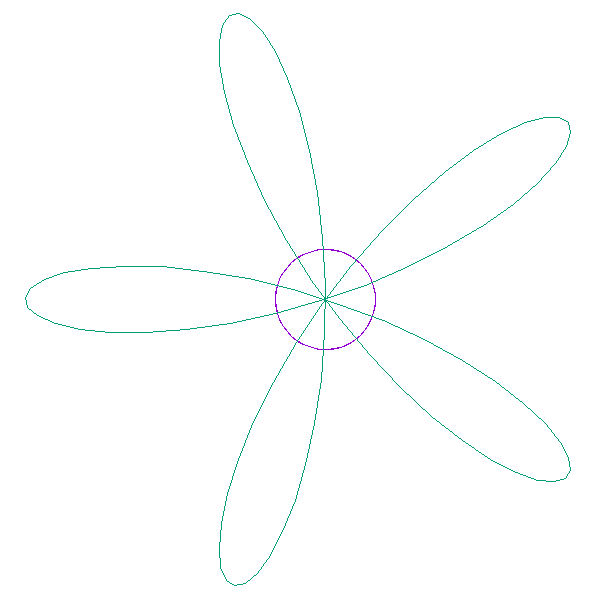
第一项结果:

第二项结果:
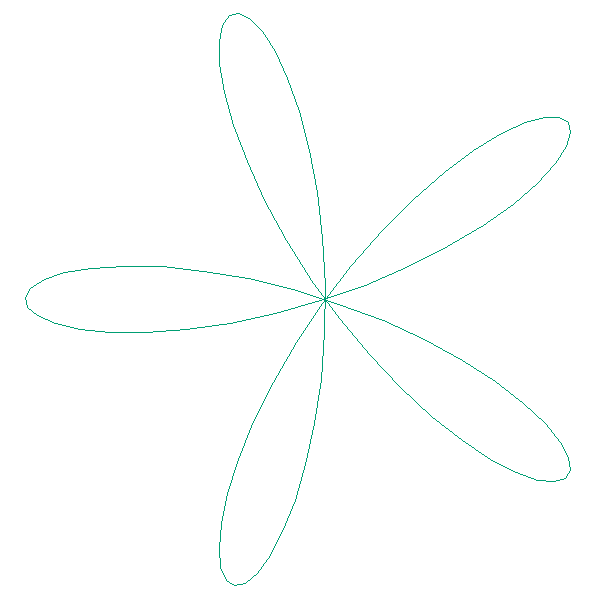
合并结果:
https://stackoverflow.com/questions/74448761
复制相似问题
腾讯云开发者

Copyright © 2013 - 2026 Tencent Cloud. All Rights Reserved. 腾讯云 版权所有
深圳市腾讯计算机系统有限公司 ICP备案/许可证号:粤B2-20090059  粤公网安备44030502008569号
腾讯云计算(北京)有限责任公司 京ICP证150476号 | 京ICP备11018762号