
流浪汉只有主机问题-仅主机-net9 9= hostonly \ Windows 10
流浪汉只有主机问题-仅主机-net9 9= hostonly \ Windows 10
提问于 2022-11-14 21:24:28
当我想超出“流浪向上”命令时,将显示以下问题:
Bringing machine 'homestead' up with 'virtualbox' provider...
==> homestead: Checking if box 'laravel/homestead' version '12.2.0' is up to date...
==> homestead: Clearing any previously set forwarded ports...
==> homestead: Clearing any previously set network interfaces...
==> homestead: Preparing network interfaces based on configuration...
    homestead: Adapter 1: nat
    homestead: Adapter 2: intnet
==> homestead: Forwarding ports...
    homestead: 80 (guest) => 8000 (host) (adapter 1)
    homestead: 443 (guest) => 44300 (host) (adapter 1)
    homestead: 22 (guest) => 2222 (host) (adapter 1)
==> homestead: Running 'pre-boot' VM customizations...
A customization command failed:

["modifyvm", :id, "--nic9", "hostonlynet", "--host-only-net9=HostOnly"]

The following error was experienced:

#<Vagrant::Errors::VBoxManageError: There was an error while executing `VBoxManage`, a CLI used by Vagrant
for controlling VirtualBox. The command and stderr is shown below.

Command: ["modifyvm", "4474afc8-04d0-4ca3-b39f-748e3ab46b5f", "--nic9", "hostonlynet", "--host-only-net9=HostOnly"]

Stderr: VBoxManage.exe: error: Invalid NIC number 9
Oracle VM VirtualBox Command Line Management Interface Version 6.1.40
(C) 2005-2022 Oracle Corporation
All rights reserved.

Usage:

VBoxManage modifyvm         <uuid|vmname>
                            [--name <name>]
                            [--groups <group>, ...]
                            [--description <desc>]

(.....A LOT OF COMMANDS OF MODIFYVM....)

                            [--defaultfrontend default|<name>]

VBoxManage.exe: error: Unknown option: --host-only-net9=HostOnly
>

Please fix this customization and try again.
你好,我有这个问题,我无法解决它,也没有找到一个解决方案在网上。
我不知道还能尝试什么,这就是我来这里的原因。我在3台不同的pc中尝试了以下相同的步骤:英特尔和Windows 10,但都没有成功。
我认为有一个设置,我仍然不知道,我必须开始主机,端口和VirtualBox,因为这并不重要,我应该配置什么适配器端口的家园,当我把它们重新启动,然后问题显示在bash上。
这就是我所做的:
- i安装了虚拟盒6.1.4版本,安装了Vagrant2.3.2
- 添加了C:\Program \Oracle\VirtualBox到环境变量
我在bash上超出了以下命令:
VirtualBox
- 迷走式方框添加laravel/宅基地
- 选项2)
Homestead
- bash init.sh
- ssh-keygen
- git克隆https://github.com/laravel/homestead.git Homestead
- cd -t rsa -b 4096 -C -b文件夹在用户folder
- vagrant up
上
请帮帮我!
回答 1
Stack Overflow用户
发布于 2022-11-17 11:20:40
你错过了一步:
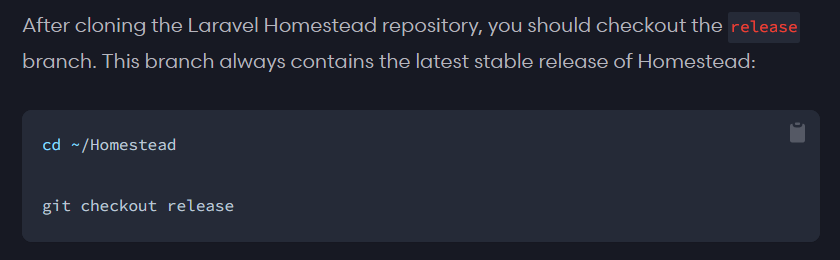
- cd ~/宅基地
在你需要:
- git签出版本
在你能跑完之后:
- bash init.sh
..。或
vagrant up --provision
我今天也有同样的问题,这解决了问题。
页面原文内容由Stack Overflow提供。腾讯云小微IT领域专用引擎提供翻译支持
原文链接:
https://stackoverflow.com/questions/74438011
复制相关文章
相似问题
腾讯云开发者

Copyright © 2013 - 2026 Tencent Cloud. All Rights Reserved. 腾讯云 版权所有
深圳市腾讯计算机系统有限公司 ICP备案/许可证号:粤B2-20090059  粤公网安备44030502008569号
腾讯云计算(北京)有限责任公司 京ICP证150476号 | 京ICP备11018762号