
从3dModel反应-三纤维/反应-3/drei
从3dModel反应-三纤维/反应-3/drei
提问于 2022-11-14 00:20:32
我对三个Js不太熟悉。当我开始这项工作,并了解到有一个库React-three-fiber,它提供了组件中的三个Js的所有特性,我从这里开始。
问题:.
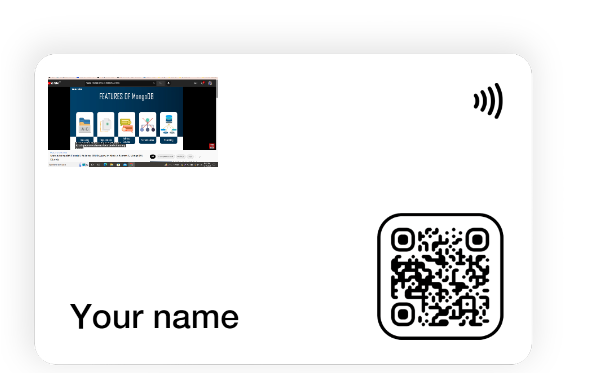
我想为用户添加一个功能,在3d模型中添加自定义文本。但文字是从模型出来的。
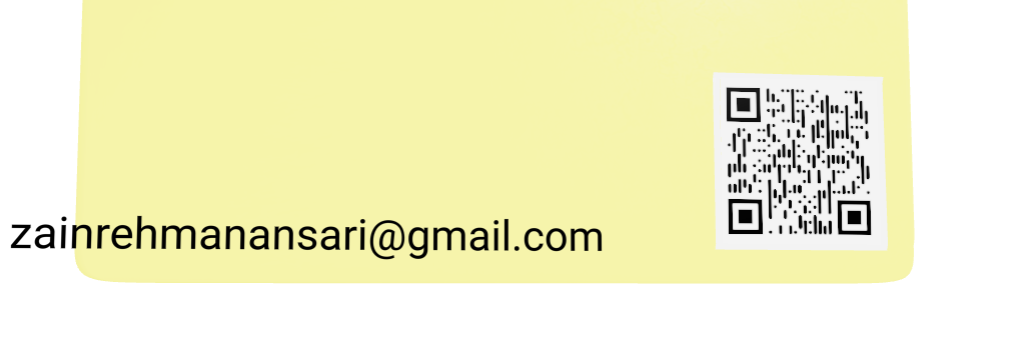
它应该适合这样的模型:
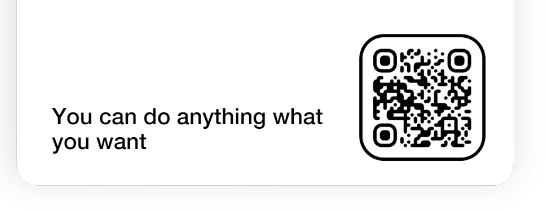
只要文字向上移动。
这是我的代码:
`
import { Canvas,useThree ,useFrame } from '@react-three/fiber'
import { Suspense } from 'react'
import { OrbitControls, useGLTF,Text,useTexture,useHelper} from '@react-three/drei'

const Three_d_model = ({ name, setBackGroundColor,backLogo,frontLogo, backgroundColor ,qrBlock}) => {

  const ref = useRef('')
  const configurator = useSelector(state=>state.configurator)
  const dispatch=useDispatch();

  const downloadImage=()=>{
    const my_canvas=ref.current
    console.log("my_canvas",my_canvas)
    var link = document.createElement('a');
    link.download = 'filename.png';
    link.href = my_canvas.toDataURL()
    link.click();
  }

  return (
    <>
      <div className="w-screen h-screen rounded-xl">
            <Canvas shadowMap camera={{ fov: 75, near: 0.1, far: 1000, position: [0,0,-2] }} ref={ref} gl={{ preserveDrawingBuffer: true }}  >
                  <ambientLight intensity={2} />
                  <spotLight intensity={0.5} angle={0.1} penumbra={1} position={[10, 15, 10]} castShadow />
                <Suspense fallback={"Loading..."}>
                  <OrbitControls enablePan={true} enableRotate={true} enableZoom={true} />
                  <Model configurator={configurator}  />
               </Suspense>
        </Canvas>
      </div>
    </>
  )
}
模型
function Model({configurator,...props}) {
  const group = useRef()
  const { nodes, materials } = useGLTF('/3dCard10.gltf')

  return (

    <group {...props} dispose={null}>
      <mesh geometry={nodes.card.geometry} material={materials['card color']} material-color={`${configurator.backgroundColor}`} />
      <mesh geometry={nodes['qr-code-outline'].geometry} material={materials['qr code outline']} material-color={`${configurator.qrBlockColor}`} />
      <mesh geometry={nodes.nfc.geometry} material={materials['qr code outline']} material-color={`${configurator.qrBlockColor}`} />
      {/* <mesh geometry={nodes.Text.geometry} material={materials.text} position={[-0.87, 0.11, 0.01]} rotation={[1.57, 0, 0]} /> */}
      <mesh geometry={nodes['qr-code'].geometry} material={materials.qrcode} />
      <mesh geometry={nodes['horizontal-logo'].geometry} material={materials['horizontal-logo']} position={[-0.52, 0.96, 0.01]}  rotation={[0, 0, 0]} scale={[1,1,1]}  />
      <mesh geometry={nodes.Cube.geometry} material={materials['logo-vertical']} position={[0, 0.2, -0.01]} rotation={[0, 0, 0]} scale={[1,1,1]} />
      <Text
          position={[-0.45, 0.11, 0.01]}
          lineWidth="12px"
          scale={1}
          color={get_text_color(configurator.backgroundColor)}
          backgroundColor="#FFC642"
          width={'1px'}
          textAlign='left'
          maxWidth={'13px'}
          minWidth={'12px'}
          >
          {configurator.text}
        </Text>
  </group>
  )
}
{/ <网格geometry={nodes.Text.geometry} material={materials.text} position={-0.87,0.11,0.01} rotation={1.57,0,0} /> /}
这是来自我的model.gltf的材料文本的主线
我试过来自'@react-three/drei的' Text‘标签,请参阅我的代码中的文本导入。同样的位置的文本材料,来自于我的模型的JSX。
回答 1
Stack Overflow用户
发布于 2022-11-14 16:20:14
一个更简单的解决方案可能是使用drei的'Html‘标记,而不是使用"Text“。您可以调整画布中html的大小和位置,并将Html附加到场景中的对象。您可以调整对象的大小,也可以在画布上静态地生活:
页面原文内容由Stack Overflow提供。腾讯云小微IT领域专用引擎提供翻译支持
原文链接:
https://stackoverflow.com/questions/74425831
复制相关文章
相似问题
腾讯云开发者

Copyright © 2013 - 2026 Tencent Cloud. All Rights Reserved. 腾讯云 版权所有
深圳市腾讯计算机系统有限公司 ICP备案/许可证号:粤B2-20090059  粤公网安备44030502008569号
腾讯云计算(北京)有限责任公司 京ICP证150476号 | 京ICP备11018762号