
是否可以在TKinter和Matplotlib中创建类似于excel的时间线?
是否可以在TKinter和Matplotlib中创建类似于excel的时间线?
提问于 2022-11-06 23:33:23
我希望使用tkinter为applet创建一个滚动时间线。我目前可以使用matplotlib创建图表并动态更新这些图表,但我希望能够通过传递有关开始日期和结束日期的数据来滚动这些图表,类似于我附加的excel图像。

我尝试使用内置的时间线工具来使用ttkwidget,但这显示了一个滚动条和一个缩放按钮,但这两个选项都没有:
import tkinter as tk
from ttkwidgets import TimeLine

window = tk.Tk()
timeline = TimeLine(
    window,
    categories={str(key): {"text": "Category {}".format(key)} for key in range(0, 5)},
    height=100, extend=True
)
menu = tk.Menu(window, tearoff=False)
menu.add_command(label="Some Action", command=lambda: print("Command Executed"))
timeline.draw_timeline()
timeline.grid()
window.after(5000, lambda: print(timeline.time))
window.mainloop()
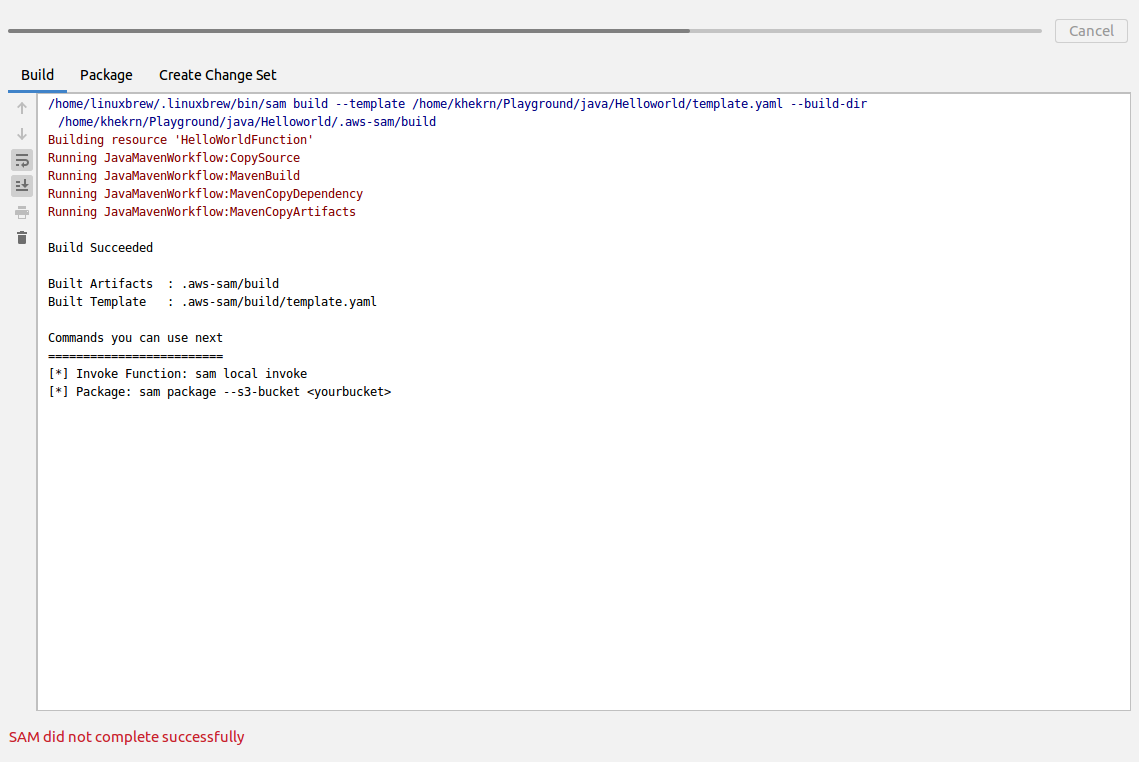
有没有办法增加一个可伸缩的滚动条?
回答 1
Stack Overflow用户
发布于 2022-11-07 01:01:54
Tkinter、matplotlib和ttkwidget没有与您想要的完全相同的内置时间线小部件。然而,tkinter拥有所有的基本构建块才能做到这一点。这只是将所有的小部件放在一个类中的问题。
这是我一起扔的东西。它还没有完全准备好生产,但它展示了如何轻松地将多个小部件组合到一个新的自定义小部件中。
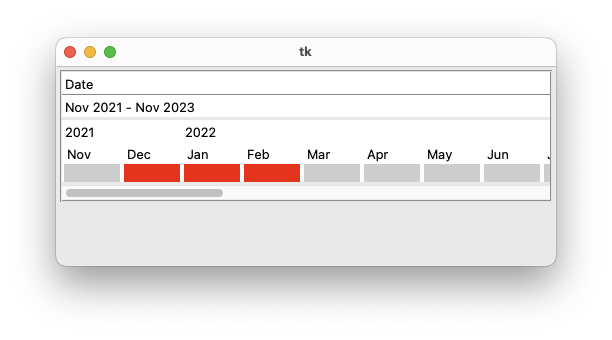
import tkinter as tk
from tkinter import ttk

from dateutil.relativedelta import relativedelta
from datetime import datetime


class Timeline(tk.Frame):
    """
    Timeline widget

    options:
      command     command to be called when user clicks on a month
      header_text text for the header. Defaults to "Date"
      start_date  datetime representing the start of the timeline
      end_date    datetime representing the end of the timeline
      kwargs      additional arguments passed to the superclass
                  (useful for setting colors, borderwidth)

    subcommands;
      highlight   takes one or more arguments that are a tuple of
                  (month,year). kwargs can be bg to set the background,
                  and fg to set the foreground
    """

    def __init__(self, parent, **kwargs):
        header_text = kwargs.pop("header", "Date")
        start_date = kwargs.pop("start_date", datetime.now() + relativedelta(years=-1))
        end_date = kwargs.pop("end_date", datetime.now() + relativedelta(years=1))
        self.command = kwargs.pop("command", None)

        super().__init__(parent, **kwargs)

        subheader_str = f"{start_date.strftime('%b %Y')} - {end_date.strftime('%b %Y')}"

        bg = self.cget("background")
        self.header = tk.Label(self, text=header_text, background=bg, anchor="w")
        self.sep = ttk.Separator(self, orient="horizontal")
        self.subheader = tk.Label(self, text=subheader_str, background=bg, anchor="w")
        self.canvas = tk.Canvas(self, background=bg)
        self.scrollbar = tk.Scrollbar(
            self, orient="horizontal", command=self.canvas.xview
        )
        self.canvas.configure(xscrollcommand=self.scrollbar.set)

        self.header.pack(side="top", fill="x")
        self.sep.pack(side="top", fill="x")
        self.subheader.pack(side="top", fill="x")
        self.canvas.pack(side="top", fill="x")
        self.scrollbar.pack(side="top", fill="x")

        self.inner_frame = tk.Frame(self.canvas, background=bg)
        self.canvas.create_window(0, 0, anchor="nw", window=self.inner_frame)

        self.buttons = {}
        current = start_date
        displayed_year = ""
        column = 0
        while current <= end_date:
            if displayed_year != current.year:
                year_label = tk.Label(
                    self.inner_frame, text=current.year, background=bg, anchor="w"
                )
                year_label.grid(row=0, column=column, sticky="ew")
                displayed_year = current.year

            index = (current.month, current.year)
            month = current.strftime("%b")
            label = tk.Label(self.inner_frame, text=month, anchor="w", background=bg)
            button = tk.Label(
                self.inner_frame,
                text="    ",
                width=6,
                bd=0,
                relief="flat",
                bg="lightgray",
            )
            label.grid(row=1, column=column, padx=2, sticky="ew")
            button.grid(row=2, column=column, padx=2, sticky="ew")
            button.bind(
                "<1>",
                lambda event, index=index: self._callback(event, index[0], index[1]),
            )

            self.buttons[(current.month, current.year)] = button
            column += 1
            current = current + relativedelta(months=1)

        self.canvas.bind("<Configure>", self._resize)

    def highlight(self, *args, bg="red", fg="black"):
        for index in args:
            self.buttons[index].configure(bg=bg, fg=fg)

    def _callback(self, event, month, year):
        if self.command:
            self.command(month=month, year=year)

    def _resize(self, event):
        self.canvas.configure(height=self.inner_frame.winfo_height())
        bbox = self.canvas.bbox("all")
        self.canvas.configure(scrollregion=bbox)


def callback(month, year):
    print(f"you clicked on month={month} year={year}")


root = tk.Tk()
root.geometry("500x200")
t = Timeline(root, bd=2, relief="groove", background="white", command=callback)
t.highlight((12, 2021), (1, 2022), (2, 2022))
t.pack(side="top", fill="x", padx=4, pady=4)

root.mainloop()页面原文内容由Stack Overflow提供。腾讯云小微IT领域专用引擎提供翻译支持
原文链接:
https://stackoverflow.com/questions/74340578
复制相关文章
相似问题
腾讯云开发者

Copyright © 2013 - 2026 Tencent Cloud. All Rights Reserved. 腾讯云 版权所有
深圳市腾讯计算机系统有限公司 ICP备案/许可证号:粤B2-20090059  粤公网安备44030502008569号
腾讯云计算(北京)有限责任公司 京ICP证150476号 | 京ICP备11018762号