
使用princexml在封面图像顶部插入文本到pdf书中?
使用princexml在封面图像顶部插入文本到pdf书中?
提问于 2022-10-31 08:19:02
我想要一个封面,封面上写着这本书的书名&作者的名字,上面写着:
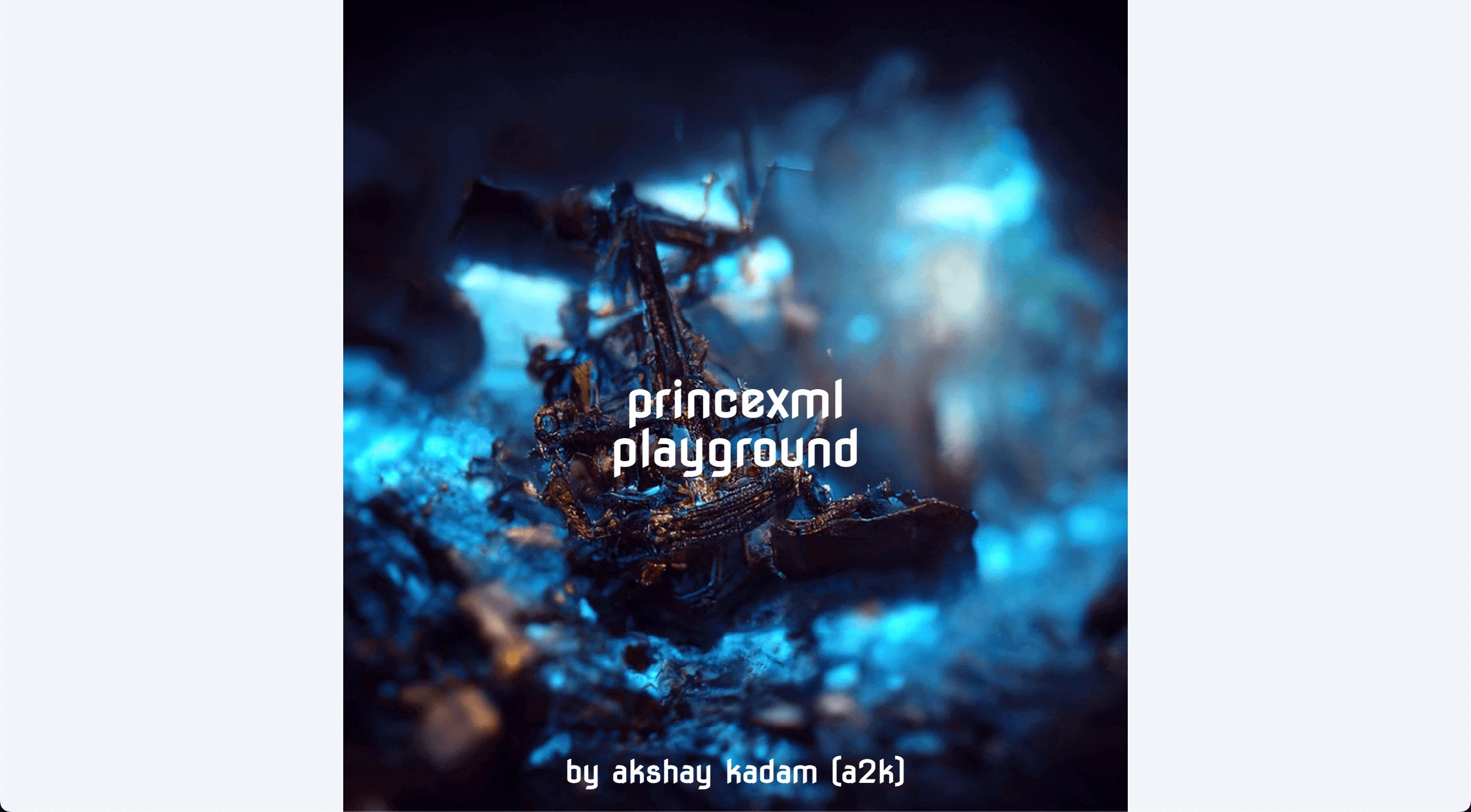
我用基本的css做这件事,使用的是顺风css和我在这里找到的
@import url('https://fonts.googleapis.com/css?family=Nova+Flat');

.frontcover {
  @apply relative text-white text-center;

  & > h1 {
    @apply text-5xl font-bold font-nova absolute top-1/2 left-1/2 -translate-x-1/2 -translate-y-1/2;
  }

  & > span {
    @apply text-3xl font-semibold font-nova absolute bottom-10 left-1/2 -translate-x-1/2 -translate-y-1/2;
  }
}
这在网络上非常有效。
但它提供了一个奇怪的输出使用princexml。
我读过prince &它支持translate,所以要知道是什么导致了错误。这张照片看上去被剪掉了。上面没有标题&作者。书的宽度看上去较小。
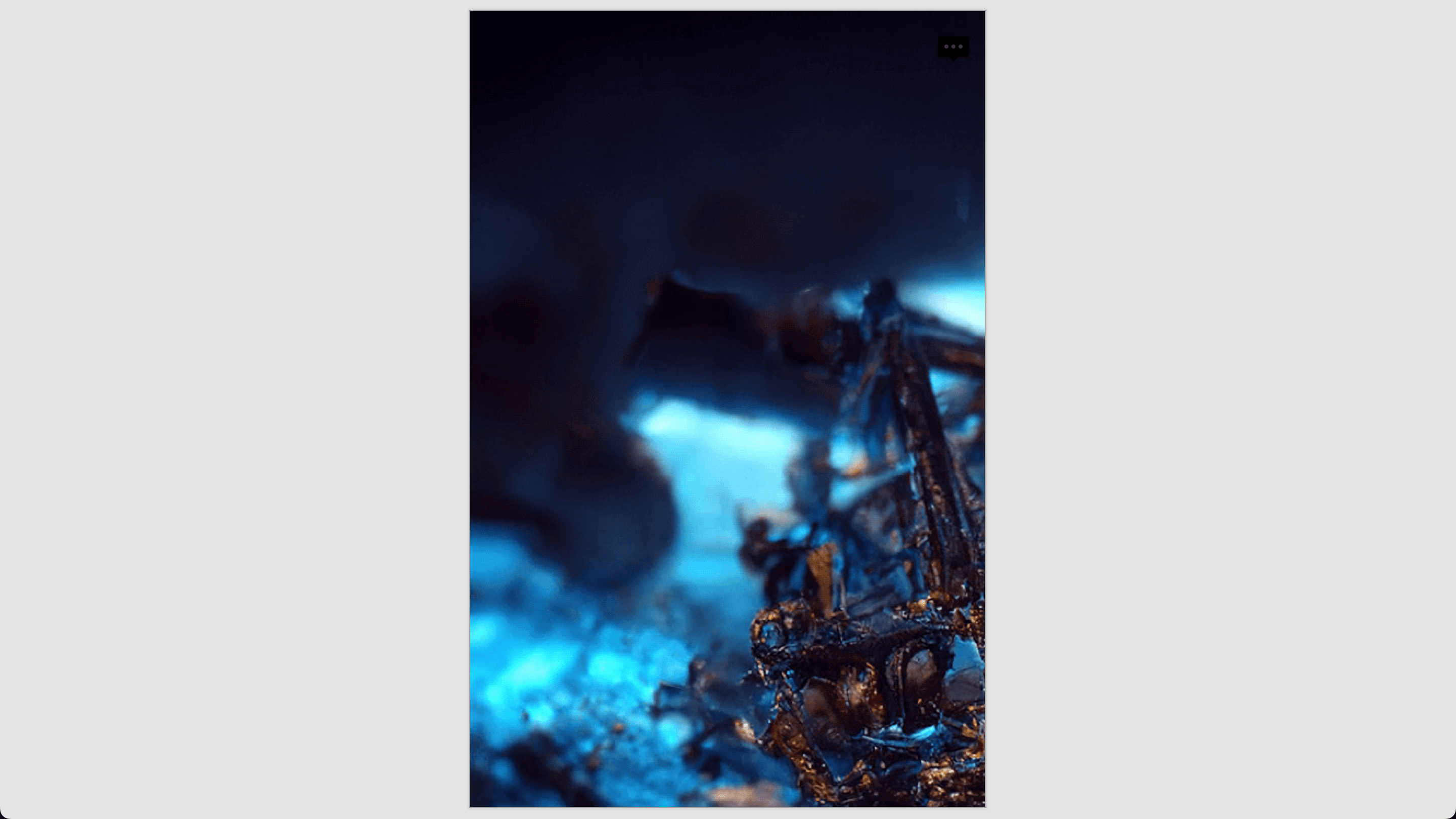
我的完整可复制代码可在这里获得-- https://github.com/deadcoder0904/princexml-playground (您可以看到→的输出)。
有什么问题&我该如何解决呢?王子是否允许在图片上面有文字,还是不可能呢?
回答 1
Stack Overflow用户
回答已采纳
发布于 2022-11-01 10:14:10
这有点棘手,因为它不完全像网络那样工作。
index.html
<!DOCTYPE html>
<html lang="en">
  <head>
    <meta charset="UTF-8" />
    <meta http-equiv="X-UA-Compatible" content="IE=edge" />
    <meta name="viewport" content="width=device-width, initial-scale=1.0" />
    <link rel="stylesheet" href="https://rsms.me/inter/inter.css" />
    <link rel="stylesheet" href="./index.css" />
    <title>princexml playground</title>
  </head>
  <body>
    <div class="container">
      <section class="frontcover">
        <h1>princexml playground</h1>
        <span>akshay kadam (a2k)</span>
      </section>
    </div>
  </body>
</html>
样式/index.css
@import 'tailwindcss/base';

/* common base styles */
@import './base.css';

/* use this to style the web */
@import './screen.css';

/* use this only for print */
@import './print.css';

@import 'tailwindcss/components';
@import 'tailwindcss/utilities';
样式/base.css
@import url('https://fonts.googleapis.com/css?family=Nova+Flat');

.frontcover {
  @apply mx-auto text-center;

  /* colors don't work using @apply for some reason... even background below */
  color: theme('colors.white');

  & > h1 {
    @apply w-full text-7xl text-white p-4 font-bold font-nova rounded-3xl absolute top-1/2 left-1/2 -translate-x-1/2 -translate-y-1/2;
    background: theme('colors.slate.700');
  }

  & > span {
    @apply w-full text-4xl text-white p-4 font-semibold font-sans rounded-3xl absolute bottom-0 left-1/2 -translate-x-1/2;
    background: theme('colors.indigo.700');
    &:before {
      content: 'by ';
    }
  }
}
样式/打印程序
/* style the print */

@media print {
  @page {
    size: 6.6in 8.5in;
    margin: 70pt 60pt 70pt;
  }

  @page cover {
    background: url('./cover.png');
    background-size: cover;
  }

  .frontcover {
    page: cover;
    page-break-after: always;
  }
}
样式/屏幕.
/* style the web */

@media screen {
  body {
    background: theme('colors.slate.900');
  }

  .container {
    @apply mx-auto;
  }

  .frontcover {
    @apply max-w-xl relative bg-[url('./cover.png')] bg-cover bg-no-repeat bg-center h-screen;

    & > h1 {
      @apply text-5xl;
    }

    & > span {
      @apply text-2xl bottom-20 absolute;
    }
  }
}base.css包含带有打印和web的常见样式。
print.css负责pdf覆盖图像。
而screen.css负责网络封面图像的处理,尽管它可以被改进。
页面原文内容由Stack Overflow提供。腾讯云小微IT领域专用引擎提供翻译支持
原文链接:
https://stackoverflow.com/questions/74260458
复制相关文章
相似问题
腾讯云开发者

Copyright © 2013 - 2026 Tencent Cloud. All Rights Reserved. 腾讯云 版权所有
深圳市腾讯计算机系统有限公司 ICP备案/许可证号:粤B2-20090059  粤公网安备44030502008569号
腾讯云计算(北京)有限责任公司 京ICP证150476号 | 京ICP备11018762号