
如何在JustPy中将Aggrid样式高度设置为100%
如何在JustPy中将Aggrid样式高度设置为100%
提问于 2022-10-31 06:05:29
我正试图将阿格海格的风格设置为100%,但这张桌子没有显示出来。我试着用视口和像素,它们工作得很好。Fow的宽度,百分比也很好。
我想要做的是把Aggrid表的高度与父分区相匹配。我仍然在学习JustPy和python,所以这个问题可能是关于样式设计的基础。
import justpy as jp

grid_options = """
{
    defaultColDef: {
        filter: true,
        sortable: true,
        resizable: true,
        cellStyle: {textAlign: 'center'},
        headerClass: 'font-bold'
    },
      columnDefs: [
      {headerName: "Make", field: "make"},
      {headerName: "Model", field: "model"},
      {headerName: "Price", field: "price"}
    ],
      rowData: [
      {make: "Toyota", model: "Celica", price: 35000},
      {make: "Ford", model: "Mondeo", price: 32000},
      {make: "Porsche", model: "Boxter", price: 72000}
    ]
}
"""

def grid_test5():
    wp = jp.QuasarPage()
    c1 = jp.Div(a=wp, classes='q-pa-sm')
    grid = jp.AgGrid(a=c1, options=grid_options, style='height: 100%; width: 100%; margin: 0.25em')
    return wp

jp.justpy(grid_test5)回答 1
Stack Overflow用户
发布于 2022-11-04 07:10:53
另见https://github.com/justpy-org/justpy/discussions/592
通过使用99 by作为设置,开箱即能产生100%的高度效果。考虑到随访和副作用100 to /100%,不使用100 to似乎是故意的:
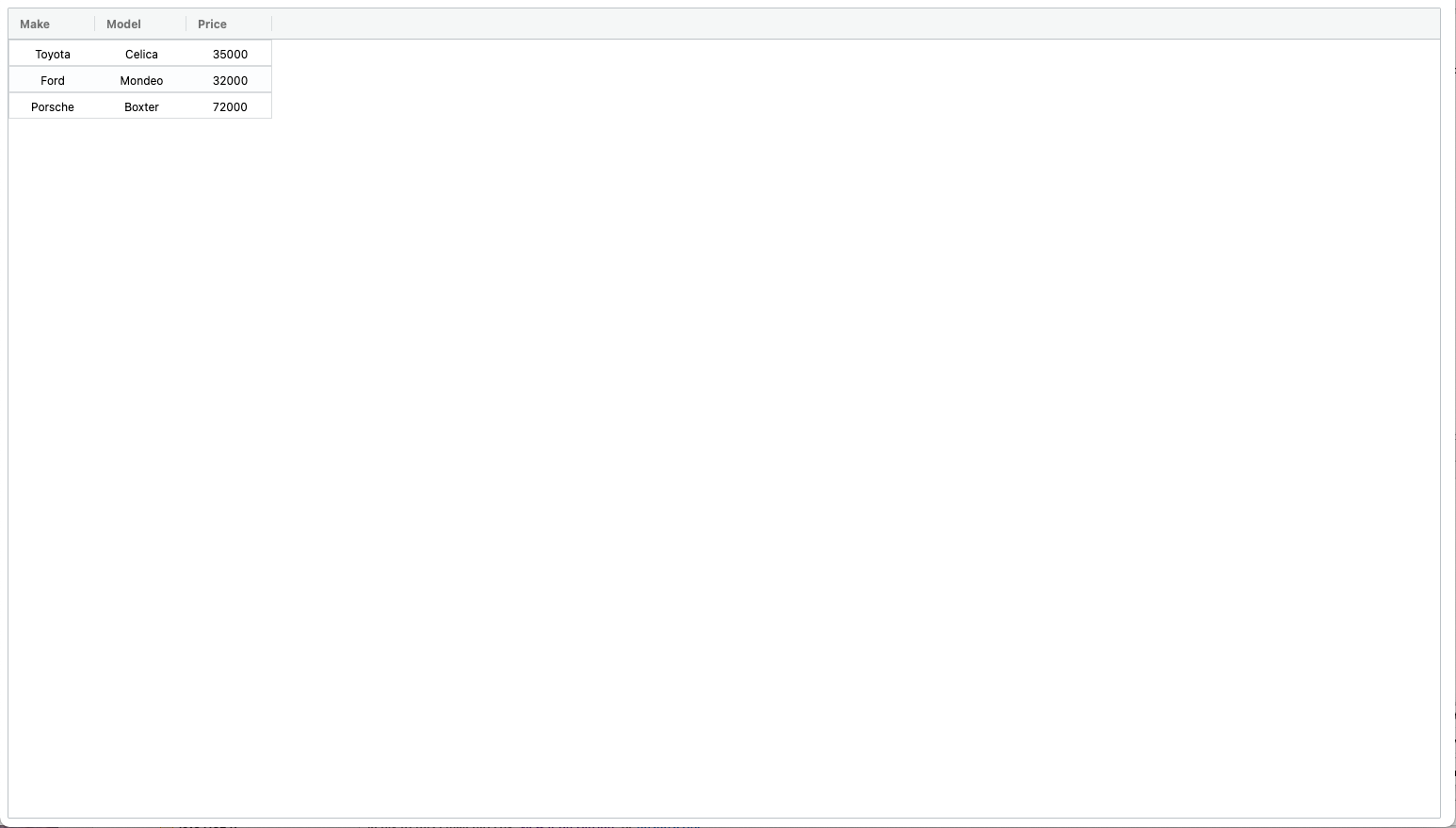
您可能需要检查您正在使用的是当前版本,并且没有尝试反生产样式选项(例如,当您切换到引导或其他javascript后端时,这些选项可能无法工作)。
您可以在https://justpy-demo.herokuapp.com/grid_test4/尝试一些东西--或者如果这是不可用的,请按照https://justpy.io/的教程设置您自己的码头或基于heroku的演示浏览器。
如果你想出了一个更好的解决方案,我们欢迎你打开一个问题,并请求公正。
页面原文内容由Stack Overflow提供。腾讯云小微IT领域专用引擎提供翻译支持
原文链接:
https://stackoverflow.com/questions/74259313
复制相关文章
相似问题
腾讯云开发者

Copyright © 2013 - 2026 Tencent Cloud. All Rights Reserved. 腾讯云 版权所有
深圳市腾讯计算机系统有限公司 ICP备案/许可证号:粤B2-20090059  粤公网安备44030502008569号
腾讯云计算(北京)有限责任公司 京ICP证150476号 | 京ICP备11018762号