
使用vue-select选择图像
使用vue-select选择图像
提问于 2022-10-28 17:52:35
如何在vue 3中使用vue-选择进行选择?
<v2-select :options="options" label="title">
   <template slot="option" slot-scope="option">
   <img :src="option.url">
  {{ option.url }}
  </template>
</v2-select>
数据:
 options: [
                    {
                        title: 'Read the Docs',
                        icon: 'fa-book',
                        url: 'https://codeclimate.com/github/sagalbot/vue-select'
                    },
                    {
                        title: 'View on GitHub',
                        icon: 'fa-github',
                        url: 'https://codeclimate.com/github/sagalbot/vue-select'
                    },
                    {
                        title: 'View on NPM',
                        icon: 'fa-database',
                        url: 'https://codeclimate.com/github/sagalbot/vue-select'
                    },
                    {
                        title: 'View Codepen Examples',
                        icon: 'fa-pencil',
                        url: 'https://codeclimate.com/github/sagalbot/vue-select'
                    }
                ],
}在vue 2中它起作用,bot在vue 3中不起作用
回答 2
Stack Overflow用户
回答已采纳
发布于 2022-10-28 18:31:53
你的插槽装订错了。
检查文档:Vue命名插槽和Vue-选择-插槽-选项
这
<template slot="option" slot-scope="option"> 应该写成这样
<template v-slot:option="option">大概是这样(使用速记#)
<template #option="option">然后它起作用了:
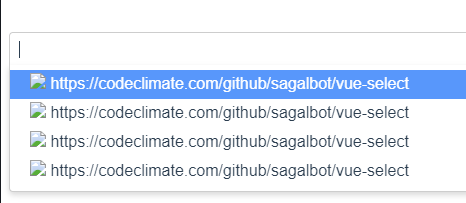
更新:
slot-scope in 已弃用 in Vue2
Stack Overflow用户
发布于 2022-10-28 22:12:01
使用以下版本
"vue-select": "^4.0.0-beta.5"并在main.js中这样安装
import { createApp } from "vue"
import vSelect from "vue-select"

import App from "./App.vue"
const app = createApp(App)
app.component("v-select", vSelect)

app.mount("#app")
然后,可以使用以下方法
<template>
  <v-select :options="options" label="title">
    <template #option="option">
      <span><img :src="option.image" />{{ option.title }}</span>
    </template>
  </v-select>
</template>

<script>
export default {
  data() {
    return {
      options: [
        {
          title: "Read the Docs",
          image: "https://source.unsplash.com/random/20x20?sig=1",
          url: "https://codeclimate.com/github/sagalbot/vue-select",
        },
        {
          title: "View on GitHub",
          image: "https://source.unsplash.com/random/20x20?sig=2",
          url: "https://codeclimate.com/github/sagalbot/vue-select",
        },
        {
          title: "View on NPM",
          image: "https://source.unsplash.com/random/20x20?sig=3",
          url: "https://codeclimate.com/github/sagalbot/vue-select",
        },
        {
          title: "View Codepen Examples",
          image: "https://source.unsplash.com/random/20x20?sig=4",
          url: "https://codeclimate.com/github/sagalbot/vue-select",
        },
      ],
    };
  },
};
</script>
对于这样的结果
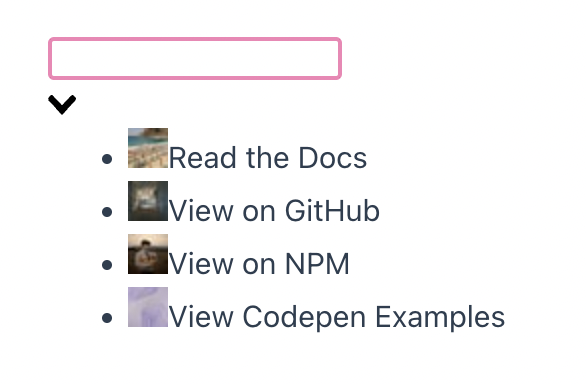
PS:要小心,文档中的一些例子确实没有更新Vue的API,特别是slot-scope作为在此解释 (在Vue3中不再可用)。
页面原文内容由Stack Overflow提供。腾讯云小微IT领域专用引擎提供翻译支持
原文链接:
https://stackoverflow.com/questions/74239184
复制相关文章
相似问题
腾讯云开发者

Copyright © 2013 - 2026 Tencent Cloud. All Rights Reserved. 腾讯云 版权所有
深圳市腾讯计算机系统有限公司 ICP备案/许可证号:粤B2-20090059  粤公网安备44030502008569号
腾讯云计算(北京)有限责任公司 京ICP证150476号 | 京ICP备11018762号