
Azure DevOps -使用vmImage windows构建Linux容器-最新
我们使用Azure DevOps构建管道与vmImage windows-latest,因为我们是在Windows机器上开发。
以前,我们只对操作系统App Services使用Windows,并将其发布到Code。
示例:
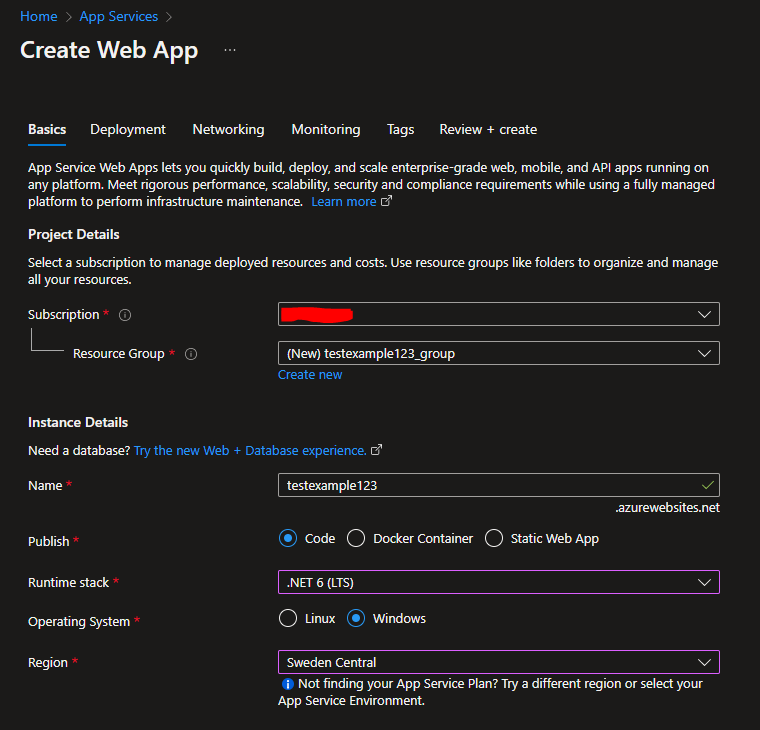
我们现在转向以App Service的形式运行在Linux上的Docker。
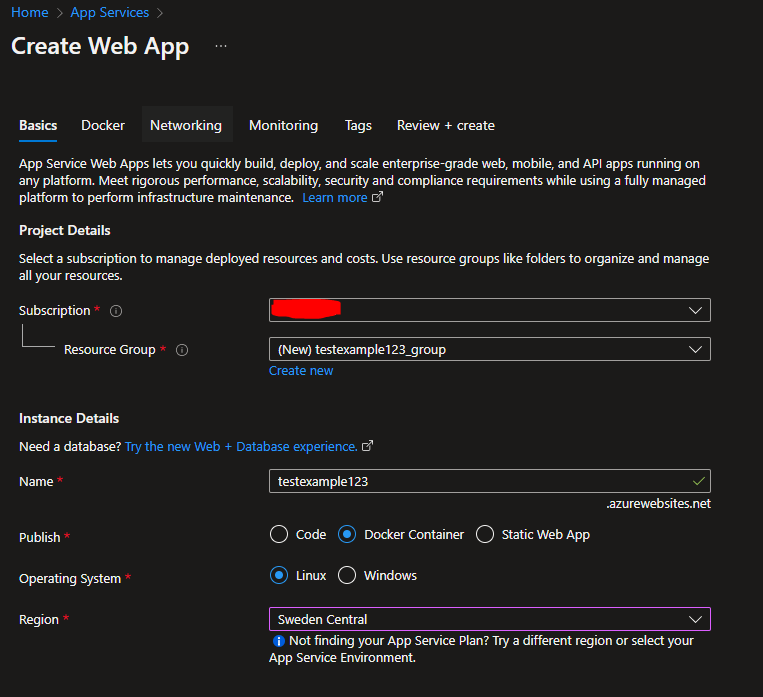
为了让我们有一个与云无关的架构,Linux 64位容器似乎是我们的最佳选择。Google运行示例:
容器映像中的
可执行文件必须为Linux 64位编译。云运行特别支持Linux格式。
https://cloud.google.com/run/docs/container-contract#languages
使用Windows 10上的Visual 2022将容器映像发布到Azure容器注册表,然后将其链接到Azure App没有问题。
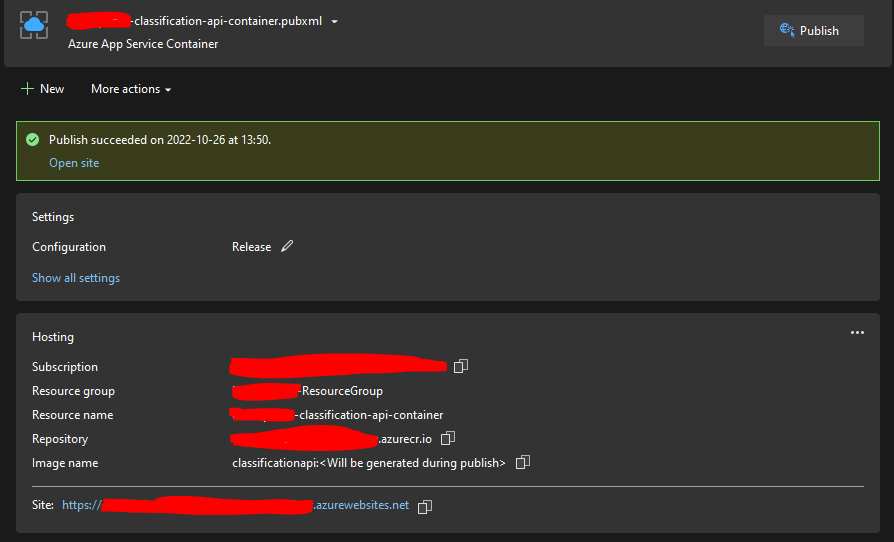
我们使用Azure App Service Container作为发布模板。
遵循Build and publish a Docker image to Azure Container Registry指南可以很好地工作。
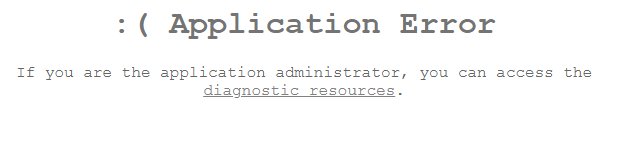
但是,在访问应用程序时,会出现以下错误:
:(应用程序错误,如果您是应用程序管理员,您可以访问诊断资源。
->应用程序日志->平台日志的诊断与解决
我可以看到以下错误:

projectcontainerregistry.azurecr.io/classificationapi:123 2022-10-26T11:11:36.260Z错误图像操作系统"windows“不能在此platformErr: 0上使用,消息:图像操作系统"windows”不能在此平台上使用2022-10-26T11:11:36.634Z信息-拉图失败,所用时间:0分钟0秒2022-10-26T11:11:36.634Z错误-拖坞图像platformErr失败: 2022-10-26T11:11:37.604Z错误- DockerApiException: responded响应状态code=InternalServerError,Response={“消息”:“获取https://projectcontainerregistry.azurecr.io/v2/classificationapi/manifests/123:未经授权:身份验证是必需的,请访问https://aka.ms/acr/authorization以获得更多信息”}
这非常棘手,因为image operating system "windows" cannot be used on this platform显示为OK日志,而只有unauthorized: authentication required是错误日志。因此,我认为这是几个小时的身份验证错误,于是我尝试使用发布任务Azure Web App for Containers等。
但是,我可以通过使用我在本地计算机上部署的标记来验证Azure App Service deploy任务是否正常工作,使用我知道的使用Visual而不是$(Build.BuildId)部署的标记。
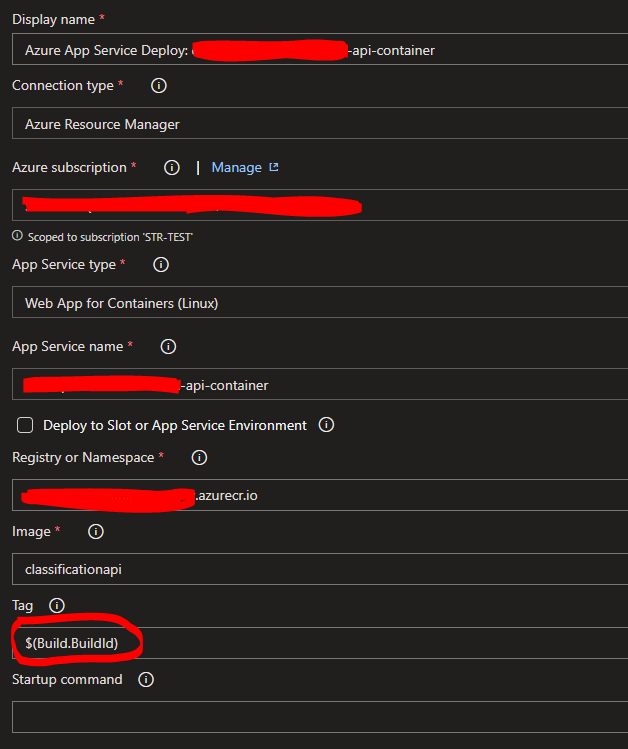
Azure DevOps声明如下:
基于部署Linux或Windows应用程序的
,请确保分别将vmImage设置为
ubuntu-latest或windows-latest。
考虑到我可以在我的Windows机器上部署一个工作容器映像,我认为应该是可能的。
集装箱登记处:
在我的Windows机器上使用Visual生成的图像:

建立在Azure DevOps上的图像:

在Docker任务中无法设置Docker平台,我可以看到:
Windows主机目前不支持
BuildKit。
https://www.docker.com/blog/faster-multi-platform-builds-dockerfile-cross-compilation-guide/
回答 1
Stack Overflow用户
发布于 2022-10-26 13:51:36
解决了使用jobs和不同的pool根据要做什么。
jobs:

- job: Docker
  pool:
    vmImage: 'ubuntu-latest'
  steps:
  - task: Docker@2
    inputs:
      containerRegistry: 'MyContainerRegistry'
      repository: 'classificationapi'
      command: 'buildAndPush'
      Dockerfile: 'src/Services/Classification/ClassificationService.Api/Dockerfile'
      buildContext: ''

- job: Build
  pool:
    vmImage: 'windows-latest'
  steps:
...https://stackoverflow.com/questions/74208171
复制相似问题
腾讯云开发者

Copyright © 2013 - 2026 Tencent Cloud. All Rights Reserved. 腾讯云 版权所有
深圳市腾讯计算机系统有限公司 ICP备案/许可证号:粤B2-20090059  粤公网安备44030502008569号
腾讯云计算(北京)有限责任公司 京ICP证150476号 | 京ICP备11018762号