
python opencv如何匹配具有不同颜色和亮度的相同形状的模板
python opencv如何匹配具有不同颜色和亮度的相同形状的模板
提问于 2022-10-22 22:04:23
我使用匹配模板来检测黑暗背景下的2x2平方米。用我的代码,它检测大多数方块没有任何问题,但它失败了,当颜色的方块是黑暗和黑色。我试过在opencv中规范化,但效果不太好。也试过使用口罩,但也不起作用(也许我用错了口罩功能?)因为我对图像预处理和opencv缺乏了解。我相信有那么多东西我错过了,但我只是不知道我错过了什么。如果有人能帮我,我会很感激的
import cv2
import numpy as np
import time
import win32gui, win32ui, win32con


def imagesearch(per):


    img = cv2.imread('target.png', cv2.IMREAD_GRAYSCALE)
    img1 = cv2.imread('target.png')

    template = cv2.imread('./map/monster.png', cv2.IMREAD_GRAYSCALE)
    w, h = template.shape[::-1]

    meth = [cv2.TM_CCOEFF, cv2.TM_CCOEFF_NORMED, cv2.TM_CCORR, cv2.TM_CCORR_NORMED, cv2.TM_SQDIFF, cv2.TM_SQDIFF_NORMED]

    res = cv2.matchTemplate(img, template, meth[3])


    threshold = per
    loc = np.where(res>=threshold)


    if loc[0].any():


        for pt in zip(*loc[::-1]):
            cv2.rectangle(img1, pt, (pt[0] + w, pt[1] + h), (0,0,255), 1)


    cv2.imshow("dst", img1)
    cv2.waitKey(0)
    cv2.destroyAllWindows()


imagesearch(0.8)

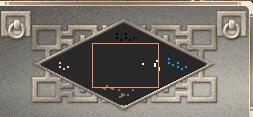
模板
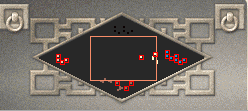
图像
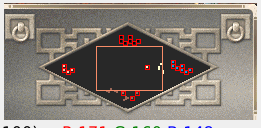
结果
回答 1
Stack Overflow用户
回答已采纳
发布于 2022-10-22 22:54:09
你面临的问题是,你想要检测的部分方块不遵循“比背景轻”和“比背景暗”的规则。解决此问题的方法是使用带有反向颜色的模板图像:

^--反转模板
import cv2
import numpy as np
import time

def imagesearch(per):

    img  = cv2.imread('openCV_squareDetection.png', cv2.IMREAD_GRAYSCALE)
    img1 = cv2.imread('openCV_squareDetection.png')

    template_inversed = cv2.imread('openCV_squareDetection_template_inversed.png', cv2.IMREAD_GRAYSCALE)
    template          = cv2.imread('openCV_squareDetection_template.png',          cv2.IMREAD_GRAYSCALE)
    w, h = template.shape[::-1]

    meth = [cv2.TM_CCOEFF, cv2.TM_CCOEFF_NORMED, cv2.TM_CCORR, cv2.TM_CCORR_NORMED, cv2.TM_SQDIFF, cv2.TM_SQDIFF_NORMED]

    res          = cv2.matchTemplate(img, template         , meth[1])
    res_inversed = cv2.matchTemplate(img, template_inversed, meth[1])
    threshold = per

    loc          = np.where(res         >=threshold)
    loc_inversed = np.where(res_inversed>=threshold)

    if loc[         0].any():
        for pt in zip(*loc[::-1]):
            cv2.rectangle(img1, pt, (pt[0] + w, pt[1] + h), (0,0,255), 1)
    if loc_inversed[0].any():
        for pt in zip(*loc_inversed[::-1]):
            cv2.rectangle(img1, pt, (pt[0] + w, pt[1] + h), (0,0,255), 1)

    cv2.imshow("dst", img1)
    cv2.waitKey(0)
    cv2.destroyAllWindows()

imagesearch(0.95)
页面原文内容由Stack Overflow提供。腾讯云小微IT领域专用引擎提供翻译支持
原文链接:
https://stackoverflow.com/questions/74167407
复制相关文章
相似问题
腾讯云开发者

Copyright © 2013 - 2026 Tencent Cloud. All Rights Reserved. 腾讯云 版权所有
深圳市腾讯计算机系统有限公司 ICP备案/许可证号:粤B2-20090059  粤公网安备44030502008569号
腾讯云计算(北京)有限责任公司 京ICP证150476号 | 京ICP备11018762号