
i18next.use和所有其他属性都是用webpack craco config未定义的。
i18next.use和所有其他属性都是用webpack craco config未定义的。
提问于 2022-10-21 14:06:13
我正在将我的创建-反应-应用程序迁移到craco,并将react脚本从v3.4.1迁移到v4.03。在react-脚本版本更新和craco i18next停止工作后。
/* craco.config.js */
const path = require(`path`);
const fs = require('fs');
const webpack = require('webpack');
filenames = fs.readdirSync( path.resolve(__dirname, 'src'));


module.exports = {
  webpack: {
    alias: filenames.reduce((acc, curr) => {
        acc[path.parse(curr).name] = path.resolve(__dirname, `src/${curr}`)
        return acc;
    }, {}),
  },
};
下面是在src/index.js中导入的i18next.js文件
const i18n = require('i18next');
// import i18n from 'i18next';
import { initReactI18next } from 'react-i18next';

import Backend from 'i18next-http-backend';
import LanguageDetector from 'i18next-browser-languagedetector';
// not like to use this?
// have a look at the Quick start guide
// for passing in lng and translations on init


const languages = ['eng','spa','fra','por','rus','ara','per','hin','cht','jpn','chi'];

i18n
  // load translation using http -> see /public/locales (i.e. https://github.com/i18next/react-i18next/tree/master/example/react/public/locales)
  // learn more: https://github.com/i18next/i18next-http-backend
  .use(Backend)
  // detect user language
  // learn more: https://github.com/i18next/i18next-browser-languageDetector
  .use(LanguageDetector)
  // pass the i18n instance to react-i18next.
  .use(initReactI18next)
  // init i18next
  // for all options read: https://www.i18next.com/overview/configuration-options
  .init({
    fallbackLng: 'eng',
    debug: false,
    whitelist: languages,

    interpolation: {
      escapeValue: false, // not needed for react as it escapes by default
    }
  });


export default i18n;
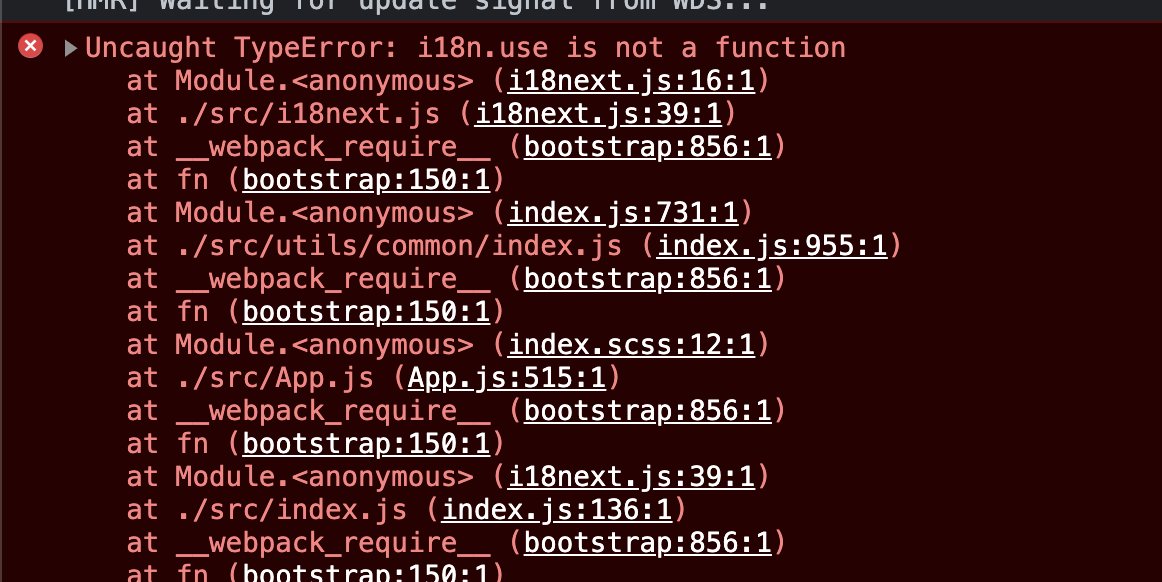
我得到的i18n.use不是一个函数错误与新的craco配置。它在迁移到craco之前工作得很好。
回答 1
Stack Overflow用户
发布于 2022-10-26 13:41:18
不知何故
import i18n from '../node_modules/i18next';很好,但这些都不起作用
const i18n = require('i18next');
import i18n from 'i18next';
import * as i18n from 'i18next';页面原文内容由Stack Overflow提供。腾讯云小微IT领域专用引擎提供翻译支持
原文链接:
https://stackoverflow.com/questions/74154884
复制相关文章
相似问题
腾讯云开发者

Copyright © 2013 - 2026 Tencent Cloud. All Rights Reserved. 腾讯云 版权所有
深圳市腾讯计算机系统有限公司 ICP备案/许可证号:粤B2-20090059  粤公网安备44030502008569号
腾讯云计算(北京)有限责任公司 京ICP证150476号 | 京ICP备11018762号