
为什么我的反应本地Pod安装错误?
尝试在一个新的中运行并获得此错误。Ruby与brew一起安装
我已经安装了chruby和ruby- install,然后我用它们来安装ruby-2.7.5 cocopods、ffi和bundler。在尝试bundler安装时,我会得到以下错误:
warn Multiple Podfiles were found: ios/Podfile,vendor/bundle/ruby/2.7.0/gems/cocoapods-core-1.11.3/lib/cocoapods-core/Podfile. Choosing ios/Podfile automatically. If you would like to select a different one, you can configure it via "project.ios.sourceDir". You can learn more about it here: https://github.com/react-native-community/cli/blob/master/docs/configuration.md
[Codegen] Generating ./build/generated/ios/React-Codegen.podspec.json
fatal: not a git repository (or any of the parent directories): .git
Analyzing dependencies
Fetching podspec for `DoubleConversion` from `../node_modules/react-native/third-party-podspecs/DoubleConversion.podspec`
[Codegen] Found FBReactNativeSpec
Fetching podspec for `RCT-Folly` from `../node_modules/react-native/third-party-podspecs/RCT-Folly.podspec`
Fetching podspec for `boost` from `../node_modules/react-native/third-party-podspecs/boost.podspec`
Fetching podspec for `glog` from `../node_modules/react-native/third-party-podspecs/glog.podspec`
Fetching podspec for `hermes-engine` from `../node_modules/react-native/sdks/hermes/hermes-engine.podspec`
[!] Couldn't determine repo type for URL: `https://cdn.cocoapods.org/`: Permission bits for '/Users/macbook/.netrc' should be 0600, but are 644回答 4
Stack Overflow用户
发布于 2022-11-05 15:44:57
所以我悬赏这个是因为我很久都搞不懂了。直到我找到了。(希望这个修复方法对其他人都有用)
首先,当我运行xcode-select -p时,它正在返回/Library/Developer/CommandLineTools
然而,这看上去很奇怪,因为这里的另一个回答似乎表明,这可能是引起问题的原因。到头来,我只是没有像反应本机文档中所描述的那样正确地设置CLI工具。因为它在下拉列表中只有一个选项,所以我假设CLI工具已经设置好了。但是,当我返回并具体单击一个选项时,它对我的系统进行了更改。
现在运行xcode-select -p返回/Application/Xcode.app/Contents/Developer
打开Xcode,转到“设置.”在菜单栏里。然后转到“Locations”选项卡,单击“命令行工具”下拉菜单,然后单击最新版本(即使看起来已经设置了版本,也可以单击某个版本)。现在再试一下你的吊舱安装!
Stack Overflow用户
发布于 2022-11-10 05:23:43
这个答案(https://stackoverflow.com/a/69427481/8988448)可能会解决你的问题。看来你还没有给予适当的许可。
运行chmod 600 ~/.netrc,一旦完成,运行pod install。
Stack Overflow用户
发布于 2022-10-23 02:26:14
得到了如下相同的错误:
✔ Downloading template
✔ Copying template
✔ Processing template
ℹ Installing dependencies
✔ CocoaPods (https://cocoapods.org/) is not installed. CocoaPods is necessary for the iOS project to run correctly. Do you want to install it? › Yes, with gem (may require sudo)
✔ Installing CocoaPods
✔ Installing Bundler
✖ Installing CocoaPods dependencies (this may take a few minutes)
error warn Multiple Podfiles were found: ios/Podfile,vendor/bundle/ruby/2.7.0/gems/cocoapods-core-1.11.3/lib/cocoapods-core/Podfile. Choosing ios/Podfile automatically. If you would like to select a different one, you can configure it via "project.ios.sourceDir". You can learn more about it here: https://github.com/react-native-community/cli/blob/master/docs/configuration.md

✖ Installing CocoaPods dependencies (this may take a few minutes)
error Error: Looks like your iOS environment is not properly set. Please go to https://reactnative.dev/docs/next/environment-setup and follow the React Native CLI QuickStart guide for macOS and iOS.
环境: macOS Catalina 10.15.7
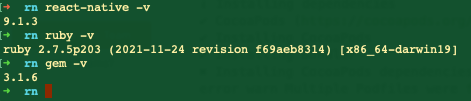
- 通过
gem安装cocoapods,如下所示。
rn sudo gem install -n /usr/local/bin cocoapods密码:
- 当
run react-native init myproj时,选择gem再次安装coacopods。
https://stackoverflow.com/questions/74080414
复制相似问题
腾讯云开发者

Copyright © 2013 - 2026 Tencent Cloud. All Rights Reserved. 腾讯云 版权所有
深圳市腾讯计算机系统有限公司 ICP备案/许可证号:粤B2-20090059  粤公网安备44030502008569号
腾讯云计算(北京)有限责任公司 京ICP证150476号 | 京ICP备11018762号