
无法连接到http://localhost:9200上的弹性搜索
无法连接到http://localhost:9200上的弹性搜索
提问于 2022-09-29 11:15:05
我试图安装ELK (此资源https://www.howtoforge.com/tutorial/elasticsearch-and-kibana-installation-and-basic-usage-on-ubuntu-1604/),但当我打开http://localhost:5601浏览器并使用http://localhost:5601 URL测试其安装是否正确时,我收到两个错误
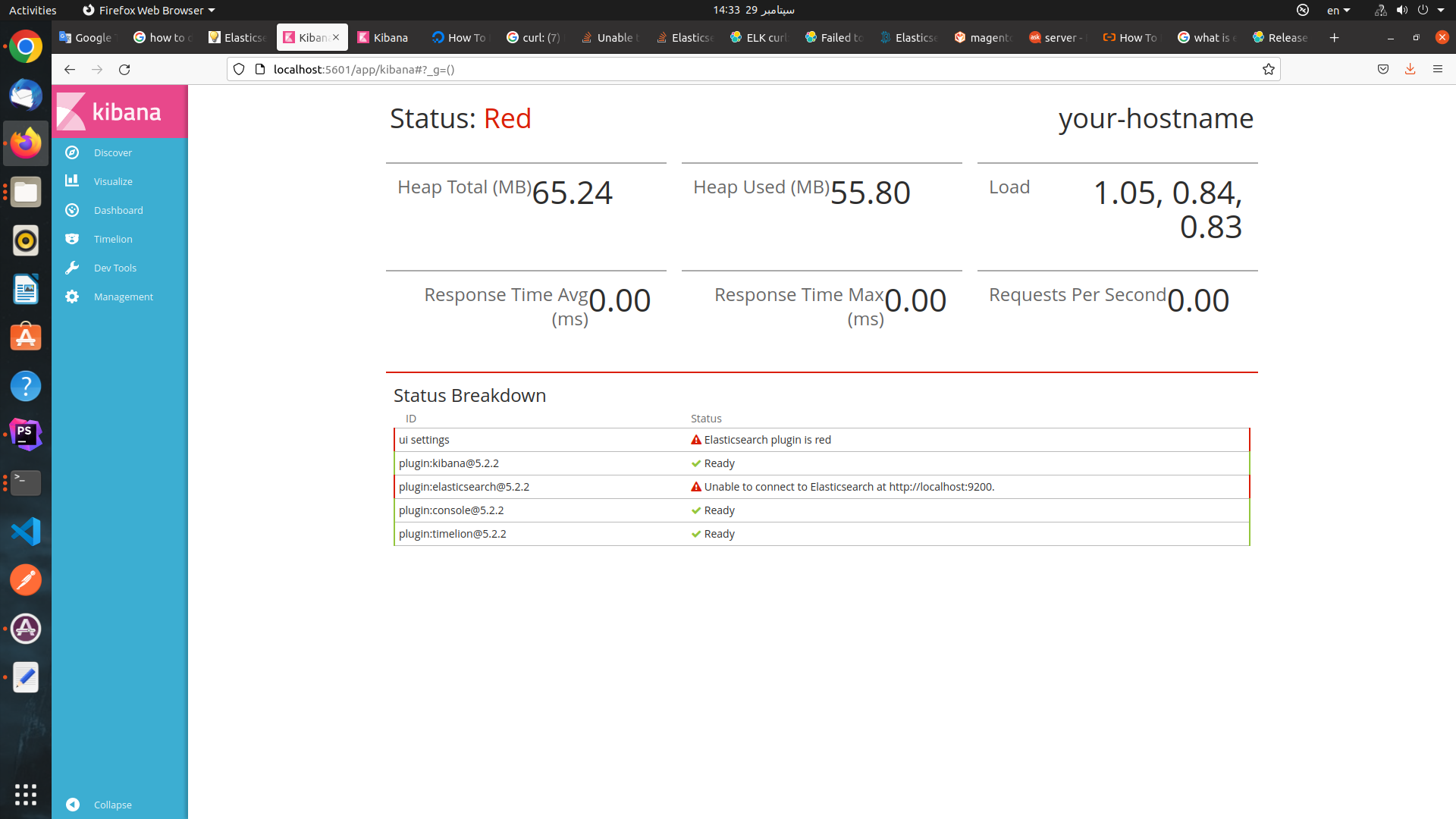
我测试所有响应Elasticsearch: Failed to connect to localhost port 9200 - Connection refused,但没有工作,这是我的elasticsearch.yml
# ---------------------------------- Network -----------------------------------
#
# By default Elasticsearch is only accessible on localhost. Set a different
# address here to expose this node on the network:
#
network.host: 127.0.0.1:5601
#
# By default Elasticsearch listens for HTTP traffic on the first free port it
# finds starting at 9200. Set a specific HTTP port here:
#
#http.port: 9200
#
# For more information, consult the network module documentation.
#当我运行sudo systemctl status elasticsearch时,我得到了失败的结果
● elasticsearch.service - Elasticsearch
     Loaded: loaded (/lib/systemd/system/elasticsearch.service; enabled; vendor>
     Active: failed (Result: exit-code) since Thu 2022-09-29 14:23:36 +0330; 4m>
       Docs: http://www.elastic.co
    Process: 69262 ExecStartPre=/usr/share/elasticsearch/bin/elasticsearch-syst>
    Process: 69263 ExecStart=/usr/share/elasticsearch/bin/elasticsearch -p ${PI>
   Main PID: 69263 (code=exited, status=1/FAILURE)

سپتامبر 29 14:23:33 samira-System-Product-Name systemd[1]: Starting Elasticsear>
سپتامبر 29 14:23:33 samira-System-Product-Name systemd[1]: Started Elasticsearc>
سپتامبر 29 14:23:33 samira-System-Product-Name elasticsearch[69263]: OpenJDK 64>
سپتامبر 29 14:23:36 samira-System-Product-Name systemd[1]: elasticsearch.servic>
سپتامبر 29 14:23:36 samira-System-Product-Name systemd[1]: elasticsearch.servic>

[1]+  Stopped                 sudo systemctl status elasticsearch
这是我的日志
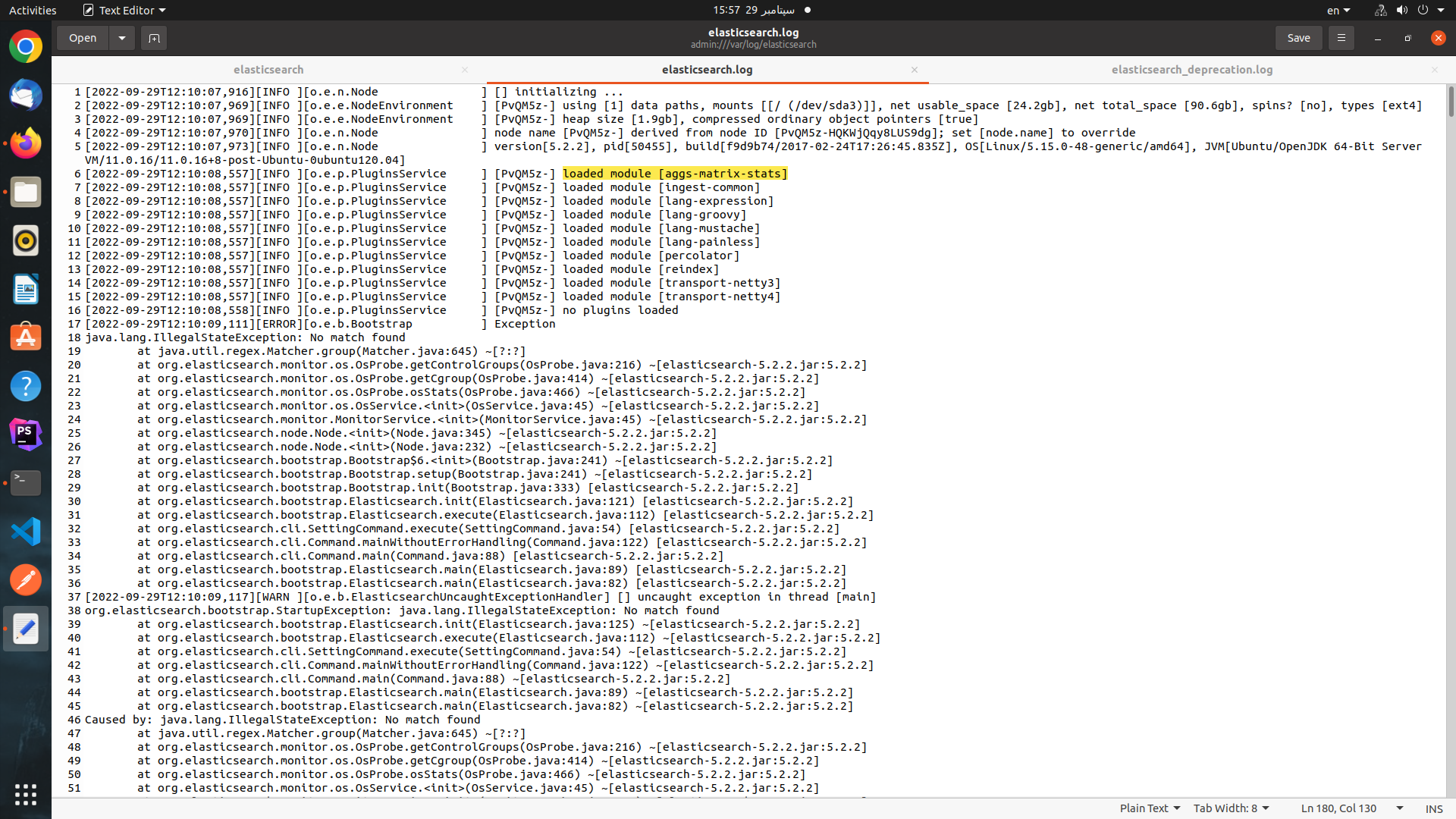
我怎么才能解决这个问题?
回答 1
Stack Overflow用户
发布于 2022-10-06 11:04:22
我可以看到您的elasticsearch.yml并识别出一些更正,您可以尝试重新启动弹性搜索实例。
- network.host: 127.0.0.1
- 弹性搜索使用默认的http端口号9200,如果在单机上运行多个es实例(实践),则可以按递增顺序定义http端口号。它的范围从9200到9299.
#http.port: 9200 ->您可以对单个实例进行注释/取消注释,这并不重要。
页面原文内容由Stack Overflow提供。腾讯云小微IT领域专用引擎提供翻译支持
原文链接:
https://stackoverflow.com/questions/73894607
复制相关文章
相似问题
腾讯云开发者

Copyright © 2013 - 2026 Tencent Cloud. All Rights Reserved. 腾讯云 版权所有
深圳市腾讯计算机系统有限公司 ICP备案/许可证号:粤B2-20090059  粤公网安备44030502008569号
腾讯云计算(北京)有限责任公司 京ICP证150476号 | 京ICP备11018762号