
Xcode14在启动时崩溃: dyld:库未加载:/usr/lib/swift/libSwitCoreGraphics.dylib
当我将我的Xcode升级到14时,我的应用程序崩溃了,并得到了一条错误消息:dyld:库未加载:
它只发生在iOS版本低于13的设备上,比如iOS 12/11,
回答 3
Stack Overflow用户
发布于 2022-09-20 11:15:18
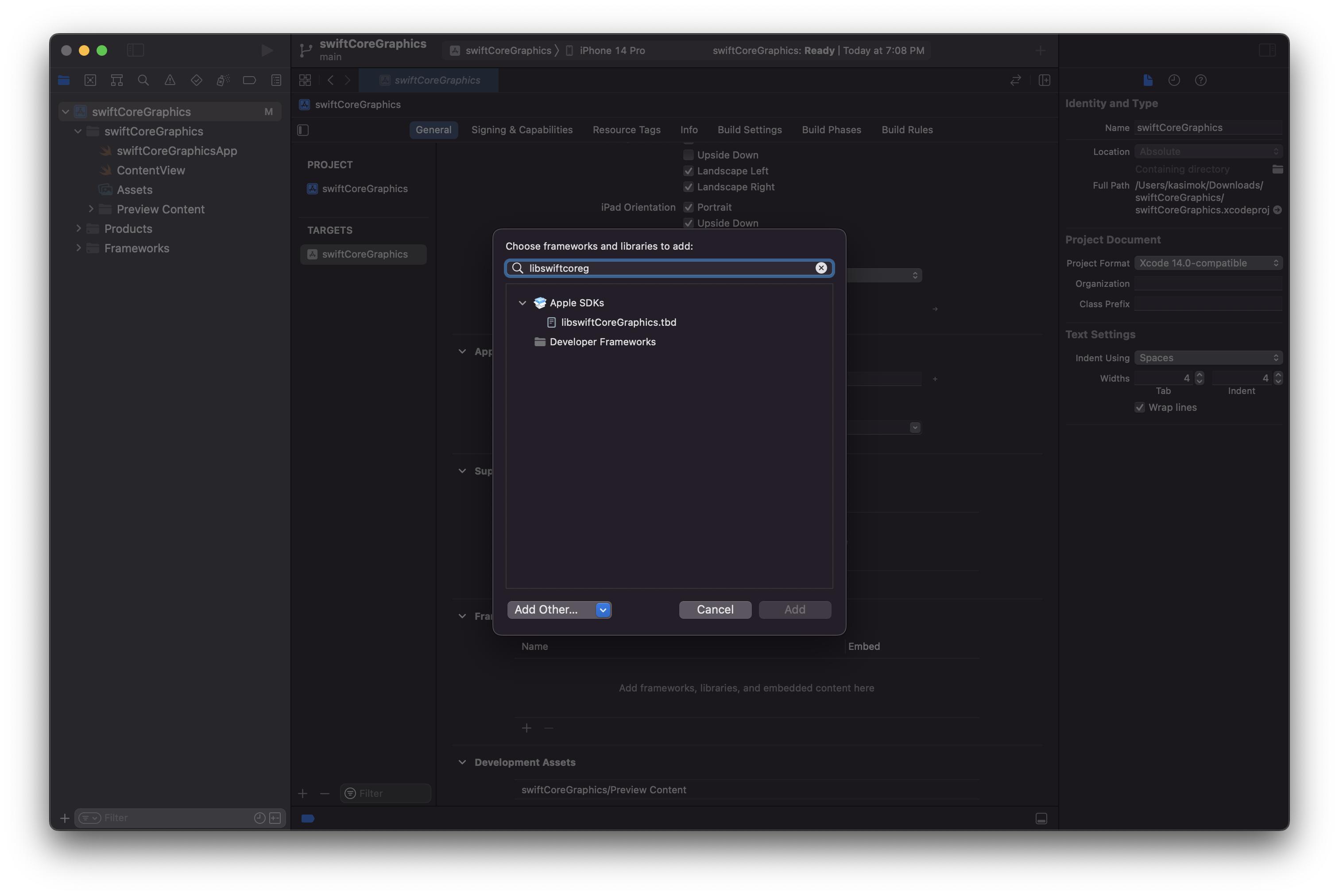
Stack Overflow用户
发布于 2022-09-24 04:41:50
按照https://developer.apple.com/forums/thread/714795的说法,苹果建议在链接器标志中添加-Wl,-weak-lswiftCoreGraphics。
问题是,如果没有这个标志,你的应用程序就会期望libswiftCoreGraphics.dylib在/usr/lib/swift/libswiftCoreGraphics.dylib上打电话。因为在旧版本的iOS版本中不存在dylib,所以您将得到类似的错误
EXC_CRASH (SIGABRT)
Exception Type:  EXC_CRASH (SIGABRT)
Exception Codes: 0x0000000000000000, 0x0000000000000000
Exception Note:  EXC_CORPSE_NOTIFY
Termination Description: DYLD, Library not loaded: /usr/lib/swift/libswiftCoreGraphics.dylib 添加该标志会告诉链接器将此库视为弱链接器标志。在启动(或加载)时,将相对于@rpath搜索dylib,而不是硬编码的/usr/lib/swift路径。
您可以了解更多关于rpath的知识,以及如何帮助dyld找到dylibs 这里。
在应用程序上运行otool -L之后,我看到很少有更多的库指向它们的/usr/lib/swift版本,但它们都是弱引用,例如,
    /usr/lib/swift/libswiftCoreMIDI.dylib (compatibility version 1.0.0, current version 6.0.0, weak)
    /usr/lib/swift/libswiftCoreML.dylib (compatibility version 1.0.0, current version 1436.0.14, weak)
    /usr/lib/swift/libswiftDataDetection.dylib (compatibility version 1.0.0, current version 723.0.0, weak)
    /usr/lib/swift/libswiftFileProvider.dylib (compatibility version 1.0.0, current version 730.0.125, weak)
    /usr/lib/swift/libswiftOSLog.dylib (compatibility version 1.0.0, current version 4.0.0, weak)
...在添加链接器标志之前,唯一具有非弱引用的库是libswiftCoreGraphics。
/usr/lib/swift/libswiftCoreGraphics.dylib (compatibility version 1.0.0, current version 120.100.0)添加链接器标志后,它显示为:
@rpath/libswiftCoreGraphics.dylib (compatibility version 1.0.0, current version 15.0.0, weak)Stack Overflow用户
发布于 2022-10-26 06:57:07
对于Xcode14.1 RC 2,这个问题已经解决了。
https://stackoverflow.com/questions/73783158
复制相似问题
腾讯云开发者

Copyright © 2013 - 2026 Tencent Cloud. All Rights Reserved. 腾讯云 版权所有
深圳市腾讯计算机系统有限公司 ICP备案/许可证号:粤B2-20090059  粤公网安备44030502008569号
腾讯云计算(北京)有限责任公司 京ICP证150476号 | 京ICP备11018762号