
如何将文本放入圆周边界-反应
如何将文本放入圆周边界-反应
提问于 2022-09-17 15:08:24
我目前正在开发一个移动应用程序。主页有一个标题和潜台词,它周围有一个圆形边框。它应该是这样的:
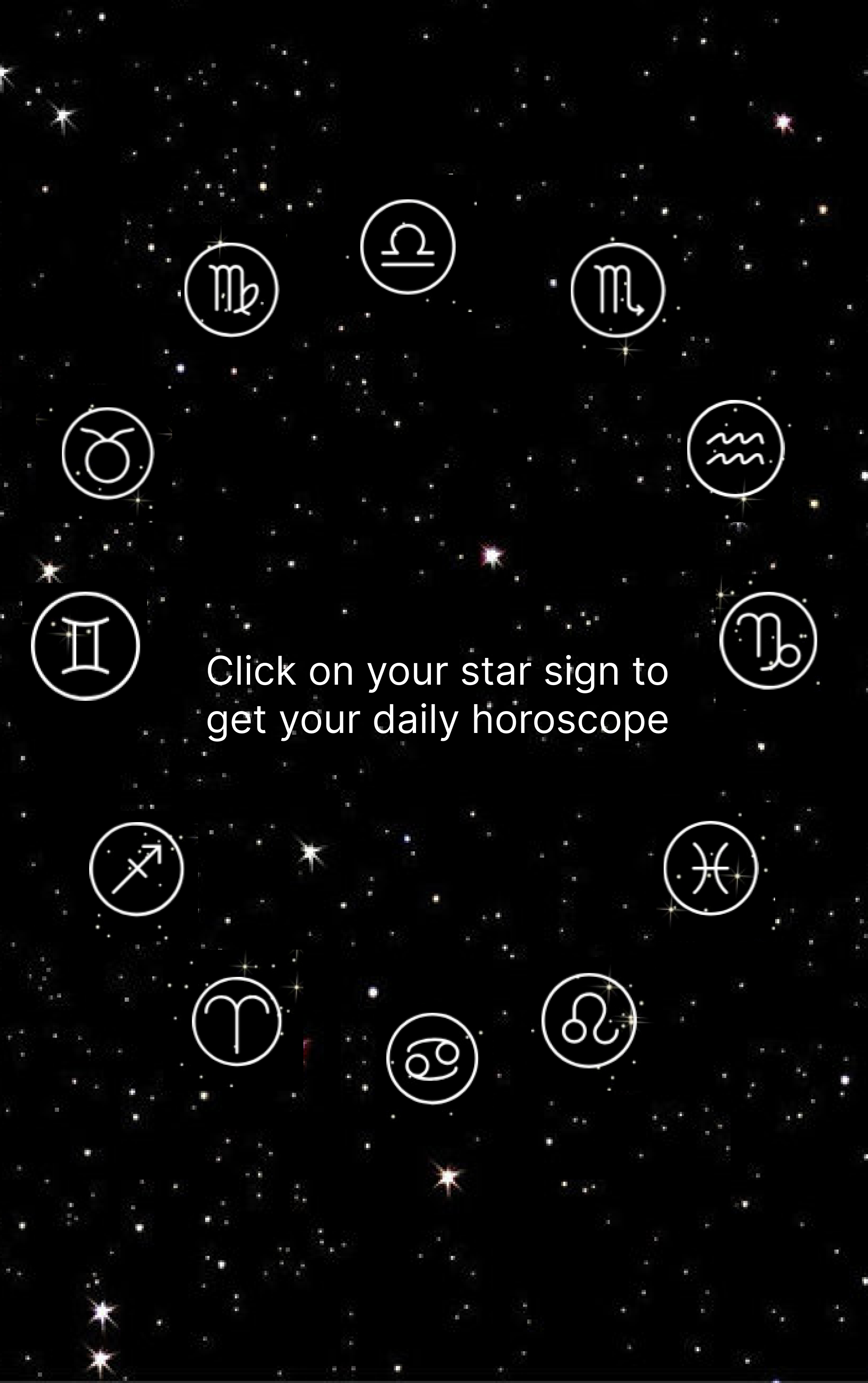
然而,我已经做了图像的边界,但不能将文本放在其中。我不断地收到错误:“文本字符串必须在文本组件中呈现”。
我的代码是:
import { StatusBar } from 'expo-status-bar';
import { Dimensions, StyleSheet, Text, View, ImageBackground, Image} from 'react-native';
import React, { Component } from 'react';
class App extends Component{
render(){
  const localImage = require('./assets/WallpaperDog-996754.jpg');
    return(
      <ImageBackground source={localImage }style={styles.container}>
        <Text style={styles.title}>Astrology</Text>
//       <Text style={styles.subheader}>Click on your star sign to get your daily horoscope</Text>
        <View style={{flex:1,justifyContent:"center",alignItems:"center"}}>
     <View
        style = {{
          borderRadius: Math.round(Dimensions.get('window').width + Dimensions.get('window').height) / 2,
          width: Dimensions.get('window').width * 0.8,
          height: Dimensions.get('window').width * 0.8,
          borderWidth:5,
          borderColor:"transparent",
          justifyContent: 'center',
          alignItems: 'center'
        }}
        underlayColor = '#ccc'
      >
               <Image source={require('./assets/icon.png')} style={{height:50,width:50,position:"absolute",bottom:Dimensions.get('window').width * 0.7}} />
               <Image source={require('./assets/icon.png')} style={{height:50,width:50,position:"absolute",bottom:Dimensions.get('window').width * 0.6,right: 20}} />
               <Image source={require('./assets/icon.png')} style={{height:50,width:50,position:"absolute",bottom:Dimensions.get('window').width * 0.6,left: 20}} />
               <Image source={require('./assets/icon.png')} style={{height:50,width:50,position:"absolute",top:Dimensions.get('window').width * 0.7}} />
               <Image source={require('./assets/icon.png')} style={{height:50,width:50,position:"absolute",top:Dimensions.get('window').width * 0.6,right: 20}} />
               <Image source={require('./assets/icon.png')} style={{height:50,width:50,position:"absolute",top:Dimensions.get('window').width * 0.6,left: 20}} />
               <Image source={require('./assets/icon.png')} style={{height:50,width:50,position:"absolute",bottom:Dimensions.get('window').width * 0.3,left:-20}} />
               <Image source={require('./assets/icon.png')} style={{height:50,width:50,position:"absolute",bottom:Dimensions.get('window').width * 0.3,right:-20}} />
      </View>
        </View>
        </ImageBackground>
    )
}
}
export default App;


const styles = StyleSheet.create({
  container: {
      flex: 1,
      alignItems: 'center',
      justifyContent: 'center',
  },
  title: {
      color: 'white',
      fontWeight: 'bold',
      fontSize: 60,
  },
  header: {
      color: "red",
      fontWeight: "bold",
      fontSize: 20,
  },
  subheader: {
      color: "white",
      fontWeight: "bold",
      fontSize: 16,
  },
  text: {
      color: "black",
      fontSize: 14,
  }

});
任何建议都会很有帮助,我认为是文本组件的定位引起了问题。
回答 1
Stack Overflow用户
回答已采纳
发布于 2022-09-17 17:51:05
问题在这条线上:
// <Text style={styles.subheader}>Click on your star sign to get your daily horoscope</Text>在JSX中,注释的处理方式与常规Javascript中的注释不同。现在,双斜杠被解释为文本,但它不在文本组件中。就像错误消息说的那样,您不能在Reactive原住民中这样做。
在JSX中,您必须编写如下评论:
{/* <Text style={styles.subheader}>Click on your star sign to get your daily horoscope</Text> */}即封闭在两边,加上{/* */}。
页面原文内容由Stack Overflow提供。腾讯云小微IT领域专用引擎提供翻译支持
原文链接:
https://stackoverflow.com/questions/73756002
复制相关文章
相似问题
腾讯云开发者

Copyright © 2013 - 2026 Tencent Cloud. All Rights Reserved. 腾讯云 版权所有
深圳市腾讯计算机系统有限公司 ICP备案/许可证号:粤B2-20090059  粤公网安备44030502008569号
腾讯云计算(北京)有限责任公司 京ICP证150476号 | 京ICP备11018762号