
如何解决Django部署中requirements.txt文件中的依赖冲突
我正在尝试使用在GCP上部署Django应用程序。首先,我在本地主机上测试了这个应用程序,然后通过Google跟踪这个文档。使用gcloud app deploy部署应用程序
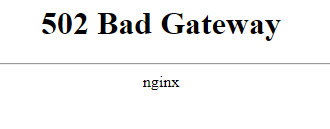
但是存在一些问题,服务器没有运行,将错误显示为502 Bad Gateway。
然后我检查了日志,然后意识到我忘记上传requiremts.txt文件了。上传的文件,并试图再次部署应用程序。
但是得到了一个错误
ERROR: Cannot install -r requirements.txt (line 19), -r requirements.txt (line 21), -r requirements.txt (line 27) and grpcio==1.48.1 because these package versions have conflicting dependencies.下面是一些模块之间的依赖冲突,Gcloud建议使用一个文档https://pip.pypa.io/en/latest/topics/dependency-resolution/#dealing-with-dependency-conflicts来解决这个问题,但是我并没有真正理解如何解决requirements.txt中模块之间的冲突
这是requirements.txt文件
APScheduler==3.6.3
asgiref==3.5.2
backports.zoneinfo==0.2.1
beautifulsoup4==4.11.1
cachetools==4.2.2
certifi==2022.6.15
charset-normalizer==2.1.1
dill==0.3.5.1
Django==4.0.6
django-environ==0.9.0
django-social-share==2.3.0
environ==1.0
google==3.0.0
google-api-core==2.10.0
google-auth==2.11.0
google-cloud-secret-manager==2.12.4
google-cloud-speech==2.15.1
googleapis-common-protos==1.56.4
grpc-google-iam-v1==0.12.4
grpcio==1.48.1
grpcio-status==1.48.1
idna==3.3
Pillow==9.2.0
proto-plus==1.22.1
protobuf==4.21.5
psycopg2==2.9.3
pulumi==3.39.3
pyasn1==0.4.8
pyasn1-modules==0.2.8
pytz==2022.2.1
pytz-deprecation-shim==0.1.0.post0
PyYAML==6.0
requests==2.28.1
rsa==4.9
semver==2.13.0
six==1.16.0
soupsieve==2.3.2.post1
sqlparse==0.4.2
tornado==6.2
tzdata==2022.1
tzlocal==4.2
urllib3==1.26.12
和错误日志
Updating service [default]...failed.
ERROR: (gcloud.app.deploy) Error Response: [9] Cloud build 7ac526d7-15d5-45f6-afe7-727b4216f79d status: FAILURE
.... This could take a while.
INFO: pip is looking at multiple versions of google-api-core to determine which version is compatible with other requirements. This could take a while.
INFO: pip is looking at multiple versions of google to determine which version is compatible with other requirements. This could take a while.
INFO: pip is looking at multiple versions of environ to determine which version is compatible with other requirements. This could take a while.
INFO: pip is looking at multiple versions of django-social-share to determine which version is compatible with other requirements. This could take a while.
INFO: pip is looking at multiple versions of django-environ to determine which version is compatible with other requirements. This could take a while.
INFO: pip is looking at multiple versions of django to determine which version is compatible with other requirements. This could take a while.
INFO: pip is looking at multiple versions of dill to determine which version is compatible with other requirements. This could take a while.
INFO: pip is looking at multiple versions of charset-normalizer to determine which version is compatible with other requirements. This could take a while.
INFO: pip is looking at multiple versions of certifi to determine which version is compatible with other requirements. This could take a while.
INFO: pip is looking at multiple versions of cachetools to determine which version is compatible with other requirements. This could take a while.
INFO: pip is looking at multiple versions of beautifulsoup4 to determine which version is compatible with other requirements. This could take a while.
INFO: pip is looking at multiple versions of backports-zoneinfo to determine which version is compatible with other requirements. This could take a while.
INFO: pip is looking at multiple versions of <Python from Requires-Python> to determine which version is compatible with other requirements. This could take a while.
INFO: pip is looking at multiple versions of asgiref to determine which version is compatible with other requirements. This could take a while.
INFO: pip is looking at multiple versions of apscheduler to determine which version is compatible with other requirements. This could take a while.
ERROR: Cannot install -r requirements.txt (line 19), -r requirements.txt (line 21), -r requirements.txt (line 27) and grpcio==1.48.1 because these package versions have conflicting dependencies.

The conflict is caused by:
    The user requested grpcio==1.48.1
    grpc-google-iam-v1 0.12.4 depends on grpcio<2.0.0dev and >=1.0.0
    grpcio-status 1.48.1 depends on grpcio>=1.48.1
    pulumi 3.39.3 depends on grpcio==1.47

To fix this you could try to:
1. loosen the range of package versions you've specified
2. remove package versions to allow pip attempt to solve the dependency conflict

ERROR: ResolutionImpossible: for help visit https://pip.pypa.io/en/latest/topics/dependency-resolution/#dealing-with-dependency-conflicts
请帮我解决这个错误谢谢
回答 1
Stack Overflow用户
发布于 2022-09-10 21:45:13
当您在应用程序上工作时,我会使用像诗歌这样的工具来管理您的依赖关系。实际上,它将帮助您避免遇到冲突并自动解决其中的大多数冲突。
然后,当您准备部署应用程序时,您可以:
poetry export -f requirements.txt --output requirements.txt诗歌将生成一个requirements.txt文件,您可以将其上传到GCP。
https://stackoverflow.com/questions/73675308
复制相似问题
腾讯云开发者

Copyright © 2013 - 2026 Tencent Cloud. All Rights Reserved. 腾讯云 版权所有
深圳市腾讯计算机系统有限公司 ICP备案/许可证号:粤B2-20090059  粤公网安备44030502008569号
腾讯云计算(北京)有限责任公司 京ICP证150476号 | 京ICP备11018762号