
使用ggtext中的element_markdown()将两个标题放置在一个to图中
使用ggtext中的element_markdown()将两个标题放置在一个to图中
提问于 2022-09-10 19:08:28
我试图创建一个ggplot2图形,有两个标题,一个左对齐,一个右对齐。当使用element_text()在theme()中格式化图形时,这是正确的。
  ggplot(mtcars) +
  aes(x=cyl, y=disp) +
  geom_point() +
  labs(caption=c("First caption here","Second caption here")) +
  theme(plot.caption=element_text(hjust=c(0,1)))
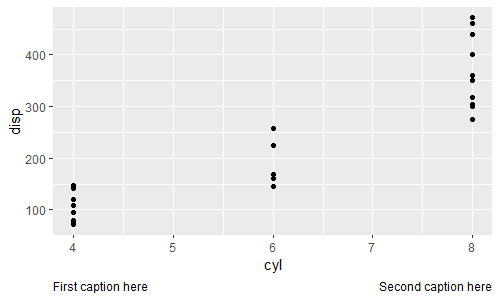
当我尝试用element_markdown()从ggtext包而不是element_text()复制它时,它没有正确地放置标题。
  ggplot(mtcars) +
  aes(x=cyl, y=disp) +
  geom_point() +
  labs(caption=c("First caption here","Second caption here")) +
  theme(plot.caption=element_markdown(hjust=c(0,1)))
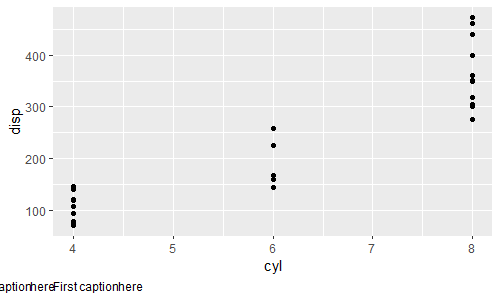
理想情况下,我希望使用element_markdown(),因为它允许在标题(粗体文本,包括图像等)中设置更多的格式选项。我非常感谢任何关于如何解决这个问题的建议。谢谢!
回答 1
Stack Overflow用户
发布于 2022-09-10 19:37:46
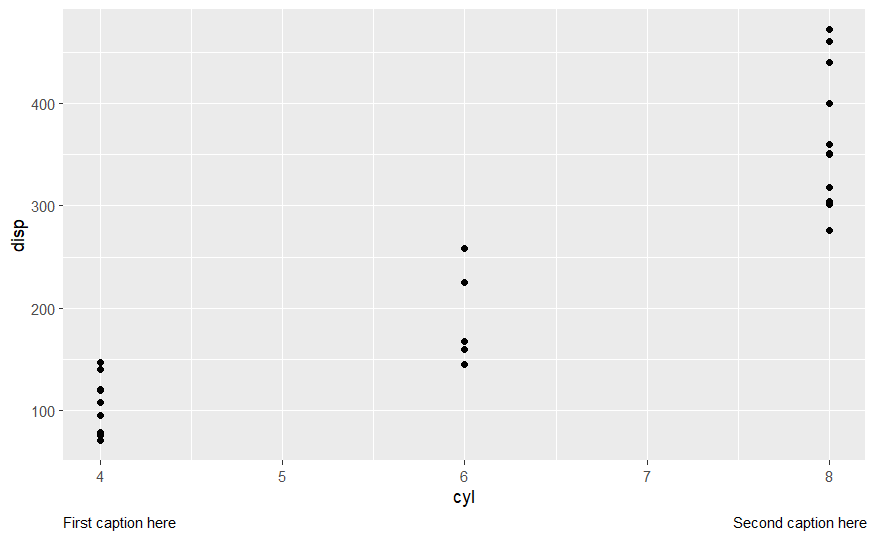
我不知道为什么这不是以同样的方式工作,但你可以简单地将h改为一个更极端的值。这将是更难得到完全正确,但应该工作。
library(ggplot2)
library(ggtext)
ggplot(mtcars) +
  aes(x=cyl, y=disp) +
  geom_point() +
  labs(caption=c("First caption here","Second caption here")) +
  theme(plot.caption=element_markdown(hjust=c(0, -5)))
页面原文内容由Stack Overflow提供。腾讯云小微IT领域专用引擎提供翻译支持
原文链接:
https://stackoverflow.com/questions/73674539
复制相关文章
相似问题
腾讯云开发者

Copyright © 2013 - 2026 Tencent Cloud. All Rights Reserved. 腾讯云 版权所有
深圳市腾讯计算机系统有限公司 ICP备案/许可证号:粤B2-20090059  粤公网安备44030502008569号
腾讯云计算(北京)有限责任公司 京ICP证150476号 | 京ICP备11018762号