
从目录部署映像
从目录部署映像
提问于 2022-09-02 22:57:59
我参考了本教程来创建可部署的映像:
我想使用这个舵图来部署目录中的映像:
apiVersion: apps/v1
kind: Deployment # Kubernetes resource kind we are creating
metadata:
  name: spring-boot-k8s
spec:
  selector:
    matchLabels:
      app: spring-boot-k8s
  replicas: 2 # Number of replicas that will be created for this deployment
  template:
    metadata:
      labels:
        app: spring-boot-k8s
    spec:
      containers:
        - name: spring-boot-k8s
          image: springboot-k8s-example:1.0
# Image that will be used to containers in the cluster
          imagePullPolicy: IfNotPresent
          ports:
            - containerPort: 8080
# The port that the container is running on in the cluster如何从目录或从url链接的私有码头注册中心部署坞映像springboot-k8s-example:1.0?
回答 1
Stack Overflow用户
发布于 2022-09-03 05:15:09
在这里,您需要创建一个图像提取秘密,以便从您自己的存储库中提取图像。我已经复制了您的问题,并将图像推送到我的女贞码头注册中心,然后成功地提取了图像。
这可以通过使用下面的命令来完成--我假设您使用的是坞女贞注册表:
kubectl create secret docker-registry regcred --docker-server=https://index.docker.io/v1/ --docker-username=<docker-username> --docker-password=<your-password> --docker-email=<docker-email这将创建一个秘密,现在您需要将其添加到部署清单中,以便它可以通过女贞注册表进行身份验证以获取映像。
apiVersion: apps/v1
kind: Deployment # Kubernetes resource kind we are creating
metadata:
  name: spring-boot-k8s
spec:
  selector:
    matchLabels:
      app: spring-boot-k8s
  replicas: 2 # Number of replicas that will be created for this deployment
  template:
    metadata:
      labels:
        app: spring-boot-k8s
    spec:
      containers:
        - name: spring-boot-k8s
          image: sidharthpai/springboot-k8s-example:1.0
# Image that will be used to containers in the cluster
          imagePullPolicy: IfNotPresent
          ports:
            - containerPort: 8080
      imagePullSecrets:
- name: regcred有关创建图像提取秘密的更多参考:图像提取秘密
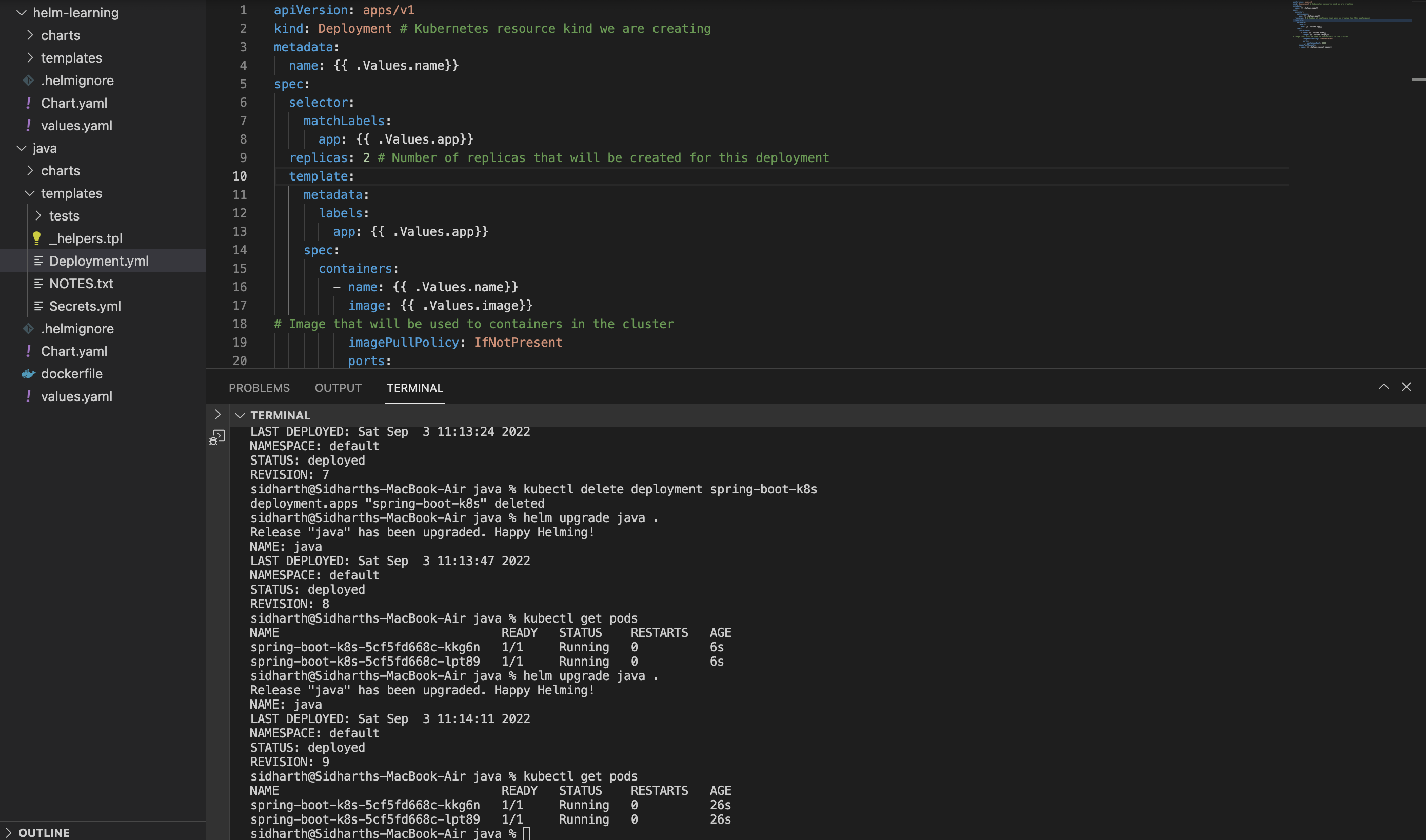
现在,要准备舵图,您需要创建一个具有相关名称的图表,然后在舵图( Deployment.yml & Secret.yml )中配置template.Once,这是您需要配置的values.yml。
Deployment.yml (模板)
apiVersion: apps/v1
kind: Deployment # Kubernetes resource kind we are creating
metadata:
  name: {{ .Values.name}}
spec:
  selector:
    matchLabels:
      app: {{ .Values.app}}
  replicas: 2 # Number of replicas that will be created for this deployment
  template:
    metadata:
      labels:
        app: {{ .Values.app}}
    spec:
      containers:
        - name: {{ .Values.name}}
          image: {{ .Values.image}}
# Image that will be used to containers in the cluster
          imagePullPolicy: IfNotPresent
          ports:
            - containerPort: 8080
      imagePullSecrets:
      - name: {{ .Values.secret_name}}
Secret.yml(模板)
apiVersion: v1
data:
  .dockerconfigjson: {{ .Values.docker_config}}
kind: Secret
metadata:
  name: {{ .Values.secret_name}}
type: kubernetes.io/dockerconfigjson
Values.yml
name: spring-boot-k8s
app: spring-boot-k8s
image: sidharthpai/springboot-k8s-example:1.0
secret_name: regcred
docker_config: <docker-config-value>
页面原文内容由Stack Overflow提供。腾讯云小微IT领域专用引擎提供翻译支持
原文链接:
https://stackoverflow.com/questions/73588524
复制相关文章
相似问题
腾讯云开发者

Copyright © 2013 - 2026 Tencent Cloud. All Rights Reserved. 腾讯云 版权所有
深圳市腾讯计算机系统有限公司 ICP备案/许可证号:粤B2-20090059  粤公网安备44030502008569号
腾讯云计算(北京)有限责任公司 京ICP证150476号 | 京ICP备11018762号