
演示播放器的显示太暗了
我用Android 12构建了hdrvivid调试器,并安装在手机上。当播放一个hdrvivid测试流时,显示比手机上的默认视频播放器要暗得多。生动的流文件名是"hdr_vivid_selftest_dmsync_pq.mp4“。它被用来做生动的播放器测试,它只是在屏幕中央显示一个白色的长方形。如果你愿意的话,我可以提供这条流。谢谢!后乡
回答 1
Stack Overflow用户
发布于 2022-08-25 08:34:30
更新:
您可以根据以下方法( docs链接 )检查该设备是否具有HDR视频解码功能
// Check the support for MediaCodec on the device.
MediaCodecList mcList = new MediaCodecList(MediaCodecList.ALL_CODECS);
MediaCodecInfo[] mcInfos = mcList.getCodecInfos();

for (MediaCodecInfo mci : mcInfos)  {
    // Filter out the encoder.
    if (mci.isEncoder()) {
        continue;
    }
    String[] types = mci.getSupportedTypes();
    String typesArr = Arrays.toString(types);
    // Filter out the non-HEVC decoder.
    if (!typesArr.contains("hevc")) {
        continue;
    }
    for (String type : types) {
        // Check whether 10-bit HEVC decoding is supported.
        MediaCodecInfo.CodecCapabilities codecCapabilities = mci.getCapabilitiesForType(type);
        for (MediaCodecInfo.CodecProfileLevel codecProfileLevel : codecCapabilities.profileLevels) {
            if (codecProfileLevel.profile == HEVCProfileMain10 || codecProfileLevel.profile == HEVCProfileMain10HDR10
                || codecProfileLevel.profile == HEVCProfileMain10HDR10Plus) {
                // true means supported.
                return true;
            }
        }
    }
}
// false means unsupported.
return false;如果设备具有HDR视频解码功能,则可以通过调整设备的亮度条来调整视频的亮度。如果不支持HDR功能,则需要调用setBrightness()接口来设置视频亮度,并且该接口仅在不支持HDR的设备上生效。
似乎HarmonyOS 2.0.0.268荣誉V30 Pro系统可能不支持HDR。示例代码调用setBrightness接口,set值生效。但是,手机的默认播放器可能做了其他处理,所以看起来亮度可能不一样。
如果不支持HDR,则可以将setBrightness()设置为中等亮度值。
- 当您使用HDR功能时使用的是什么接口?本机接口还是Java接口?
- 关于显示器太暗了,你调整输出亮度了吗?
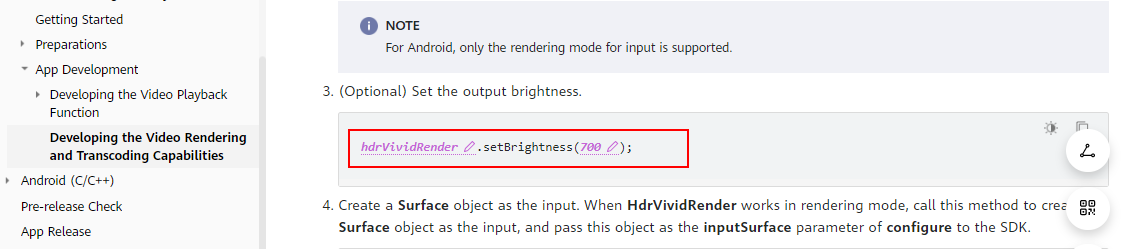
https://developer.huawei.com/consumer/en/doc/development/Media-Guides/android-hdr-0000001276893212
- 如果方便的话,请提供一个比较视频和HDR资源文件供我们查看。
https://stackoverflow.com/questions/73481707
复制相似问题
腾讯云开发者

Copyright © 2013 - 2026 Tencent Cloud. All Rights Reserved. 腾讯云 版权所有
深圳市腾讯计算机系统有限公司 ICP备案/许可证号:粤B2-20090059  粤公网安备44030502008569号
腾讯云计算(北京)有限责任公司 京ICP证150476号 | 京ICP备11018762号