
关于GetMainWindow函数FlaUI C#的一个错误
关于GetMainWindow函数FlaUI C#的一个错误
提问于 2022-08-19 11:01:58
我正在使用FlaUI库来自动化桌面应用程序。
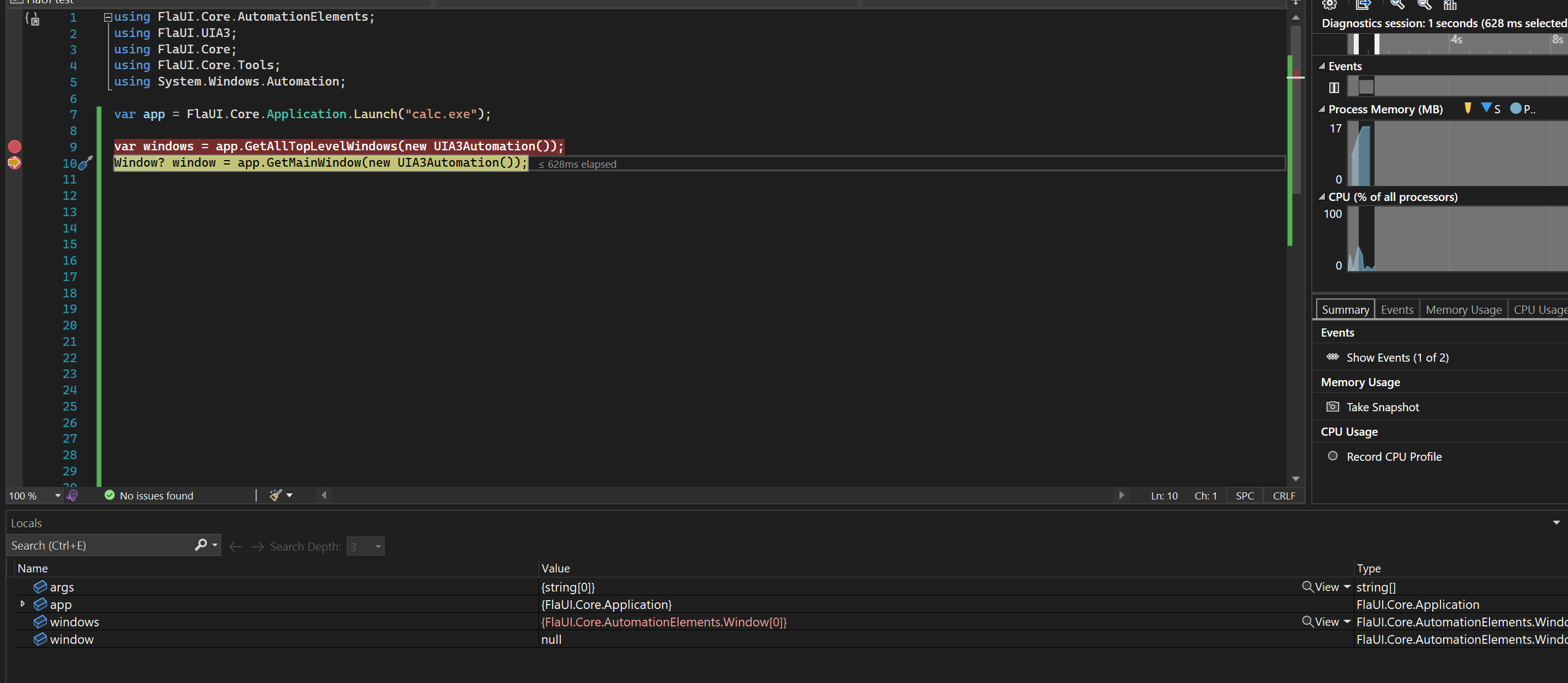
我在尝试运行代码时出现了一个错误,以获得一个启动程序的窗口。错误:找不到id:*‘的进程
错误的细节。
System.Exception
  HResult=0x80131500
  Message=Could not find process with id: 13536
  Source=FlaUI.Core
  StackTrace:
   at FlaUI.Core.Application.FindProcess(Int32 processId)
   at FlaUI.Core.Application.<WaitWhileMainHandleIsMissing>b__33_0()
   at FlaUI.Core.Tools.Retry.<>c__DisplayClass12_0.<WhileTrue>b__0()
   at FlaUI.Core.Tools.Retry.While[T](Func`1 retryMethod, Func`2 checkMethod, Nullable`1 timeout, Nullable`1 interval, Boolean throwOnTimeout, Boolean ignoreException, String timeoutMessage, Boolean lastValueOnTimeout, T defaultOnTimeout)
   at FlaUI.Core.Application.WaitWhileMainHandleIsMissing(Nullable`1 waitTimeout)
   at FlaUI.Core.Application.GetMainWindow(AutomationBase automation, Nullable`1 waitTimeout)
   at Program.<Main>$(String[] args) in C:\Users\jekug\source\repos\FlaUI test\FlaUI test\Program.cs:line 10

  This exception was originally thrown at this call stack:
    [External Code]
ArgumentException: Id为13536的进程没有运行。
在FlaUI中,有什么可能是错误的,还有其他方法来取窗口吗?
谢谢

回答 1
Stack Overflow用户
发布于 2022-09-25 00:59:20
任何较新的窗口上的calc.exe实际上只是一个代理可执行文件,最终运行"WindowsStoreApp“计算器,该计算器的行为非常不同。对于这些应用程序,您需要使用LaunchStoreApp而不是Launch来获得正确的过程。
页面原文内容由Stack Overflow提供。腾讯云小微IT领域专用引擎提供翻译支持
原文链接:
https://stackoverflow.com/questions/73415754
复制相关文章
相似问题
腾讯云开发者

Copyright © 2013 - 2026 Tencent Cloud. All Rights Reserved. 腾讯云 版权所有
深圳市腾讯计算机系统有限公司 ICP备案/许可证号:粤B2-20090059  粤公网安备44030502008569号
腾讯云计算(北京)有限责任公司 京ICP证150476号 | 京ICP备11018762号