
显示Zendesk指南帮助中心分类页面上的所有文章
显示Zendesk指南帮助中心分类页面上的所有文章
提问于 2022-08-17 14:14:39
有没有人知道如何在分类页面中获得显示为列表的所有文章?
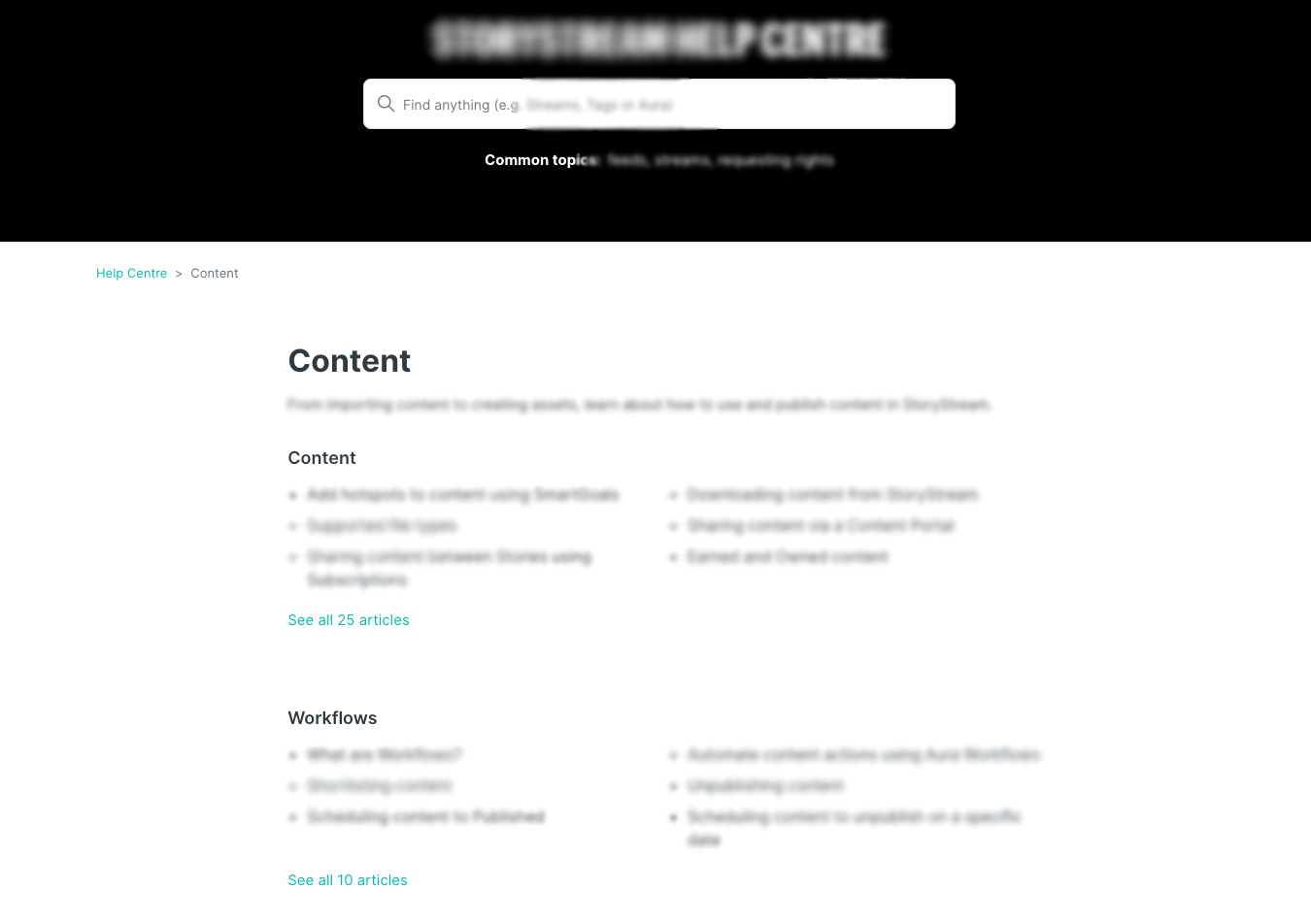
这是我所得到的,我正在努力实现完整的列表,而不是‘请参阅所有的X文章,类似于斯拉克是如何做这里的。
这是我的分类页面,这是标准的哥本哈根主题。
<section id="main-content" class="hero">
<div class="hero-inner">
<h2 class="search_title">Help Centre</h2>
<h2 class="visibility-hidden">{{ t 'search' }}</h2>
<svg xmlns="http://www.w3.org/2000/svg" width="12" height="12" focusable="false" viewBox="0 0 12 12" class="search-icon" aria-hidden="true">
<circle cx="4.5" cy="4.5" r="4" fill="none" stroke="currentColor"/>
<path stroke="currentColor" stroke-linecap="round" d="M11 11L7.5 7.5"/>
</svg>
{{search submit=false instant=settings.instant_search class='search search-full' placeholder='Find anything'}}
<div class="search_topics"><strong>Common topics: </strong><a href="https://xxxxxx.zendesk.com/hc/en-us/sections/360000094233">1</a>, <a href="https://xxxxxx.zendesk.com/hc/en-us/sections/360000084014">2</a>, <a href="https://xxxxxx.zendesk.com/hc/en-us/sections/360000098474">3 rights</a></div>
</div>
</section>
<div class="container-divider"></div>
<div class="container">
<nav class="sub-nav">
{{breadcrumbs}}
<!-- <div class="search-container">
<svg xmlns="http://www.w3.org/2000/svg" width="12" height="12" focusable="false" viewBox="0 0 12 12" class="search-icon" aria-hidden="true">
<circle cx="4.5" cy="4.5" r="4" fill="none" stroke="currentColor"/>
<path stroke="currentColor" stroke-linecap="round" d="M11 11L7.5 7.5"/>
</svg>
{{search scoped=settings.scoped_kb_search submit=false}}
</div> -->
</nav>
<div class="category-container">
<div class="category-content">
<header class="page-header">
<h1>{{category.name}}</h1>
{{#if category.description}}
<p class="page-header-description">{{category.description}}</p>
{{/if}}
</header>
<div id="main-content" class="section-tree">
{{#each sections}}
<section class="section">
<h2 class="section-tree-title">
<a href="{{url}}">{{name}}</a>
</h2>
{{#if articles}}
<ul class="article-list">
{{#each articles}}
<li class="article-list-item{{#if promoted}} article-promoted{{/if}}">
{{#if promoted}}
<svg xmlns="http://www.w3.org/2000/svg" width="12" height="12" focusable="false" viewBox="0 0 12 12" class="icon-star" title="{{t 'promoted'}}">
<path fill="currentColor" d="M2.88 11.73c-.19 0-.39-.06-.55-.18a.938.938 0 01-.37-1.01l.8-3L.35 5.57a.938.938 0 01-.3-1.03c.12-.37.45-.63.85-.65L4 3.73 5.12.83c.14-.37.49-.61.88-.61s.74.24.88.6L8 3.73l3.11.17a.946.946 0 01.55 1.68L9.24 7.53l.8 3a.95.95 0 01-1.43 1.04L6 9.88l-2.61 1.69c-.16.1-.34.16-.51.16z"/>
</svg>
{{/if}}
<a href="{{url}}" class="article-list-link">{{title}}</a>
{{#if internal}}
<svg xmlns="http://www.w3.org/2000/svg" width="16" height="16" focusable="false" viewBox="0 0 16 16" class="icon-lock" title="{{t 'internal'}}">
<rect width="12" height="9" x="2" y="7" fill="currentColor" rx="1" ry="1"/>
<path fill="none" stroke="currentColor" d="M4.5 7.5V4a3.5 3.5 0 017 0v3.5"/>
</svg>
{{/if}}
</li>
{{/each}}
</ul>
{{#if more_articles}}
<a href="{{url}}" class="see-all-articles">
{{t 'show_all_articles' count=article_count}}
</a>
{{/if}}
{{/if}}
</section>
{{else}}
<i class="category-empty">
<a href="{{category.url}}">{{t 'empty'}}</a>
</i>
{{/each}}
</div>
</div>
</div>
</div>回答 1
Stack Overflow用户
发布于 2022-08-23 08:58:56
根据Zendesk自己的文档,在每一节中可以显示的文章的最大数量是6,用于类别页面上显示的部分:center/help-center-templates/objects/#section-object
我不知道Slack是如何做到的,但是您可以使用Zendesk Help Center API来实现您想要的结果。请参阅center/help-center-api/articles/#list-articles
页面原文内容由Stack Overflow提供。腾讯云小微IT领域专用引擎提供翻译支持
原文链接:
https://stackoverflow.com/questions/73390054
复制相关文章
相似问题
腾讯云开发者

Copyright © 2013 - 2026 Tencent Cloud. All Rights Reserved. 腾讯云 版权所有
深圳市腾讯计算机系统有限公司 ICP备案/许可证号:粤B2-20090059  粤公网安备44030502008569号
腾讯云计算(北京)有限责任公司 京ICP证150476号 | 京ICP备11018762号