
如何调整谷歌地图上快速5的浮动按钮?
如何调整谷歌地图上快速5的浮动按钮?
提问于 2022-08-10 16:39:50
Floaty.global.rtlMode = true
floaty.addItem("Start Navigation", icon: UIImage(named: "navigation-2 icon")!, handler: { item in
let dialogMessage = UIAlertController(title: "Confirm Map Type", message: "Please select map Type for navigation", preferredStyle: .alert)
            // Create OK button with action handler
            let apple = UIAlertAction(title: "Apple Map", style: .default, handler: { (action) -> Void in
                print("Apple Map")
                self.openMapWithApple()
            })
            // Create Cancel button with action handlder
            let google = UIAlertAction(title: "Google Map", style: .cancel) { (action) -> Void in
                print("Google Map")
                self.openMapWithgoogle()
            }
            //Add OK and Cancel button to an Alert object
            dialogMessage.addAction(apple)
            dialogMessage.addAction(google)
            // Present alert message to user
            self.present(dialogMessage, animated: true, completion: nil)

            //self.present(dialogMessage, animated: true, completion: nil)
            floaty.close()
        })
self.view.addSubview(floaty)iOS中的floaty按钮,我是iOS的新手,我已经创建了一个floaty按钮,现在我想给这个按钮提供填充,但是没有什么对我有用,请帮助floaty按钮https://github.com/kciter/Floaty的GitHub链接。

我该怎么设置这个按钮?
回答 1
Stack Overflow用户
回答已采纳
发布于 2022-08-11 11:58:29
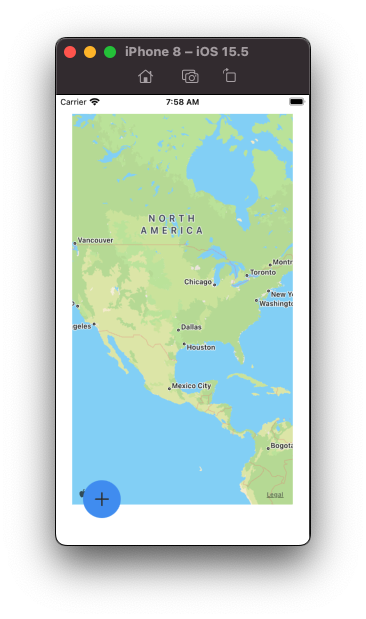
快看“浮动按钮”代码..。
与视图右侧的距离,或由于设置了Floaty.global.rtlMode = true,则与左侧视图的距离:
floaty.paddingX距视野底部的距离:
floaty.paddingY例如,你可以这样做:
  floaty.paddingX = 40.0
  floaty.paddingY = 40.0
页面原文内容由Stack Overflow提供。腾讯云小微IT领域专用引擎提供翻译支持
原文链接:
https://stackoverflow.com/questions/73309880
复制相关文章
相似问题
腾讯云开发者

Copyright © 2013 - 2026 Tencent Cloud. All Rights Reserved. 腾讯云 版权所有
深圳市腾讯计算机系统有限公司 ICP备案/许可证号:粤B2-20090059  粤公网安备44030502008569号
腾讯云计算(北京)有限责任公司 京ICP证150476号 | 京ICP备11018762号