
使用F#、WSL2 +扩展调试WSL2应用程序(Ionide数据包、假的、核心的)
使用F#、WSL2 +扩展调试WSL2应用程序(Ionide数据包、假的、核心的)
提问于 2022-08-06 18:20:01
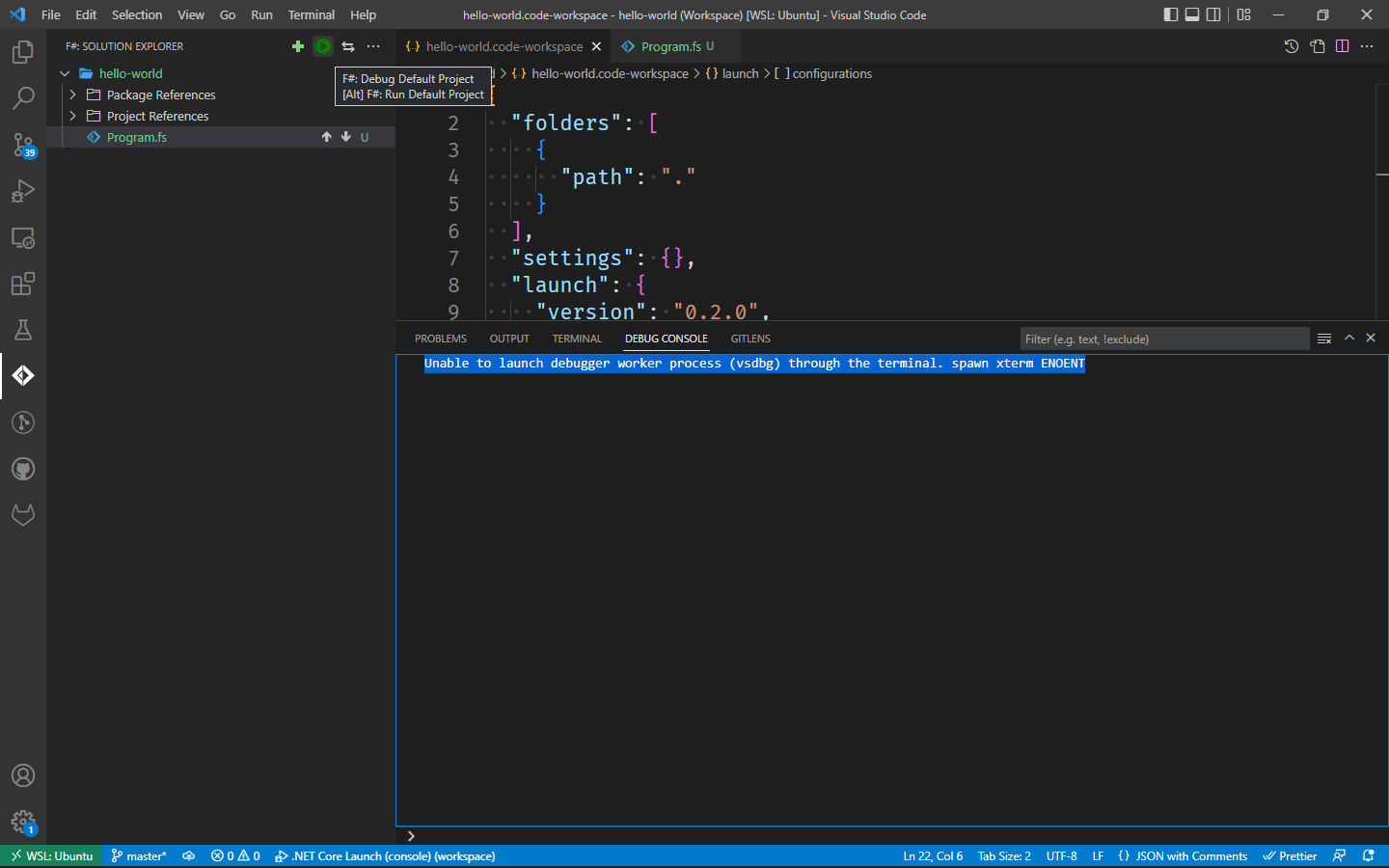
在使用Ionide在F#上调试VSCode应用程序时,会出现此错误
Unable to launch debugger worker process (vsdbg) through the terminal. spawn xterm ENOENT
回答 1
Stack Overflow用户
发布于 2022-08-06 18:20:01
- 在应用程序
的根文件夹中添加一个worskpace
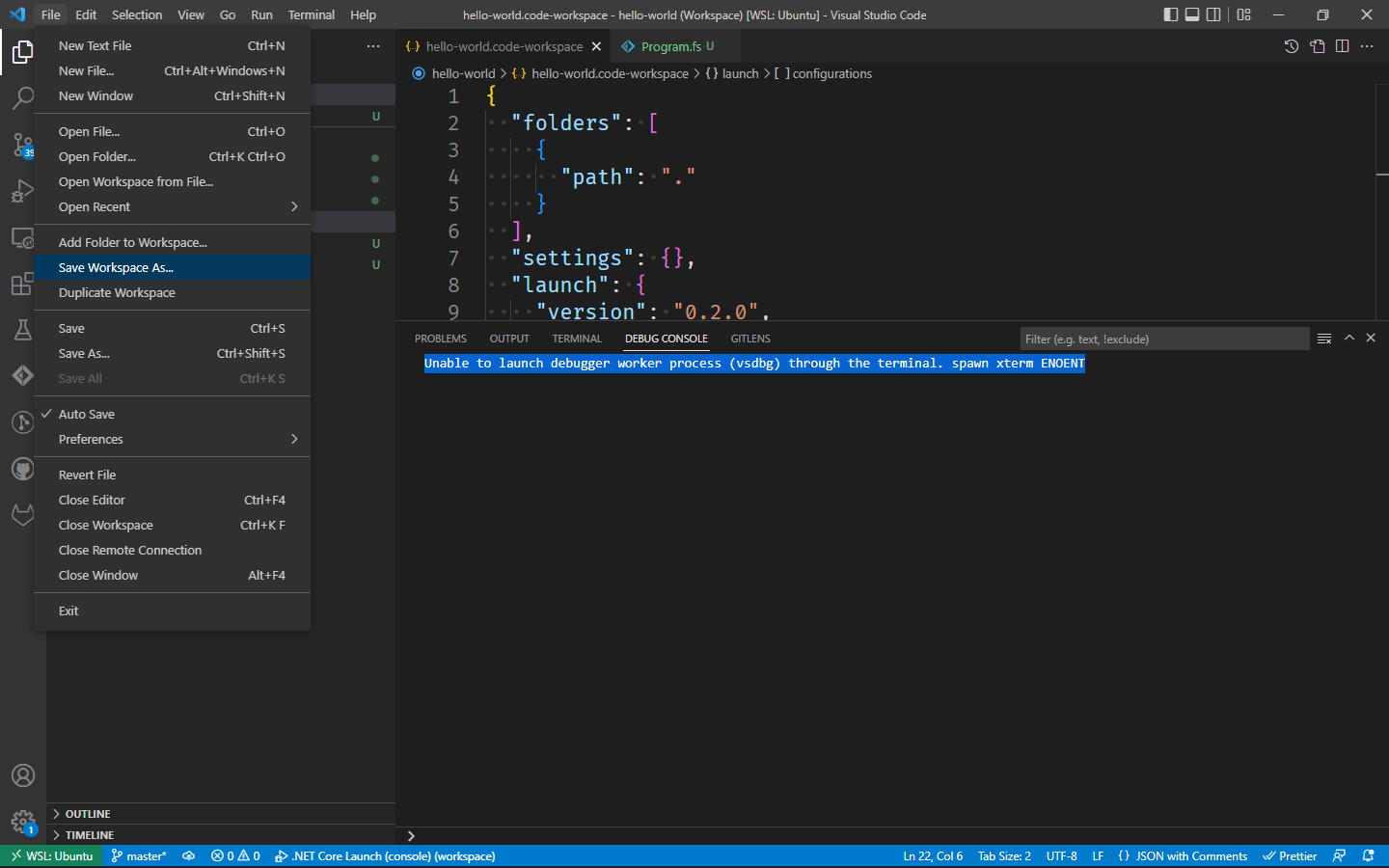
- 添加调试配置(launch.json) ->选择模板.NET核心启动(控制台)
- 添加了一个用于构建应用程序->的任务,在您尝试按照上一步
运行调试器之后,将提示您创建该任务。
- 从调试器
运行
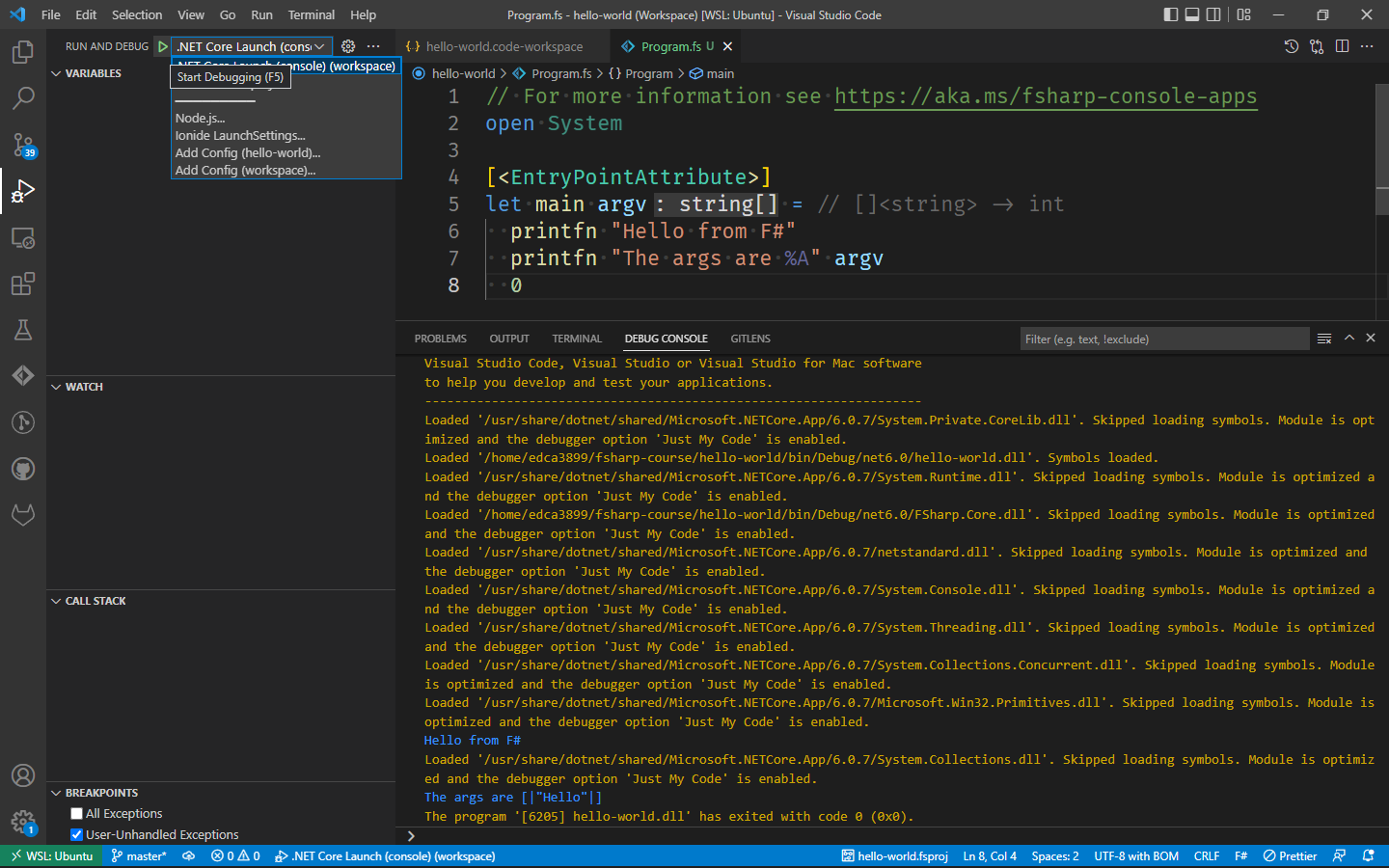
这里是我的示例配置,相同的字段,但使用它们从工作区文件,而不是直接在. .vscode/* (个人偏好)
     {
      "folders": [
        {
          "path": "."
        }
      ],
      "settings": {},
      "launch": {
        "version": "0.2.0",
        "configurations": [
          {
            "name": ".NET Core Launch (console)",
            "type": "coreclr",
            "request": "launch",
            "preLaunchTask": "build",
// Change this path to point to your entrypoint
            "program": "${workspaceFolder}/bin/Debug/net6.0/hello-world.dll",
            "args": ["Hello"],
            "cwd": "${workspaceFolder}",
            "stopAtEntry": false,
            "console": "internalConsole"
          }
        ]
      },
      "tasks": {
        "version": "2.0.0",
        "tasks": [
          {
            "label": "build",
            "command": "dotnet",
            "type": "shell",
            "args": [
              "build",
              // Ask dotnet build to generate full paths for file names.
              "/property:GenerateFullPaths=true",
              // Do not generate summary otherwise it leads to duplicate errors in Problems panel
              "/consoleloggerparameters:NoSummary"
            ],
            "group": "build",
            "presentation": {
              "reveal": "silent"
            },
            "problemMatcher": "$msCompile"
          }
        ]
      }
    }
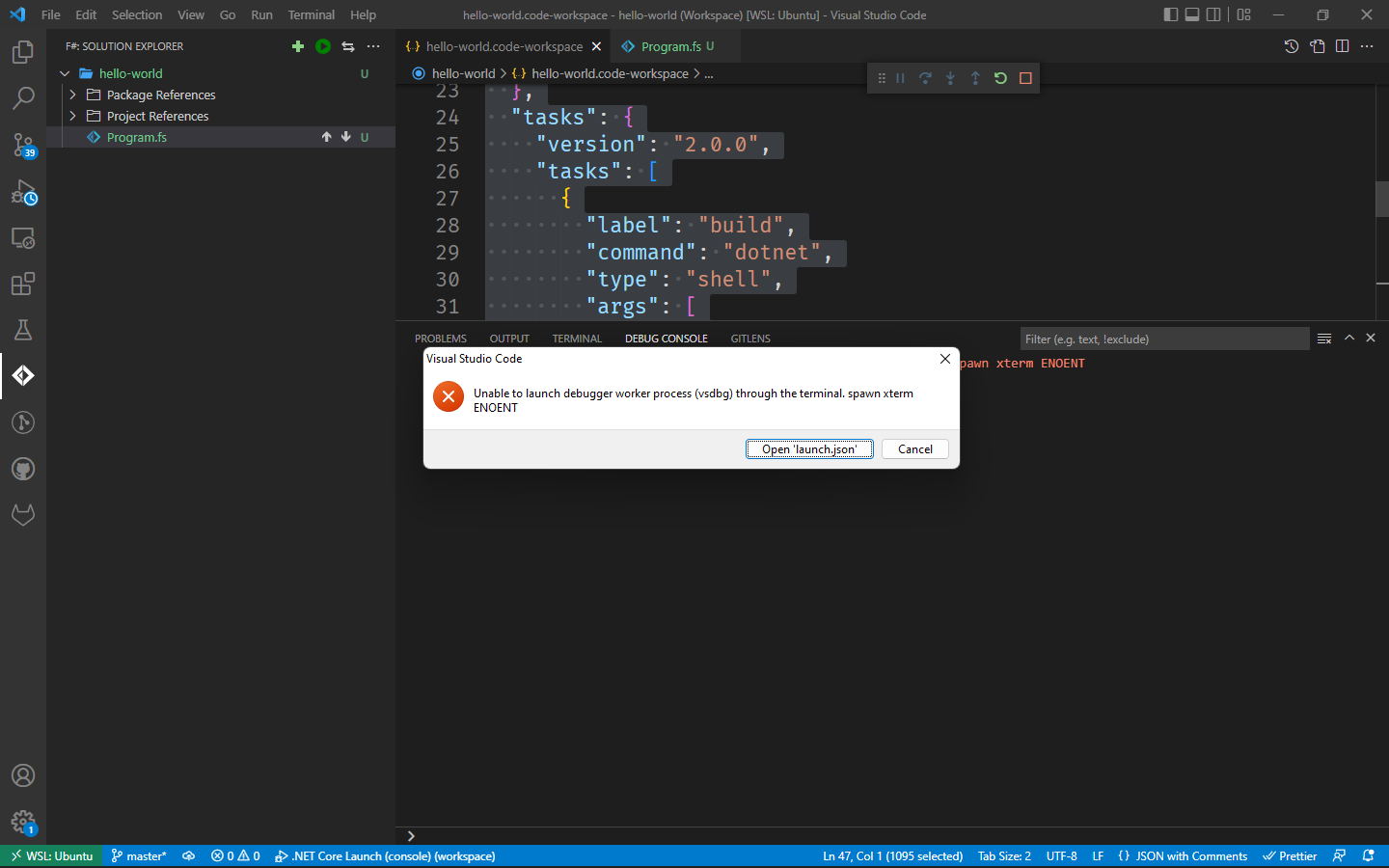
不幸的是,我无法从Ionide选项卡上运行它。如果你知道如何在WS2上解决这个问题,请告诉我。
页面原文内容由Stack Overflow提供。腾讯云小微IT领域专用引擎提供翻译支持
原文链接:
https://stackoverflow.com/questions/73262286
复制相关文章
相似问题
腾讯云开发者

Copyright © 2013 - 2026 Tencent Cloud. All Rights Reserved. 腾讯云 版权所有
深圳市腾讯计算机系统有限公司 ICP备案/许可证号:粤B2-20090059  粤公网安备44030502008569号
腾讯云计算(北京)有限责任公司 京ICP证150476号 | 京ICP备11018762号