
带bun dev的热重装(HMR)
带bun dev的热重装(HMR)
提问于 2022-08-02 13:58:17
我遵循的步骤:
bun create hono test-api
cd test-api
bun dev
然后服务器显示以下消息:
$ bun dev
[1.00ms] bun!! v0.1.6


  Link: http://localhost:3000
当我修改任何文件时,服务器检测到它,然后重新加载应用程序,但是我不知道如何调用我的应用程序REST。
如果我执行:curl localhost:3000,响应是一个转置的JS代码:
import {
__require
} from "http://localhost:3000/bun:wrap";
import {
__HMRClient as Bun
} from "http://localhost:3000/bun:wrap";
Bun.activate(false);
import {
__HMRModule as HMR
} from "http://localhost:3000/bun:wrap";
import * as $9121e9 from "http://localhost:3000/node_modules/hono/dist/index.js";
var { Hono} = __require($9121e9);
var hmr = new HMR(2320229645, "src/index.ts"), exports = hmr.exports;
(hmr._load = function() {
  const app = new Hono;
  const port = parseInt(process.env.PORT) || 3000;
  const home = app.get("/", (c) => {
    return c.json({ message: "Hello World!" });
  });
  console.log(`Running at http://localhost:${port}`);
  var src_default = {
    port,
    fetch: home.fetch
  };
  hmr.exportAll({
    default: () => src_default
  });
})();
var $$hmr_default = hmr.exports.default;
hmr._update = function(exports) {
  $$hmr_default = exports.default;
};

export {
  $$hmr_default as default
};

//# sourceMappingURL=http://localhost:3000/.mapindex.ts中最初生成的代码是:
import { Hono } from "hono";

const app = new Hono();

const port = parseInt(process.env.PORT) || 3000;

const home = app.get("/", (c) => {
  return c.json({ message: "Hello World!" });
});

console.log(`Running at http://localhost:${port}`);

export default {
  port,
  fetch: home.fetch,
};我没有在bun dev中找到关于bun README.md的文档,但是当创建应用程序时,它会显示一条消息来执行"bun dev“,所以我可能遗漏了一些显而易见的东西。
如何调用运行bun dev的hono -Word
另一方面,如果我执行:bun src/index.ts,则应用程序按预期工作,但不需要热重加载。
回答 2
Stack Overflow用户
回答已采纳
发布于 2022-10-23 15:57:57
在V0.2.0BUN版本中,bun允许在Bun的JavaScript运行时热重新加载代码。这是Bun v0.2.0提供的一个非常实验性的特性。官方医生为.热。对于上述代码,您可以使用以下代码:
bun --hot src/index.ts或
bun run --hot src/index.tsStack Overflow用户
发布于 2022-08-05 09:51:28
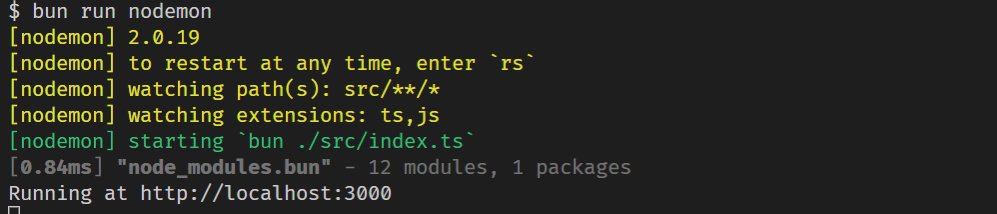
页面原文内容由Stack Overflow提供。腾讯云小微IT领域专用引擎提供翻译支持
原文链接:
https://stackoverflow.com/questions/73208846
复制相关文章
相似问题
腾讯云开发者

Copyright © 2013 - 2026 Tencent Cloud. All Rights Reserved. 腾讯云 版权所有
深圳市腾讯计算机系统有限公司 ICP备案/许可证号:粤B2-20090059  粤公网安备44030502008569号
腾讯云计算(北京)有限责任公司 京ICP证150476号 | 京ICP备11018762号