
使用FluentUI-React电子伪造的内容安全策略
使用index.html:
<html>
  <head>
    <meta charset="UTF-8">
    <meta
      http-equiv="Content-Security-Policy" content-src='static2.sharepointonline.com';
      script-src-elem 'static2.sharepointonline.com';
      img-src 'static2.sharepointonline.com';
      style-src 'static2.sharepointonline.com';
      font-src 'https://static2.sharepointonline.com;
      connect-src https: http:"
    >
  </head>
  <body>
    <div id="app" style="height: 100%;" style-src="../../assets/fonts/" 'self' data:></div>
  </body>
</html>在index.tsx中:
import { initializeIcons } from "@fluentui/react/lib/Icons"
initializeIcons("https://static2.sharepointonline.com/files/fabric/assets/icons/", { disableWarnings: true })
我收到这样的信息:
拒绝加载字体'‘,因为它违反了以下内容安全策略指令:"default-src 'self’‘不安全-内联’数据:“。请注意,“字体-src”没有显式设置,因此“default-src”用作回退。
"@fluentui/react": "^8.80.0"
"react": "^18.1.0"
node: v16.15.1
O.S. : Ubuntu 20.04
更新1)
我在Electron docs中发现了这样的建议:
https://www.electronjs.org/docs/v14-x-y/tutorial/security#csp-http-header
然后,我将这个片段添加到main中:
  session.defaultSession.webRequest.onHeadersReceived((details, callback) => {
    callback({
      responseHeaders: {
        ...details.responseHeaders,
        'Content-Security-Policy': ['default-src \'none\'', 'script-src-elem \'static2.sharepointonline.com\'']
      }
    })
  })
但我知道这些错误:
    Refused to load the script 'http://localhost:3000/main_window/index.js' because it violates the following Content Security Policy directive: "default-src 'none'". Note that 'script-src-elem' was not explicitly set, so 'default-src' is used as a fallback.

Refused to load the script 'http://localhost:3000/main_window/index.js' because it violates the following Content Security Policy directive: "script-src-elem 'static2.sharepointonline.com'
(更新2):
现在在index.html中:
<meta
  http-equiv="Content-Security-Policy" content-src=static2.sharepointonline.com;
  script-src-elem static2.sharepointonline.com;
  img-src static2.sharepointonline.com;
  style-src static2.sharepointonline.com;
  font-src https://static2.sharepointonline.com;
  connect-src https: http:"
>这里:https://content-security-policy.com/#source_list,我读过:* : Wildcard, allows any URL except data: blob: filesystem: schemes.
所以..。我试着放进main
session.defaultSession.webRequest.onHeadersReceived((details,
  callback) => {
    callback({
      responseHeaders: {
        ...details.responseHeaders,
        'Content-Security-Policy': ['default-src \'*\'',  'style-src-
attr \'*\'', 'script-src-elem \'*\'' ]
      }
    })
  })
之前的错误消失了,但应用程序不起作用,我得到了这两个错误,我尝试了,但没有成功地解决:
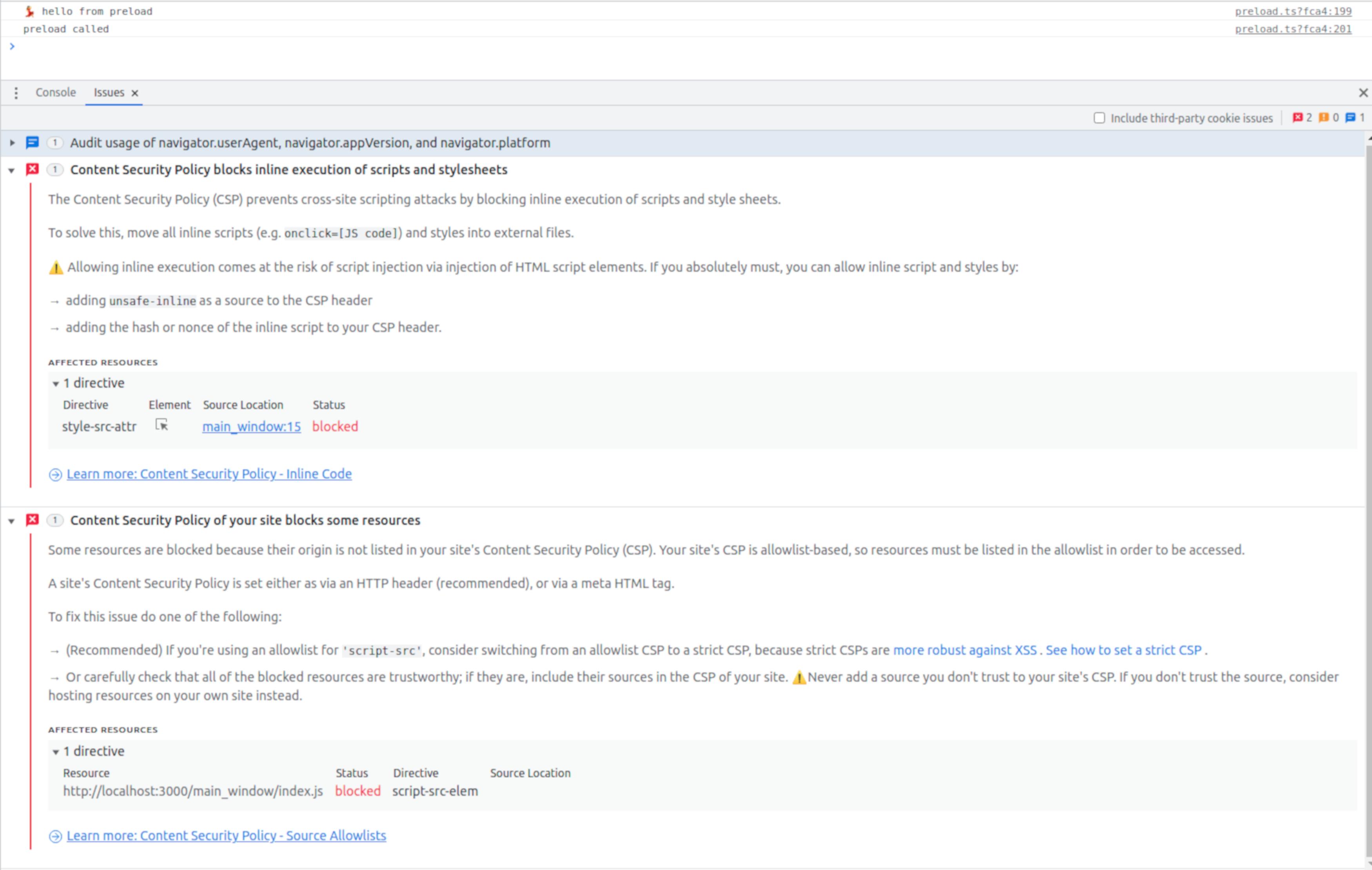
(更新3)
与https://webpack.js.org/guides/csp/#examples一样,我试图在webpack.main.config.js中设置__webpack_nonce__ (我正在使用Electron Forge )。
我用这种方式说:
const rules = require('./webpack.rules');
const plugins = require('./webpack.plugins');

rules.push({
  test: /\.ts$/,
  use: [{ loader: 'ts-loader' }],
});

module.exports = {
  /**
   * This is the main entry point for your application, it's the
first file
   * that runs in the main process.
   */
  entry: {
    main: './src/main/index.ts',
  },
  __webpack_nonce__ =
'c29tZSBjb29sIHN0cmluZyB3aWxsIHBvcCB1cCAxMjM=',
  // Put your normal webpack config below here
  module: {
    //rules: require('./webpack.rules'),
    rules,
  },
  plugins: plugins,
  resolve: {
    extensions: ['.js', '.ts', '.jsx', '.tsx', '.css', '.json'],
    fallback: {
      fs: false,
      'stream': require.resolve('stream-browserify'),
      'buffer': require.resolve('buffer'),
      'util': require.resolve('util'),
      'assert': require.resolve('assert'),
      'http': require.resolve('stream-http'),
      'url': require.resolve('url'),
      'https': require.resolve('https-browserify'),
      'os': require.resolve('os-browserify'),
      'path': require.resolve('path-browserify')
    },
  },
};在index.html中:
  session.defaultSession.webRequest.onHeadersReceived((details,
callback) => {
    callback({
      responseHeaders: {
        ...details.responseHeaders,
        //'Content-Security-Policy': ['default-src \'*\'',  'style-src-attr \'*\'', 'script-src-elem \'*\'' ]
        'Content-Security-Policy0: [
          'default-src \'nonce-c29tZSBjb29sIHN0cmluZyB3aWxsIHBvcCB1cCAxMjM=\'',
          'style-src-attr \'nonce-c29tZSBjb29sIHN0cmluZyB3aWxsIHBvcCB1cCAxMjM=\'',
          'script-src-elem \'c29tZSBjb29sIHN0cmluZyB3aWxsIHBvcCB1cCAxMjM=\''
        ]
      }
    })
  })
但我得到
An unhandled error has occurred inside Forge:
Invalid shorthand property initializer
/home/raphy/FPlayground/webpack.main.config.js:18
  __webpack_nonce__ =
'c29tZSBjb29sIHN0cmluZyB3aWxsIHBvcCB1cCAxMjM=',

SyntaxError: Invalid shorthand property initializer
更新4)
现在..。我有一个非常奇怪的错误和情况。
在main中
   session.defaultSession.webRequest.onHeadersReceived((details, callback) => {
    callback({
      responseHeaders: {
        ...details.responseHeaders,
        'Content-Security-Policy': [
          'default-src \'nonce-c29tZSBjb29sIHN0cmluZyB3aWxsIHBvcCB1cCAxMjM=\'',
          'style-src-attr \'nonce-c29tZSBjb29sIHN0cmluZyB3aWxsIHBvcCB1cCAxMjM=\'',
          'script-src-elem \'c29tZSBjb29sIHN0cmluZyB3aWxsIHBvcCB1cCAxMjM=\''
        ]
      }
})在webpack.plugins.js中:
  new webpack.LoaderOptionsPlugin({

    options: {
      __webpack_nonce__ : 'c29tZSBjb29sIHN0cmluZyB3aWxsIHBvcCB1cCAxMjM=',
    },

}),在index.html中:
    <meta http-equiv="Content-Security-Policy"
      content-src 'nonce-c29tZSBjb29sIHN0cmluZyB3aWxsIHBvcCB1cCAxMjM=';
      script-src-elem 'nonce-c29tZSBjb29sIHN0cmluZyB3aWxsIHBvcCB1cCAxMjM=';
      img-src 'nonce-c29tZSBjb29sIHN0cmluZyB3aWxsIHBvcCB1cCAxMjM=';
      style-src 'nonce-c29tZSBjb29sIHN0cmluZyB3aWxsIHBvcCB1cCAxMjM=';
      font-src 'nonce-c29tZSBjb29sIHN0cmluZyB3aWxsIHBvcCB1cCAxMjM=';
      connect-src https: http:"
    >
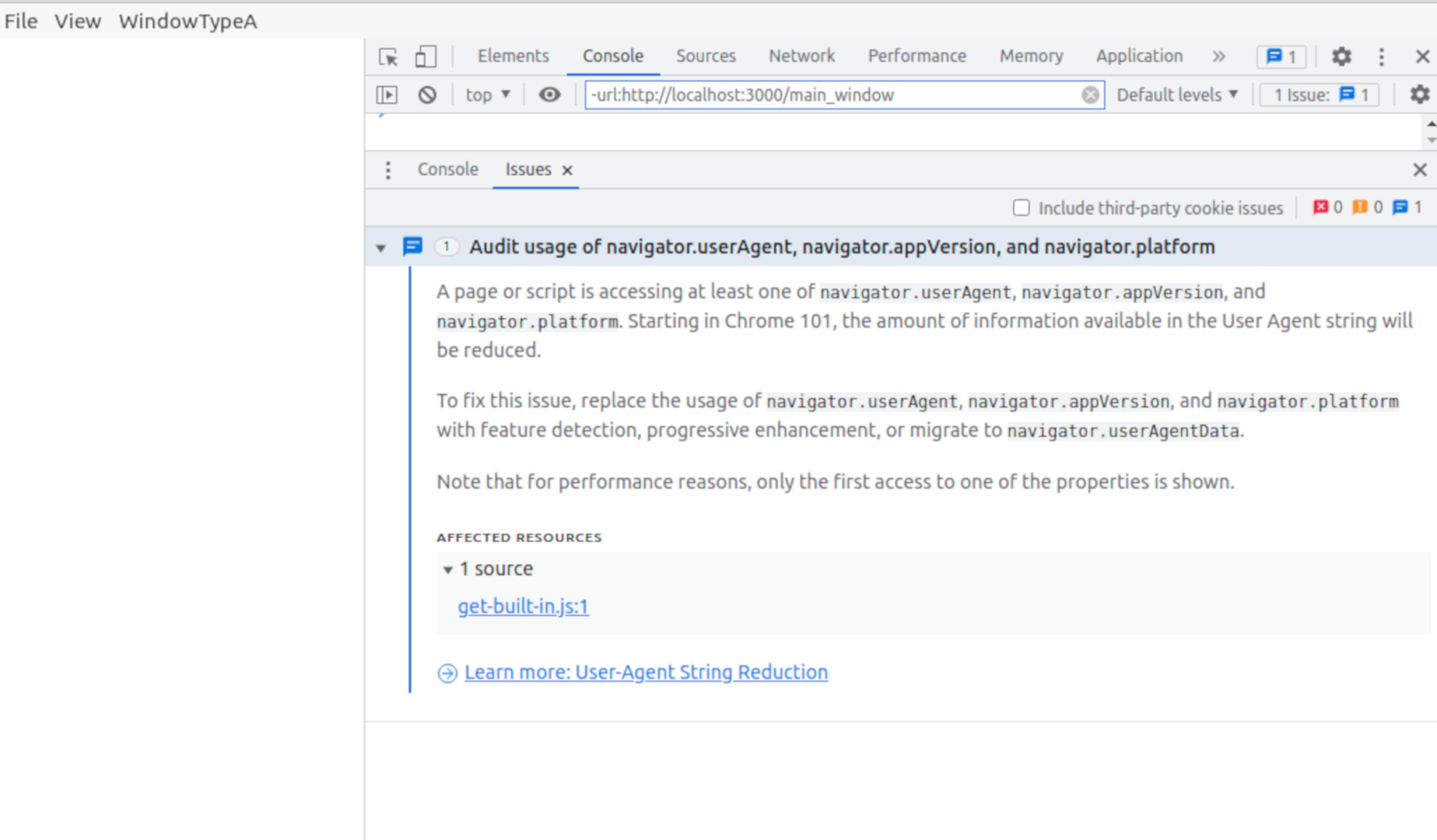
在哪里指定内容-安全策略?在package.json中,如这里所建议的:React Electron App - React Leaftlet Content Security Policy errors?还是在webpack.plugins.js?
怎么让它起作用?
回答 1
Stack Overflow用户
发布于 2022-07-19 19:21:58
我在这个障碍上花了好几个小时..。
Bu,现在,在package.json:
  "plugins": [
        [
          "@electron-forge/plugin-webpack",
          {
            "mainConfig": "./webpack.main.config.js",
"devContentSecurityPolicy": "default-src 'none'; script-src 'unsafe-eval'; script-src-elem 'self'; img-src *; style-src 'self' 'unsafe-inline'; font-src 'self' https://static2.sharepointonline.com/files/fabric/assets/icons/; connect-src 'self';",./src/app/index.html:
<!DOCTYPE html>
<html>
  <head>
    <meta charset="UTF-8">
  </head>
  <body>
    <div id="app" style="height: 100%;" style-src="../../assets/fonts/" 'self' data:></div>
  </body>
</html>并评论__webpack_nonce__' option in webpack.plugin.js‘
看上去很好
我要感谢@spender强调了我犯的一些错误
https://stackoverflow.com/questions/73034017
复制相似问题
腾讯云开发者

Copyright © 2013 - 2026 Tencent Cloud. All Rights Reserved. 腾讯云 版权所有
深圳市腾讯计算机系统有限公司 ICP备案/许可证号:粤B2-20090059  粤公网安备44030502008569号
腾讯云计算(北京)有限责任公司 京ICP证150476号 | 京ICP备11018762号