
Zenity显示打开而不是保存对话框
Zenity显示打开而不是保存对话框
提问于 2022-07-19 06:55:29
我有下面的脚本。
#!/bin/bash

#DATE=$(date +%F-%T)
select=$( echo -e "whole\narea\nwindow" | rofi -dmenu )

FILE_LOCATION=$(zenity --file-selection --save --confirm-overwrite --title="Save As")

if [[ $select == "whole" ]]; then
  # gnome-screenshot -f ~/Pictures/Screenshot-$DATE.png
  gnome-screenshot -f $FILE_LOCATION
elif [[ $select == "area" ]]; then
  gnome-screenshot --area -f $FILE_LOCATION
elif [[ $select == "window" ]]; then
  gnome-screenshot --window -f $FILE_LOCATION
fi
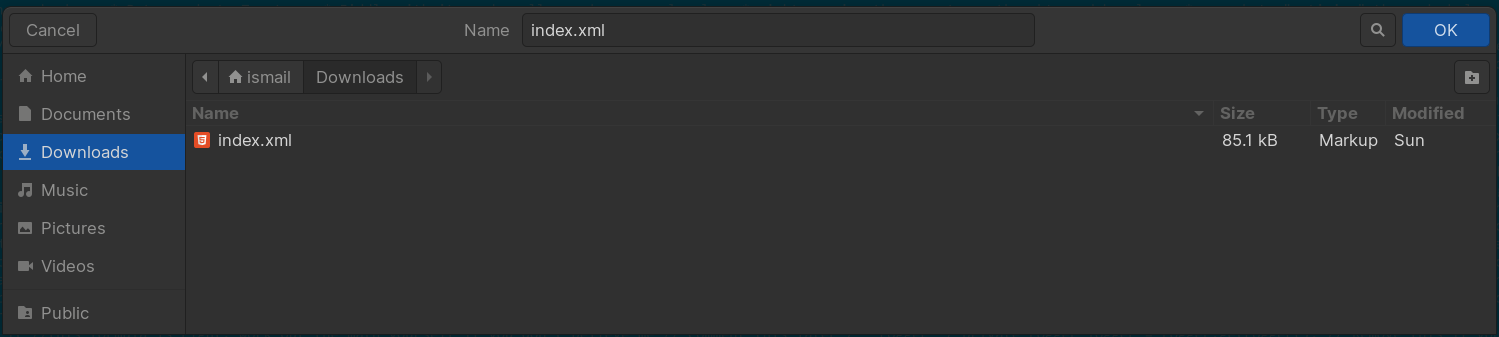
当我运行脚本时,对话框如下所示:
然而,它应该看起来像:
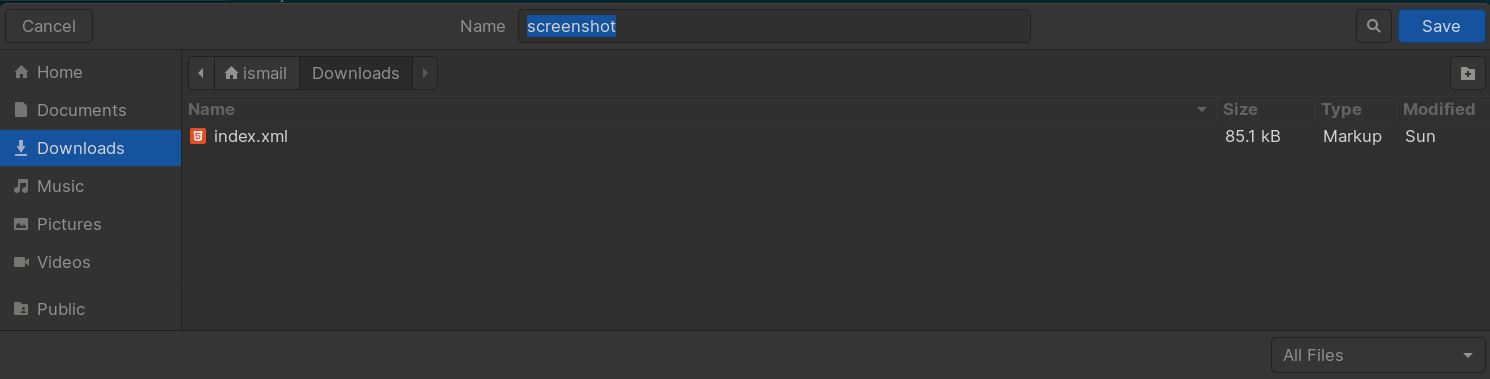
我还想选择默认的文件类型为.png。
我怎么能这么做?
回答 1
Stack Overflow用户
回答已采纳
发布于 2022-08-01 09:19:16
我目前使用的解决方案是:
#!/bin/bash

select=$( echo -e "whole\narea\nwindow" | rofi -dmenu )

function get_file_location() {

  # Get last save directory location
  if [[ ! -f "/tmp/kdialog_state" ]]; then
    echo $HOME > /tmp/kdialog_state
  fi

  FILE_LOCATION=$(kdialog --getsavefilename "$(cat /tmp/kdialog_state)" "*.png")
  FILE_LOCATION_TEMP=$FILE_LOCATION
}

function copy_image_to_clipboard() {
  xclip -in -selection clipboard -target image/png
}

if [[ $select == "whole" ]]; then
  maim --format=png | copy_image_to_clipboard

elif [[ $select == "area" ]]; then
  maim --format=png --select | copy_image_to_clipboard


elif [[ $select == "window" ]]; then
  maim --format=png --window=$(xdotool getactivewindow) | copy_image_to_clipboard
fi

get_file_location
xclip -selection clipboard -target image/png -out > $FILE_LOCATION

# save last used directory state
echo "${FILE_LOCATION%/*}" > /tmp/kdialog_state页面原文内容由Stack Overflow提供。腾讯云小微IT领域专用引擎提供翻译支持
原文链接:
https://stackoverflow.com/questions/73032402
复制相关文章
相似问题
腾讯云开发者

Copyright © 2013 - 2026 Tencent Cloud. All Rights Reserved. 腾讯云 版权所有
深圳市腾讯计算机系统有限公司 ICP备案/许可证号:粤B2-20090059  粤公网安备44030502008569号
腾讯云计算(北京)有限责任公司 京ICP证150476号 | 京ICP备11018762号