
悬垂按钮移除按灰颜色
悬垂按钮移除按灰颜色
提问于 2022-07-18 20:59:03
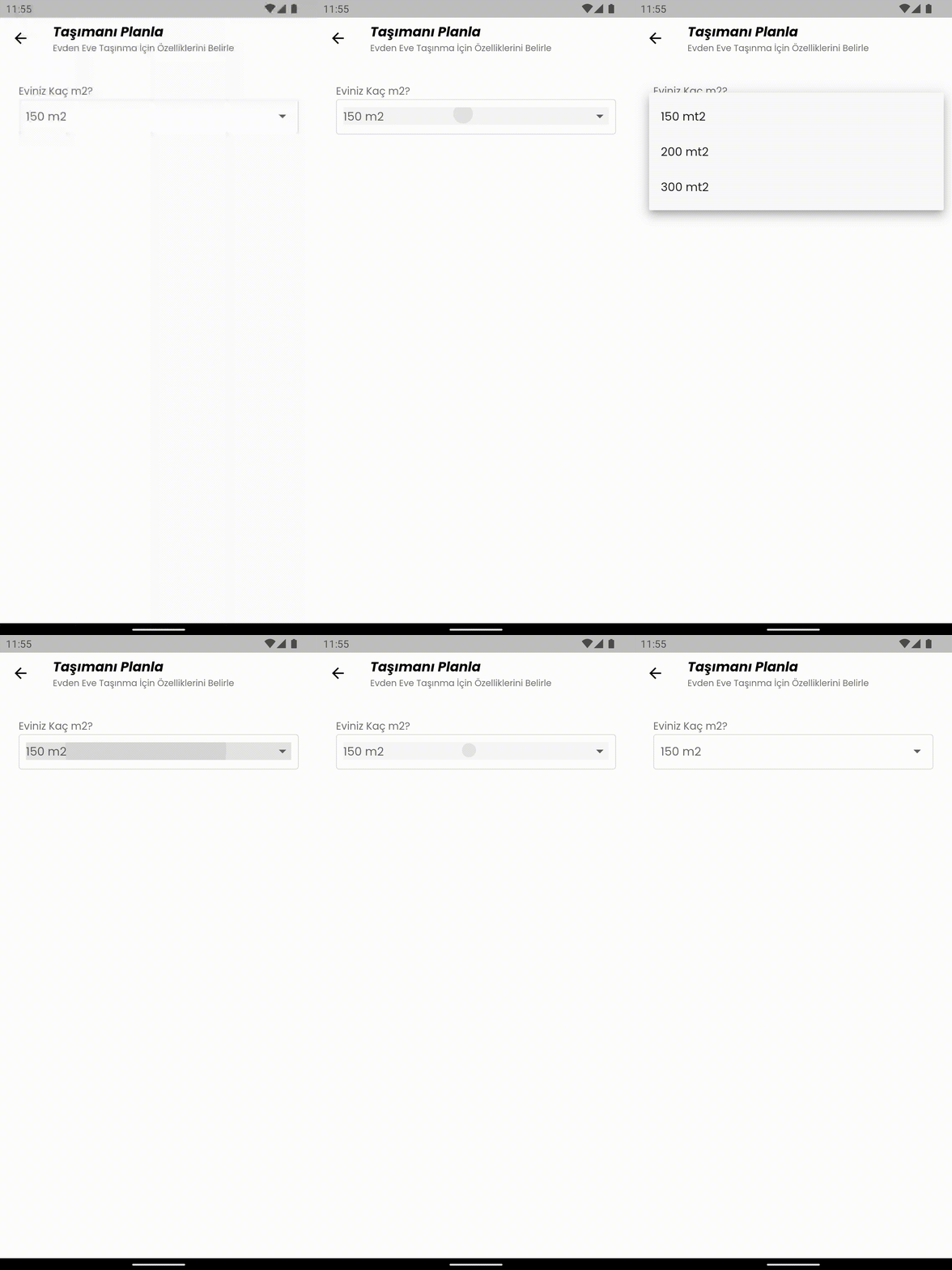
当我选择下拉按钮的值时,我想删除这个灰色按钮。我该怎么做呢。我试过这里的一切,这是我的密码
InputDecorator(
      decoration: const InputDecoration(
        border: OutlineInputBorder(borderRadius: BorderRadius.all(Radius.circular(4.0))),
        contentPadding: EdgeInsets.all(10),
      ),
      child: DropdownButtonHideUnderline(
        child: DropdownButton<dynamic>(
          value: null,
          isDense: true,
          hint: Text(hintText),
          isExpanded: true,
          items: itemList,
          onChanged: (newValue) {},
        ),
      ),
    ),
回答 2
Stack Overflow用户
回答已采纳
发布于 2022-07-18 21:05:08
一种可能的方法是在ThemeData中更改默认的splashcolor,如下所示:
theme: ThemeData(
      splashColor: Colors.transparent,
      highlightColor: Colors.transparent,
    ),
如果您想在代码的其他部分中使用不同的颜色,那么在主题数据中设置它就是一个骗局。
否则,您也可以尝试使用SplashFactory
Stack Overflow用户
发布于 2022-07-18 21:23:04
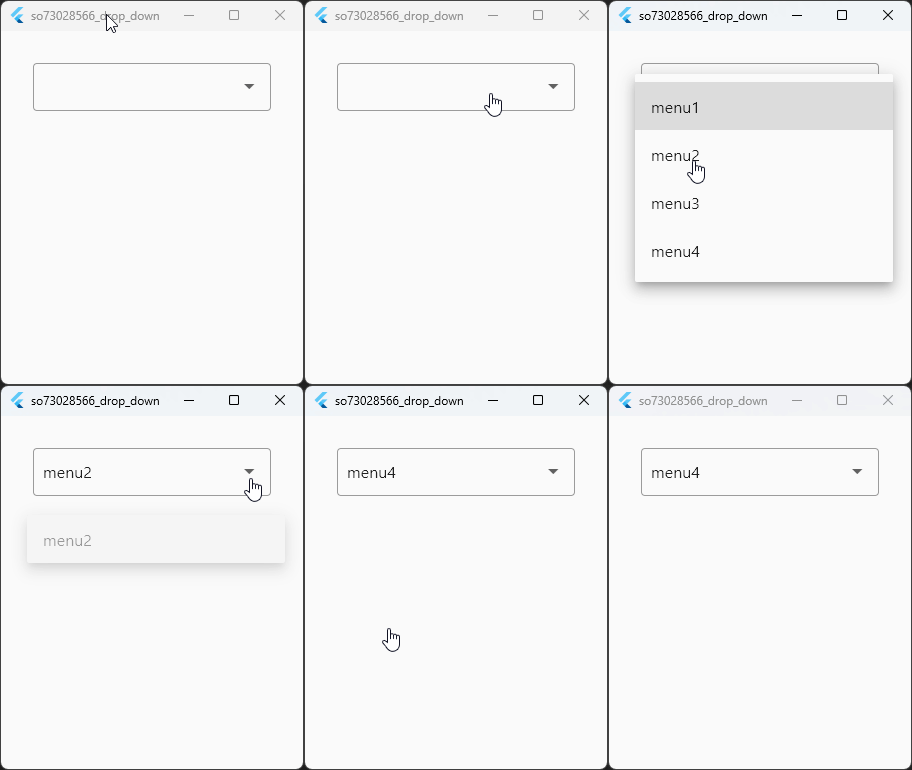
您可以通过将主题封装在Theme小部件周围以更改InkWell效果,从而设置每个小部件的主题。这种方式不会改变全局MaterialApp.theme,而不会改变整个应用程序InkWell的行为。因此,这只是一个改变ThemeData highlightColor,hoverColor和splashColor的问题。
检查结果如下:
InputDecorator(
  decoration: const InputDecoration(
    border: OutlineInputBorder(
        borderRadius: BorderRadius.all(Radius.circular(4.0))),
    contentPadding: EdgeInsets.all(10),
  ),
  child: Theme(                           // <- Here
    data: Theme.of(context).copyWith(     // <- Here
      splashColor: Colors.transparent,    // <- Here
      highlightColor: Colors.transparent, // <- Here
      hoverColor: Colors.transparent,     // <- Here
    ),
    child: DropdownButtonHideUnderline(
      child: DropdownButton<String>(
        value: selectedValue,
        isDense: true,
        isExpanded: true,
        focusColor: Colors.transparent,
        items: const [
          DropdownMenuItem(value: '1', child: Text('menu1')),
          DropdownMenuItem(value: '2', child: Text('menu2')),
          DropdownMenuItem(value: '3', child: Text('menu3')),
          DropdownMenuItem(value: '4', child: Text('menu4')),
        ],
        onChanged: (newValue) => setState(() => selectedValue = newValue),
      ),
    ),
  ),
),页面原文内容由Stack Overflow提供。腾讯云小微IT领域专用引擎提供翻译支持
原文链接:
https://stackoverflow.com/questions/73028566
复制相关文章
相似问题
腾讯云开发者

Copyright © 2013 - 2026 Tencent Cloud. All Rights Reserved. 腾讯云 版权所有
深圳市腾讯计算机系统有限公司 ICP备案/许可证号:粤B2-20090059  粤公网安备44030502008569号
腾讯云计算(北京)有限责任公司 京ICP证150476号 | 京ICP备11018762号