
带有反应样式的全屏幕检测.组件
我用的是反应和造型的组件。当用户按F11 (Chrome)切换全屏模式时,我想隐藏Navbar。
我试过以下几点:
const NavbarContainer = styled.div`
  height: 30px;
  background-color: mediumseagreen;
  padding: 10px 20px;
  display: flex;
  justify-content: space-between;
  align-items: center;
  color: white;
  & :fullscreen {
    display: none;
  };
`
要使它发挥作用,还需要什么?现在,当我进入全屏时,Navbar仍然是可见的。
回答 3
Stack Overflow用户
发布于 2022-07-22 14:10:44
我们有两种解决问题的全屏模式。
第一种解决办法:
在styled-components中,您需要使用@media all and (display-mode: fullscreen)而不是:fullscreen伪类,因为这个伪类只适用于全屏API。这将以F11键作为开关触发,但是我们不能使用Esc键取消全屏模式。
const NavbarContainer = styled.div`
  height: 30px;
  background-color: mediumseagreen;
  padding: 10px 20px;
  display: flex;
  justify-content: space-between;
  align-items: center;
  color: white;
  @media all and (display-mode: fullscreen) {
    display: none;
  }
`;
第二种解决办法:
我们使用全屏API,在调用这个API之后,:fullscreen伪类将工作。如果您想要使用Esc键退出全屏模式,也可以指定另一个键(如Enter)或元素(如按钮)触发全屏模式,这种方法是很好的。
全屏API添加方法,以全屏模式呈现特定元素(及其后代),并在不再需要时退出全屏模式。这样就可以使用用户的整个屏幕,从屏幕上删除所有浏览器用户界面元素和其他应用程序,从而呈现所需的内容--比如在线游戏--直到关闭全屏模式。MDN
虽然,如果我们在css中使用@media查询而不是:fullscreen伪类,我们也可以使用F11键作为触发器。另外,使用这种方法,我们将收到两种关于退出全屏模式的不同通知。
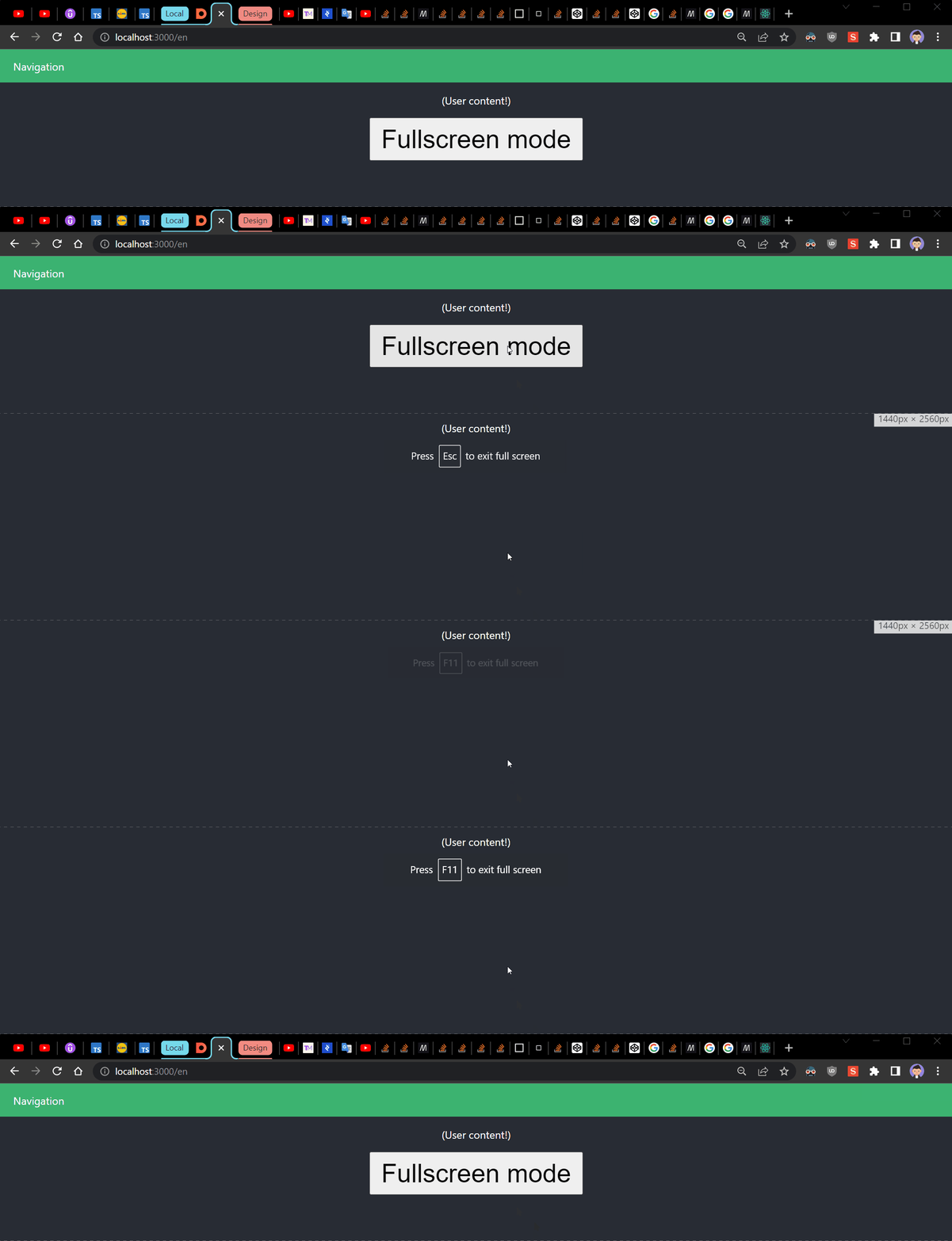
import { useEffect, useRef } from "react";
import styled from "styled-components";

const NavbarContainer = styled.div`
  height: 30px;
  background-color: mediumseagreen;
  padding: 10px 20px;
  display: flex;
  justify-content: space-between;
  align-items: center;
  color: white;
  @media all and (display-mode: fullscreen) {
    display: none;
  }
`;
const FullScreenButton = styled.button`
  padding: 0.5rem 1rem;
  @media all and (display-mode: fullscreen) {
    display: none;
  }
`;

export default function App() {
  const refNavbar = useRef<HTMLDivElement>(null);

  useEffect(() => {
    const navbar = refNavbar.current;

    const actionFn = (event: KeyboardEvent) => {
      if ((event.key === 'Enter') && navbar) {
        navbar.requestFullscreen();
        return;
      }
    };

    document.addEventListener('keyup', actionFn, false);
    return () => {
      document.removeEventListener('keyup', actionFn, false);
    };
  }, []);

  const fullScreenOnClick = () => {
    const navbar = refNavbar.current;
    if (!navbar) return;
    navbar.requestFullscreen();
  };

  return (
    <div className="App">
      <NavbarContainer ref={refNavbar}>Navigation</NavbarContainer>
      <section>
        <p>(User content!)</p>
        <FullScreenButton onClick={fullScreenOnClick}>Fullscreen mode</FullScreenButton>
      </section>
    </div>
  );
}

警告:使用指定的F11键作为触发器的全屏幕API。
如果您尝试使用F11全屏API分配密钥,以便也可以使用Esc键退出,您将得到奇怪的行为。这可能是全屏API (带有Esc键)和F11键两个不同事件的原因。
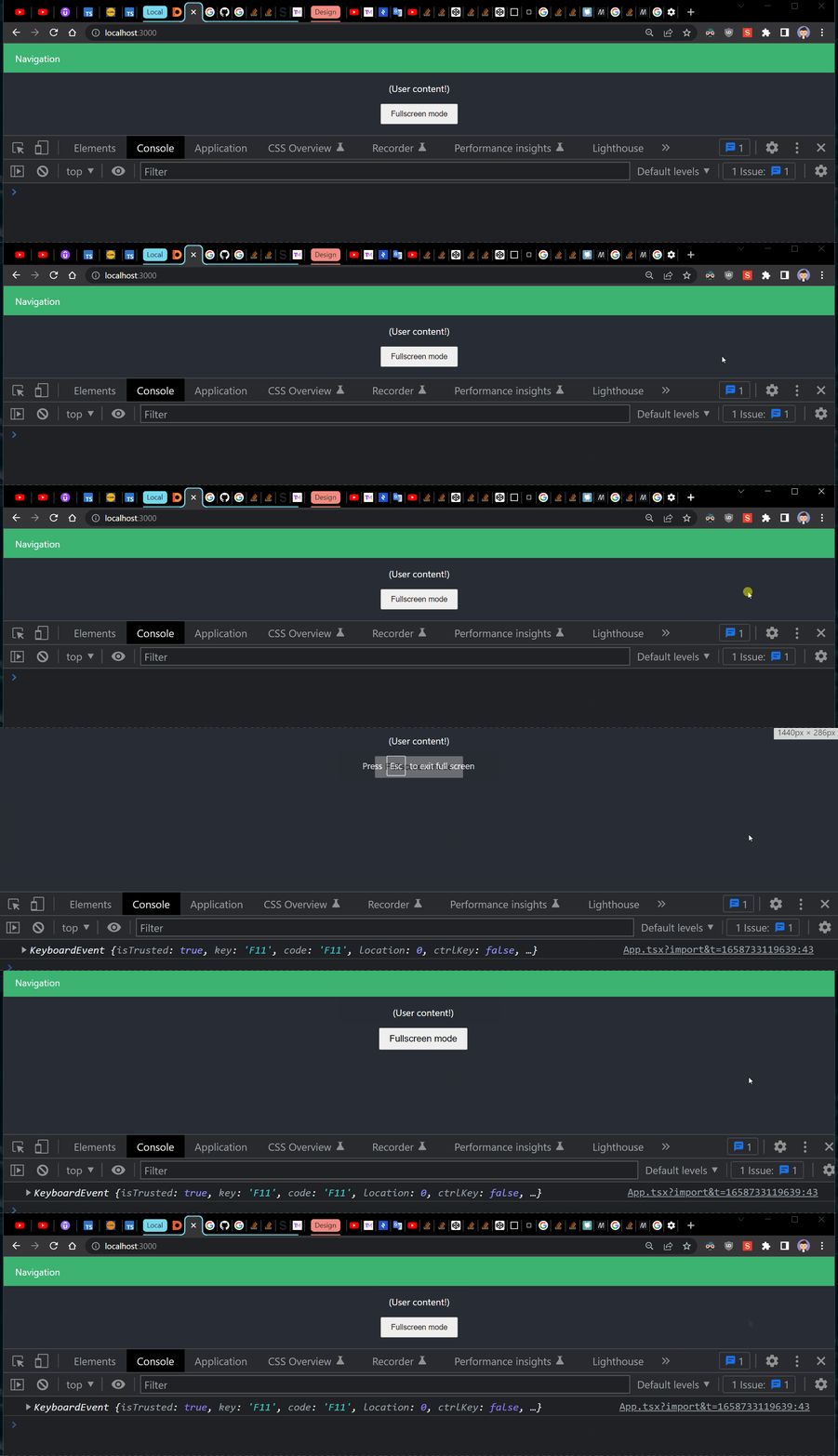
F11和Esc按钮的全屏API问题。
F11键可以退出编程-全屏幕,但编程-退出全屏幕不能退出F11-全屏。这就是你遇到的问题。此外,Esc键不能退出F11-全屏,但退出编程-全屏幕。如果使用F11触发,则全屏API无法工作。
此外:
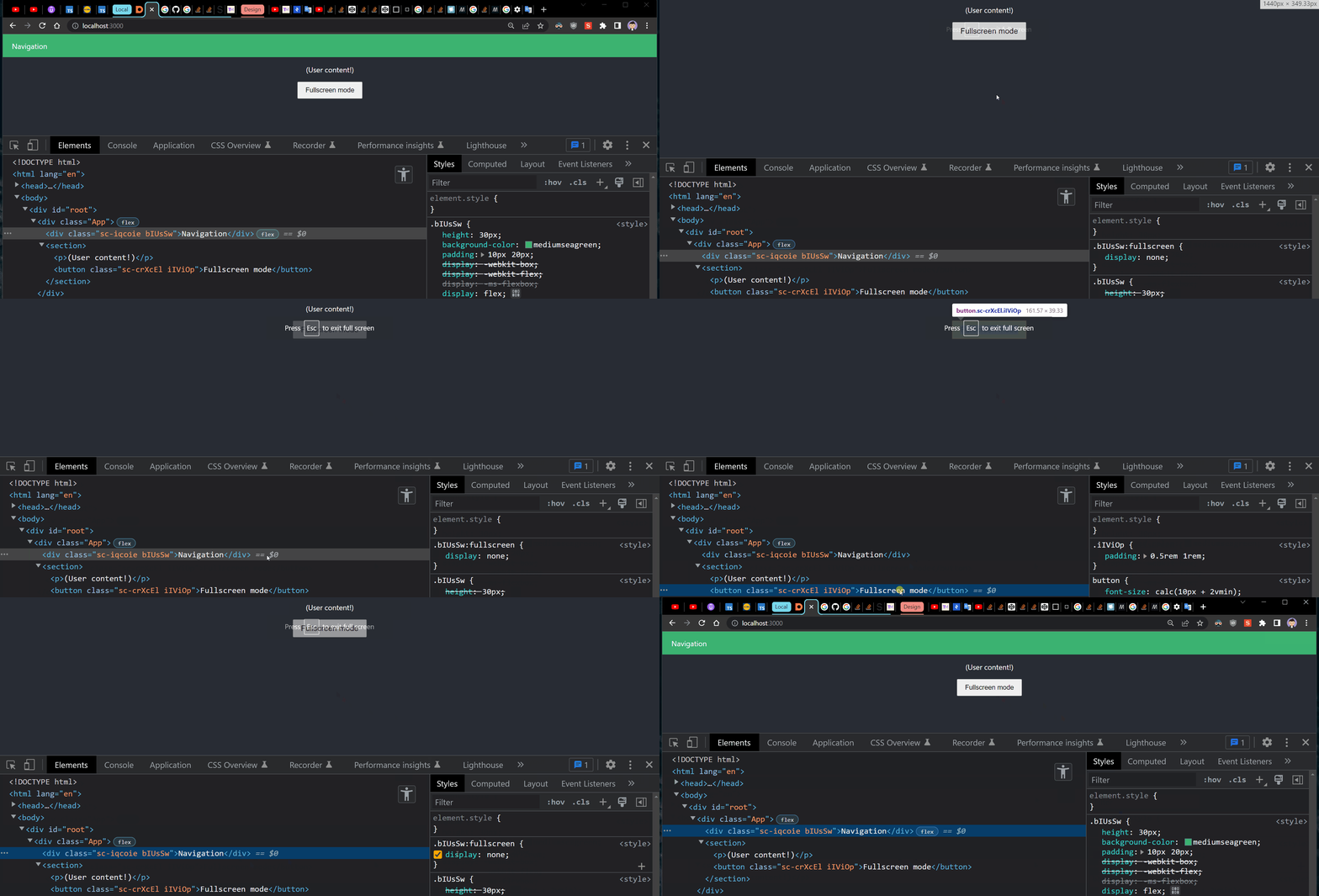
关于:fullscreen伪类的另一个有趣的问题。如果您想隐藏多个元素(如按钮),这将不起作用,因为它将绑定到当前元素。最好使用@media查询。
Navbar和botton有一个:fullscreen伪类。
Stack Overflow用户
发布于 2022-07-25 08:11:48
它的工作方式:
const NavbarContainer = styled.div`
  height: 30px;
  background-color: blueviolet;
  padding: 10px 20px;
  display: flex;
  justify-content: space-between;
  align-items: center;
  color: white;
  @media all and (display-mode: fullscreen) {
    display: none;
  }
`;:fullscreen伪类用于不同的用途。使用javascript,您可以将任何DOM元素表示为全屏。
例如,如果要执行以下操作:
document.querySelector('#navbar')?.requestFullscreen()...then #navbar:fullscreen会工作的。
Stack Overflow用户
发布于 2022-07-20 22:39:11
我想就是这样
const NavbarContainer = styled.div`
      height: 30px;
      background-color: mediumseagreen;
      padding: 10px 20px;
      display: flex;
      justify-content: space-between;
      align-items: center;
      color: white;
      &::-webkit-full-screen {
        display: none;
      }
`https://stackoverflow.com/questions/72982962
复制相似问题
腾讯云开发者

Copyright © 2013 - 2026 Tencent Cloud. All Rights Reserved. 腾讯云 版权所有
深圳市腾讯计算机系统有限公司 ICP备案/许可证号:粤B2-20090059  粤公网安备44030502008569号
腾讯云计算(北京)有限责任公司 京ICP证150476号 | 京ICP备11018762号